Tag: websites

Teacher Spotlight – Ryan Stein

Many teachers are creating websites this year with iWeb, and that is great! One thing you can do to simplify the process of publishing your site is to use the power of embed codes. Ryan Stein is a 4th grade teacher at Pinchbeck, and his website is a great example of this. He has embedded his Google Calendar and Google Docs for homework. That way, whenever he makes a change in Google, it automatically updates on his website without having to open iWeb and republish the site. He has also embedded videos which significantly reduces the size of his site and the upload times. Be sure to check out his Maps link where he has posted his interactive Virginia map project that I described on this post. If you’d like to get more ideas, I’ve created a website that just focuses on cool things you can embed on your own homepage. There are videos, photo slideshows, polls, forms, and even an online puzzle. Please let me know if you need any help creating your website!


3rd Grade Animals Keynote

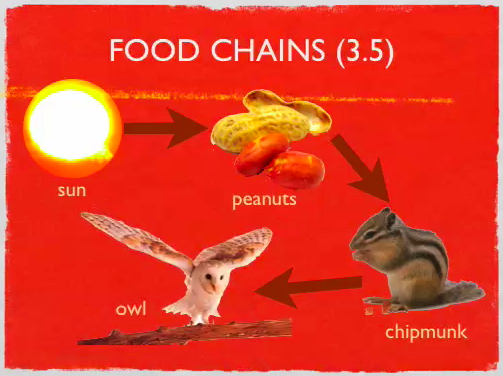
Third graders start the year off studying animals and habitats, and there are so many cool projects you can do with this unit. I’ve described a few ideas on this blog beflore such as creating a comic, a video, a “Mystery Animal” or a podcast. But here’s another idea that one class did this week: they created Keynotes to summarize the important information. There’s a slide about adaptations (SOL 3.4), a slide about food chains (SOL 3.5), and a slide about habitats (SOL 3.6). I created a template and gave them a folder of pictures to use that you can download by clicking here. Students chose the pictures they wanted to use to illustrate each concept, then they added their own text box explanations. Using the Inspector they added transitions and animations. You could also have your students do a voiceover if you wanted. You can see a sample by clicking here. If your students would like an animal that isn’t in my folder of pictures, or if they just need information, they could search this online database or this one. Wikipedia is also a safe place to search for animal pictures.


Kindergarten States of Water Pixie

I posted about a sink or float (SOL K.5c) activity for kindergarten here, but I had a few teachers who wanted to review the states of water (SOL K.5a). So I created another interactive website about that topic here. It’s actually one of my old Hyperstudio projects, but since we don’t have that program anymore I turned it into Flash so it could be online. It reviews the different states of water (solid, liquid, gas), how water travels downhill (SOL K.5b), and water conservation (SOL K.10c). After they complete the online activities they can do this Pixie activity where they use the different drawing tools and stickers to identify the states of water.


3rd Grade Soil Comics

The soil unit in 3rd grade (SOL 3.7) is hard to teach because there aren’t many resources available. I’ve found a couple of websites that you can use and posted them here. One cool activity you can use to spice up your soil unit is to make a comic about soil using Comic Life. I got some pictures together of the different types of soils (sand, silt, clay, humus, loam), and I created a template to get your students started. The students can add speech bubbles to each type of soil explaining their characteristics. To show the different sizes, you can use the speech bubble, drag the tail into the bubble so it looks like a circle, choose a style, and type in it. The template also has a place for students to label the layers of soil (topsoil, subsoil, and bedrock). You can download all the files and a sample by clicking here.


3rd & 5th Grade Volcanoes

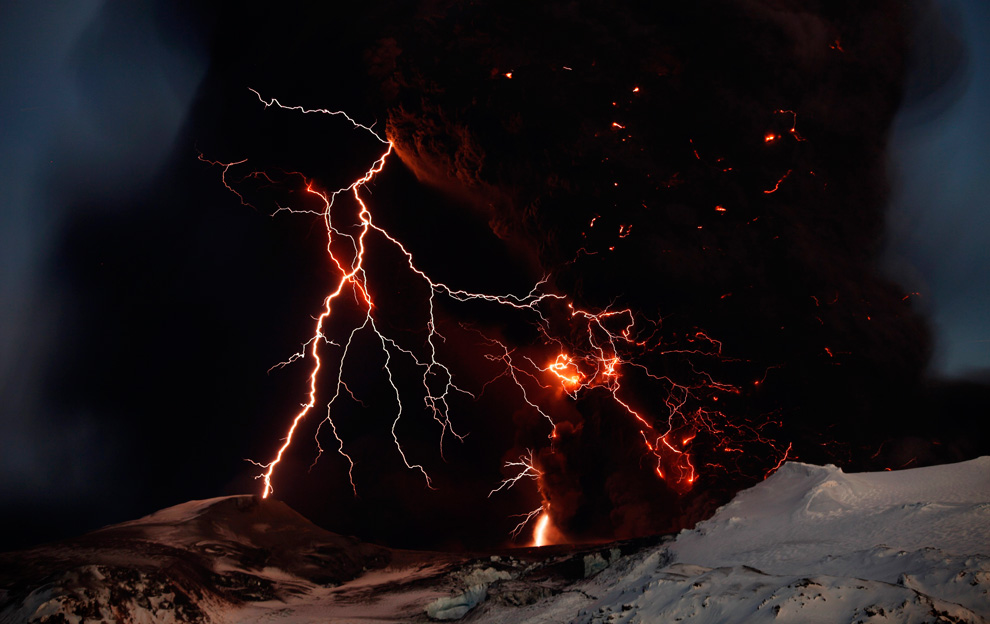
Teachable Moment: I’m sure many of you have heard about the erupting of the Eyjafjallajokull volcano in Iceland today. Why not take this opportunity to review your Rome unit in 3rd grade (Vesuvius erupted in the Roman city of Pompeii) or your earth studies unit in 5th Grade (SOL5.7d). One 3rd grade class at Laburnum created slideshows about the volcano in Pompeii. Their teacher, Mrs. Emmanuelson had actually visited Pompeii and shared her photos with the class. You can see some of their Keynotes here (I added the “Possibility” soundtrack from “Twilight” because volcanoes are always a possibility). I also created a website here with cool links, interactive maps, a Prezi slideshow, and a Flash animation explaining how volcanoes form. Finally, you can click here to download a folder of pictures to use, including amazing photos from Eyjafjallajökull like the one in this blog post (Source).


3rd Grade Simple Machines

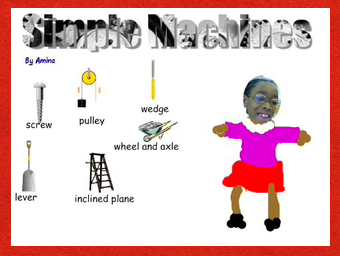
Third graders at Laburnum have been studying simple machines (SOL 3.2) so they created Pixie projects to show off what they have learned. If you click here you can see a sample, and if you click here you can download the template to get your started. First we created Word Art (the directions are on the template), then we found Stickers of the simple machines (go to the Science folder, then to the Simple Machines folder). Next the students took their picture and drew their bodies. Finally they recorded an audio voiceover identifying the machines. There are many other project ideas you could do. Using photos of the machines (click here to download it) you can create a ComicLife or an iMovie. There are lots of cool websites on simple machines for your students to explore, and I’ve tried to gather them all together on this webpage. Don’t forget to check out the Trekkers’ simple machines from the past activity. Go ahead and have fun with your simple machines unit!


3rd Grade Energy & the Environment

Earth Day is coming up, and third graders at Trevvett elementary are working on special projects about the sources of energy and the environment (SOL3.10). They will be using a combination of PhotoBooth, Keynote, and iMovie to create their projects. I’ll put up the link when they are done, but I wanted to share the resources with you now. I gave them a folder of pictures to use with examples of the different types of energy sources as well as examples of recycling, conservation, and pollution. You can download the folder by clicking here. I also created a special site for their research with lots of great links to interactive webpages about energy and the environment. If you’d like to show your students what happens in a real recycling facility right here in Virginia, take a look at the Trekkers podcast! Here are a couple of examples of what the students are doing: Water Pollution Video, Land Pollution Video.


Earth Hour this Saturday!

You’ve heard of Earth Day, but have you heard of Earth Hour? Earth Hour started in Sydney, Australia in 2007 when homes and businesses turned off the lights for an hour to show support for conservation. We teach our students about conservation (SOL K.10c, 3.9d, 3.10d) so it’s a great idea to encourage them to take part this Saturday, March 27th at 8:30pm. I created a video using pictures from around the world showing how many of the countries we study celebrate Earth hour. Watch the lights go out in China, Egypt, Greece (the Parthenon), and Italy (the Colosseum)! The Earth Hour website also has a cool video that your students can watch that looks totally different when the lights are off in the room! Your students may even be inspired to create their own Earth Hour animations in Pixie like this class did. If the link doesn’t work here’s a few examples: 1, 2, 3, 4, 5.


Social Studies Workshop

This week my fellow ITRTs, Frank, Brad, and I have been teaching the social studies contacts and your principals about how to improve social studies performance using technology. Today’s students, called Millennials, are also known as the digital generation because they have grown up with technology. Some are even creating YouTube videos and keeping blogs of their own, like the girl in the cartoon. Using technology in your classroom is a great way to tap into their natural abilities and interests. I created a website in GoogleDocs that I’d like to share with you because it has links to many valuable resources. First there’s an online poll using a site called PollEverywhere that you might like to use in your classroom. It provides a live updated graph as your students vote or respond to whatever topic you post… and it’s free! After trying the poll, you can take the Millennials Quiz to see how well you relate to today’s generation of students. Next, get inspired by projects that students are working on in Henrico and across the country by clicking the video links. Finally, you can learn how to use some of the programs I’ve mentioned in this blog by clicking the tutorial links. I hope the site is helpful, and let me know if you have any questions.


Proscopes – Handheld USB Microscopes!

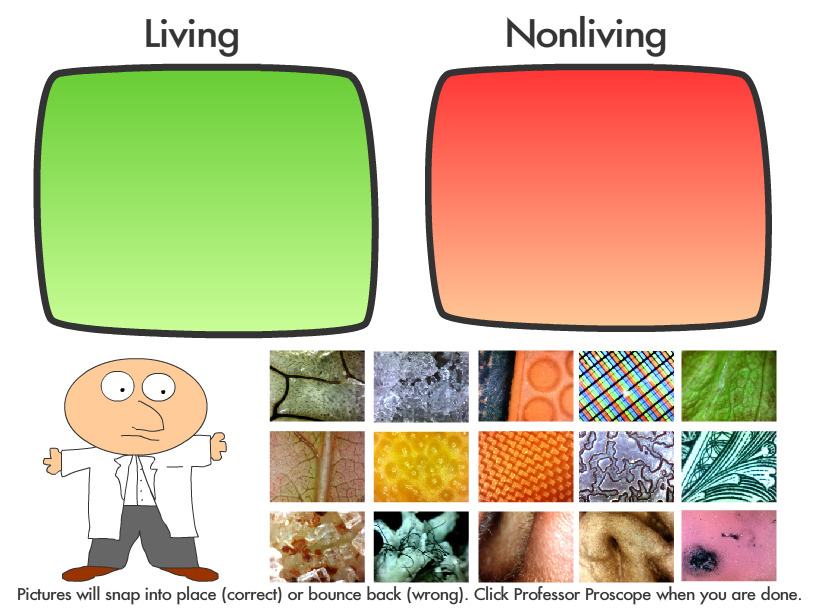
Did you know that your school has hand held digital microscopes for your students to use? You just plug them into the USB port to turn them on, hold them up against something you want to see closer, then click the button to take a picture! It’s as simple as that, and the images are amazing. Take a look at this website to see images that students across the county have taken. Then play the guessing game and the sorting game with Professor Proscope. Let me know if you’d like to do a lesson with your whole class because I can bring in a box of twelve Proscopes so pairs of students can work together at the same time.