Category: 4th Grade

4th Grade Moon Phases Animations
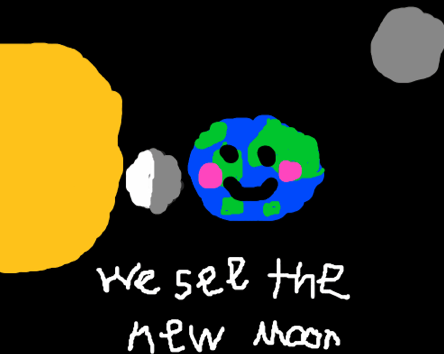
4thmoonToday fourth graders in Ms. Bennett’s class at Davis Elementary made animations of the moon phases using Flipbook (SOL4.8). I tried this lesson earlier with another class, but I had neglected to do my research ahead of time, and we got a lot of things wrong. Like did you know that the moon moves counterclockwise around the Earth (unless you’re looking at it from below)? But that shows that making animations requires a deeper understanding of processes than you would normally need to have. To give another example, I tried to make an animation of a power plant for the Virginia Trekkers based on my research (which I did do), but when I sent it to the director of the power plant to check it over, he pointed out several mistakes. It took many revisions and a lot more research, and through it all, my understanding of the process greatly improved. The point is, making animations is a valuable learning activity, even if it takes a bit of extra time. And it does take time. We didn’t get to finish our animations today, but they still turned out pretty good. The students illustrated where the moon is located at different phases and how it appears to us on Earth. You can see all the animations here.
4th Grade Bartering Videos

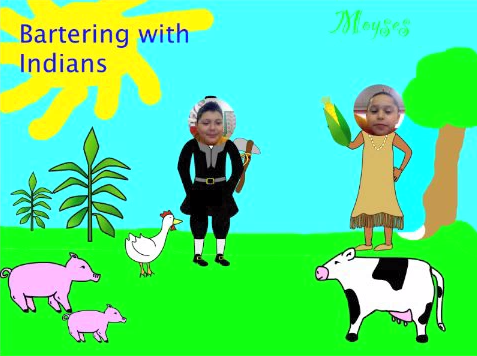
Screen shot 2014-02-17 at 3.13.26 PMFourth graders in Ms. Lara’s class at Holladay have been learning about how the colonists often bartered with the American Indians and with each other (VS.4d). Today they created short bartering videos using Pixie. First we discussed what kinds of products the Virginia colonists and Indians would have available to trade with each other, and we discussed what they might say during a bartering transaction. I pointed out that they would often have to go back and forth making changes in their trades until both parties could agree. Next we opened a blank Pixie and painted a colonial scene. I showed them how to search the Stickers library for the people and their products. They pasted a picture of themselves to one of the people, and then they got a partner to paste a photo to the other person. Next, both pairs acted out a bartering conversation and recorded it. I exported them as QuickTime videos and added a link to each video on a Google Doc where they could all be easily accessed. You can take a look at them here.


Tags:


4th Grade Choose-Your-Own Adventure Stories

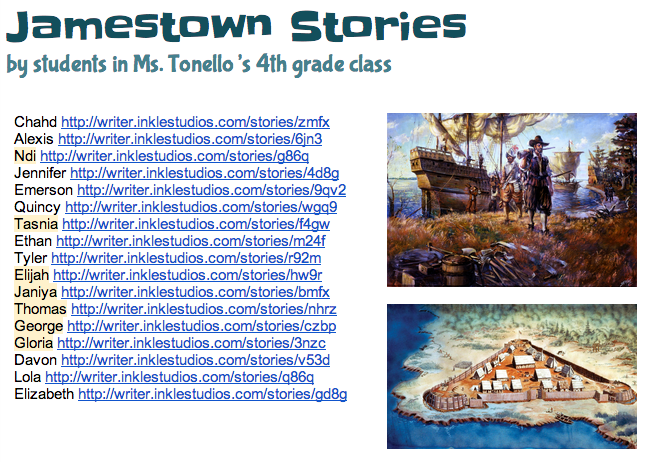
inkleFourth grade students in Ms. Tonello’s class at Holladay Elementary created choose-your-own adventure stories today about Jamestown using Inklewriter. They’ve learned about all the problems the Jamestown settlers had (VS.3), but what if the settlers made different choices? How would the outcomes be different? First I showed them a couple of examples to show them how Inklewriter works: What if one of the charters were revoked? Click here to see. What choices did a settler have when his wife became sick from drinking the water? Click here to see. Once the students understood the concept, I told them to think of a Jamestown problem and two possible choices for solving the problem. We wrote our stories in Pages so that we could save them if the website had any glitches (which they inevitably do). Then we just copied and pasted our text into Inklewriter. We also found pictures online to link in our stories. The students’ stories turned out great. You can see them all here. Reading each others’ stories gives students a fun way to review the Jamestown struggles and practice making predictions. If you’d like to try Inklewriter with your class, I’ve created a brief how-to guide that you can download here.


2nd Grade Math Strategies

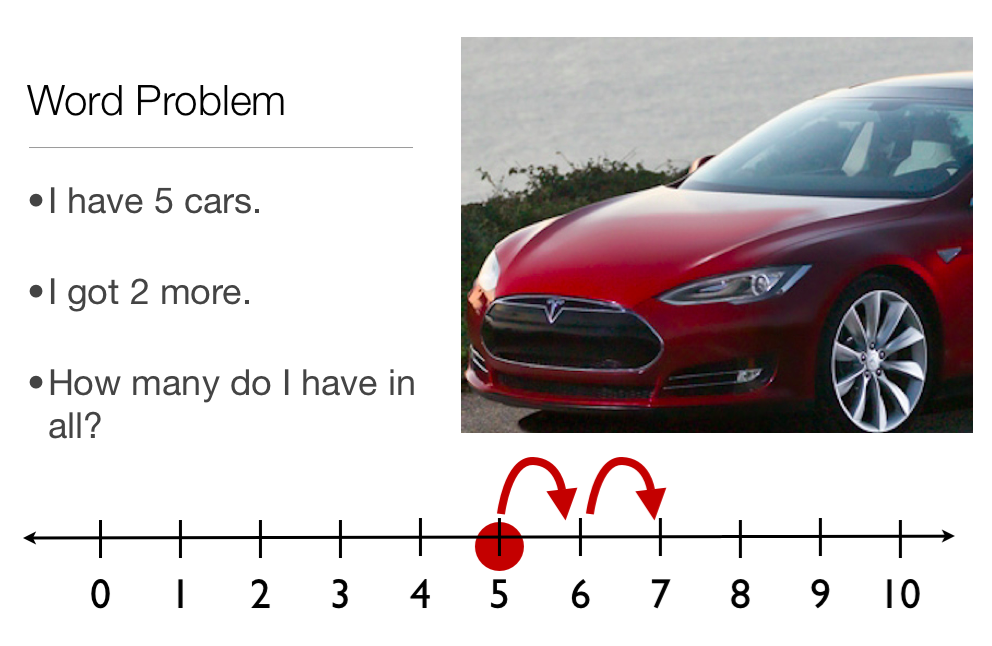
2ndstrategyMany students today are learning how to solve math problems by watching videos online, like those produced by the Khan Academy. But students can create their own videos demonstrating math strategies, and that’s what the 2nd graders at Laburnum Elementary did today. They wanted to show the “Counting Up” strategy for addition. So we opened a Keynote template that you can download by clicking here and wrote out an addition word problem. Each student made up their own problem and went online to get a picture for illustrating it. Next they went to the slide with the number line and illustrated the starting point and how to count up to the answer. On the final slide they wrote out the answer to their addition problem. The students could change the theme of the slideshow and add an ending. The last step was to record a voiceover explaining the problem and how to solve it using the math strategy. Take a look at a student example here.


Tags:


4th Grade Virginia Resources Graph

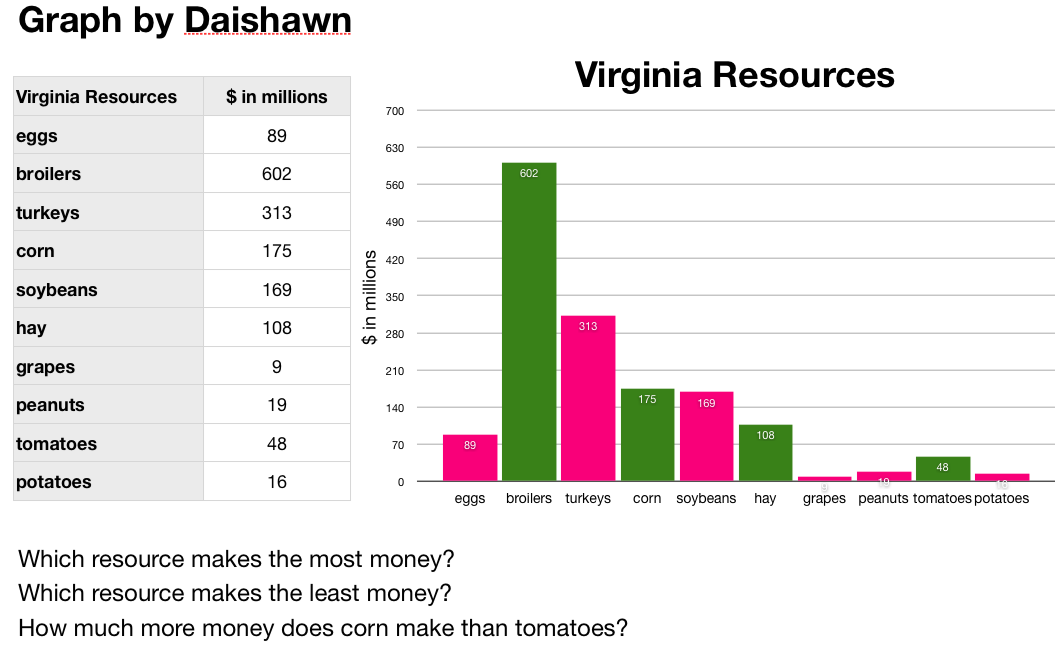
Screenshot VA ResourcesFourth graders at Davis Elementary have been learning in science about the different natural resources produced in Virginia (SOL4.9). In math they’ve been learning about graphing. So today we did some research to gather hard data about Virginia’s resources and graphed the information we found using the Mac spreadsheet program, Numbers. First we predicted which resources are the top ones produced in Virginia. Many students guessed coal and tobacco. Next we went online to two sites I created about Virginia’s mineral resources and farm products. (I created my own sites because the sites with the data, which I cited, did not have any pictures so students may not have known what those products were… like I didn’t know what “broilers” were). I pointed out that the data is hard to visualize when it’s just a list of numbers. That’s how graphs help! So the students selected which data they wanted to graph and entered the information into a Numbers template that you can download by clicking here. Then I showed them how to graph the data and customize the colors. Finally they made up a few questions of their own about the data for a partner to answer.


4th Grade Mystery Animals

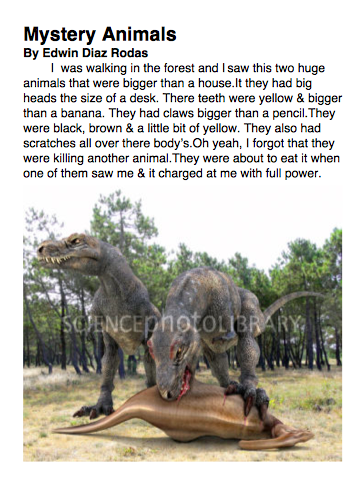
mysteryToday 4th graders in Ms. Ficor’s class at Holladay Elementary were working on writing better descriptions. We started out in Today’s Meet where I would write a non descriptive sentence like, “I saw a monster,” and then they would have to add their descriptive ideas to help us “picture” the topic better. We talked about using the senses to describe what it looks like, sounds like, acts like, moves like, feels like, and even smells like. We also talked about comparing its size to something else. After a bit of practice (you can see the transcript of our Today’s Meet session by clicking here) it was time to start writing about our mystery animal. One of my goals in this lesson was to teach them how to use the Mac word processing program called Pages. So we opened up a blank Pages document, and I showed them how to add a title as a heading, “Mystery Animal,” and their name as a subheading. Then they started typing a paragraph describing an animal without actually identifying the animal. We wanted to see if they could write a good enough description that their classmates could figure out what the “mystery animal” was. When they were finished, they did a quick Google image search and added a picture of their animal to their Pages document. You can read a student example here.


4th Grade Cloud Comics

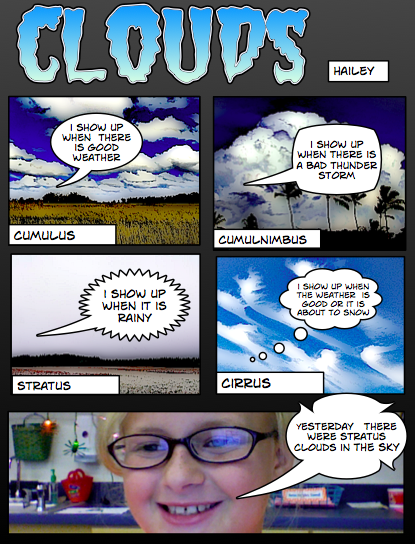
cloudcomicFourth graders at Varina Elementary have been learning about the different types of clouds and how clouds can help predict the weather (SOL4.6). So today they created comics about the clouds using Comic Life. I showed them how to add a title and change the style, then they added five panels. They picked four clouds and searched for pictures of them online. They added the pictures to their comic and changed their styles so that they looked more like comics instead of photos. Next students labeled the cloud types and added speech bubbles to the clouds explaining what they looked like and what type of weather they foreshadowed. Students added a photo of themselves to their last slide and made a speech bubble saying something about the clouds and weather. The teacher printed them and hung them in the hallway so students could review the clouds while admiring each others’ work. That’s one of the advantages of students creating their own study guides because they are more motivated to look at them!


4th Grade Virginia Geography Maps

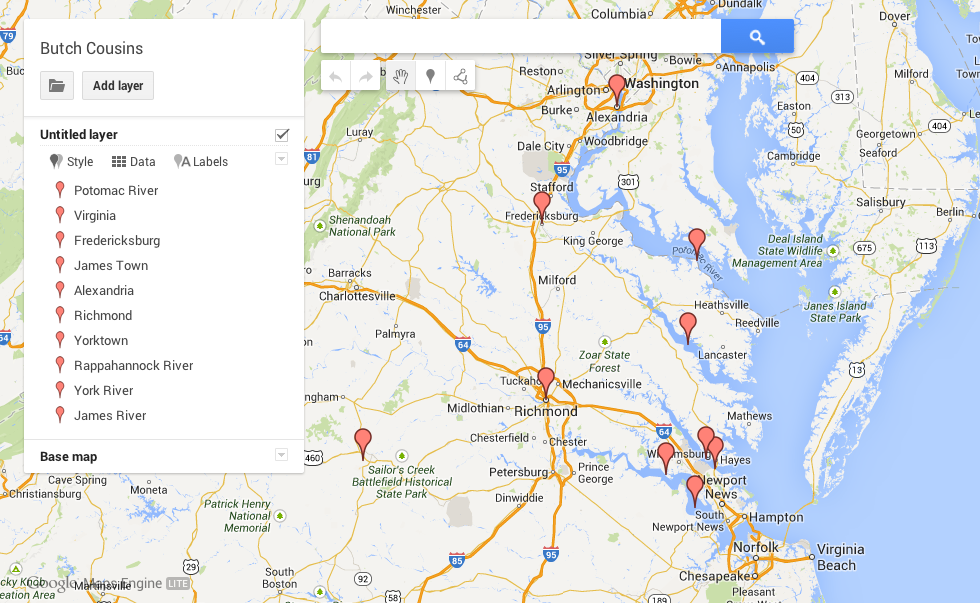
ButchFourth grade students in Ms. Cousins’ class at Davis Elementary created their own Virginia geography maps to show the different places and features they need to know (VS.2). They used Google Maps Engine Lite to place markers on and around Virginia identifying the five regions, the five bordering states, and the 4 major rivers. They also labeled the important cities for each river. Take a look at a student example here. They caught on quickly and enjoyed color coding their different place markers. Since it’s a Google Map it’s fully scrollable and zoomable so some students, like this one, even went further and identified their school and their country of origin. Students can go home and show their parents and study the information in a way that’s personally meaningful. I’m hoping this will be a tool, like Google Earth, that teachers use all year long in their geography lessons. Let me know if you’d like me to show your class how to do it.


4th Grade Math Equation Animations

Screen shot 2013-12-08 at 1.37.41 PMFourth graders in Ms. Lara’s class at Holladay Elementary have been learning about simple math equations using addition, subtraction, multiplication, and division. So today we used ABCYa! Animate to illustrate some equations that they made up. First they decided which two different functions they wanted to include in their equation. Most picked either addition/subtraction or multiplication/division, but a few attempted a multiplication/addition relationship. They had to write the first number on the first page of the animation and add a picture from the clip art library (example, 3). On the next page they illustrated the second number (example, 3 + 2). On the following page they began the second half of their equation (example, 3 + 2 = 10), and on the last page they completed their equation (example, 3 + 2 = 10 – 5). They saved their completed animations as .gif files which I then embedded into a Google Doc that you can see here. I learned that in order for the animations to play correctly you have to link to the document and not the published webpage. You also need to host the .gif files online, so I have mine in my Dropbox Public folder. The nice thing about animated .gif files is that they can be embedded anywhere and usually load very quickly.


4th Grade Virginia Indian Maps

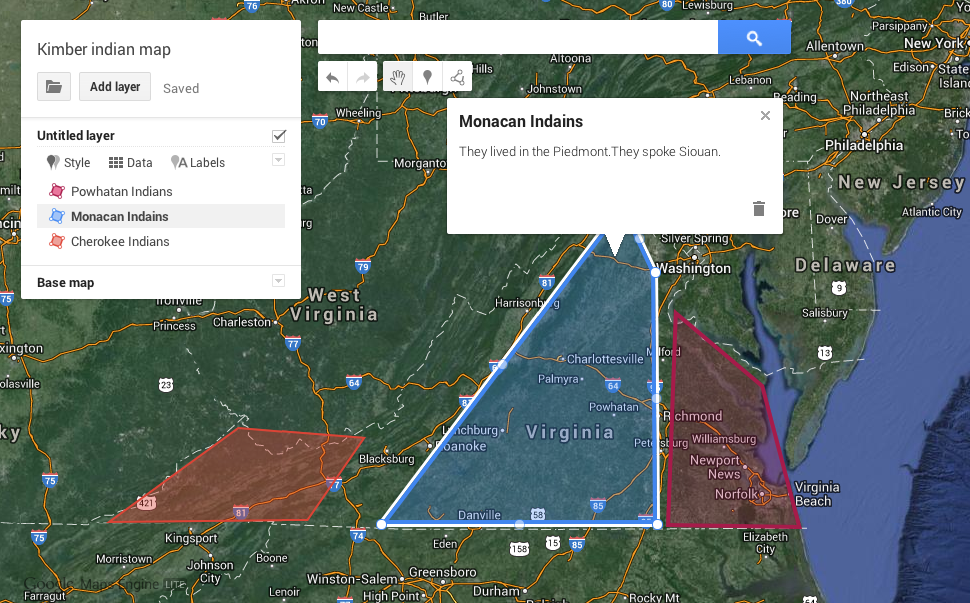
Kimber AnthonyCreating Google maps with students is a great way to teach them about geography and history. Recently Google rolled out some changes that make the process simpler, and they call it Maps Engine Lite. So today I tried it out with the fourth graders in Ms. Anthony’s class at Holladay Elementary who have been studying the Indian tribes of Virginia (VS.2). They created maps showing where the tribes lived and added a description so that when people click on the regions they would be able to see which tribe lived there and what language they spoke. The maps are customizable in many ways. Students can choose different base maps such as satellite or terrain view. They can change the colors of shaded regions and pick different place markers. Each map gets its own link, so students are able to show their parents the maps they made and study at home (or anywhere). Take a look at two student examples: Kimber and Steven.