Category: 3rd Grade

Famous Americans Comic Life

Many classes are studying famous Americans right now, and some grades have new people this year (Eleanor Roosevelt in 1st, Cesar Chavez in 3rd, and Jack Jouett in 4th, to name a couple). A great way to review these people and their accomplishments is to create a comic about them. You can download a template to use here. It was created for 3rd grade, but you can easily adapt it for other grades by changing the names. I gave each grade a folder of pictures to use. Click on the grade to download that folder of pictures: Kindergarten, 1st, 2nd, 3rd, 4th. In Comic Life you can navigate right to the folder of pictures using the Finder button. Students drag the picture to the correct spot in the comic, change the style of it if they want, then write important information about the person in the speech bubble. They can also add their own picture using the webcam feature and tell how they plan on making a contribution like these people did. You can see an example by clicking the photo.
3rd Grade Mali Song

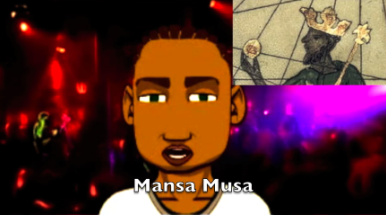
Mali (SOL 3.2) is one of the third grade units that does not have as many resources as other units (although I do have some resources listed here), so it’s a great opportunity to plan some project-based learning lessons! I’ve already described one idea for making a Google slideshow, but here’s another one: make a song about Mali using GarageBand. The griots of Mali were famous for sharing their history through singing and oral storytelling, so why not have your students do the same thing? Your students can research a topic using the resources listed above, then they can write a song to convey the information. They can then record the song in GarageBand and add music to it. If you want, you can even add a video with a real or virtual singer. Your students could film themselves singing in PhotoBooth or create a virtual singer using Voiki or SitePal. They could use a screen capturing tool like ScreenToaster or Screencast-O-Matic to record their virtual singer. You can see a sample “Mali Song” with a virtual singer here and you can download a folder of pictures to use for your project here.


3rd Grade Human Impact Videos

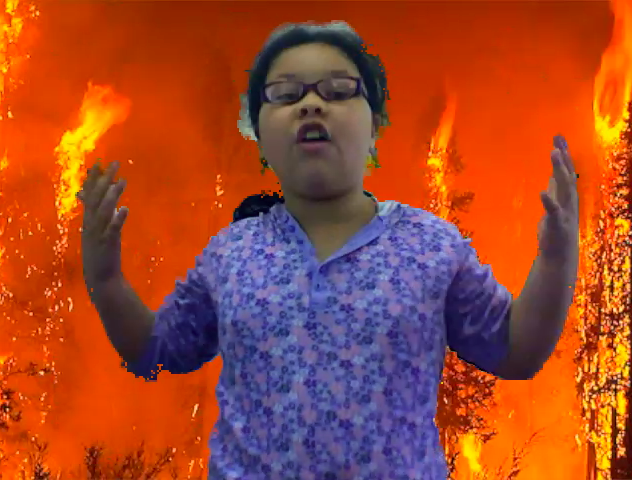
Third graders at Pinchbeck Elementary have been learning about human impact on the environment (SOL 3.10). Partners selected a topic (forest fires, floods, disease, deforestation, pollution, etc) and researched the topic together. Then I collected a variety of photographs about each topic for the students to use. You can download them all by clicking here. Many of the photos I got from Flickr and The Big Picture which are two great resources for photos. Next I showed the students how to drag the photo into Photo Booth as a background image. After a bit of coaching about how to use your “television voice” the students were ready to record their videos. You can see a couple of student samples here: forest fires and floods.


3rd Grade Martin Luther King Comic

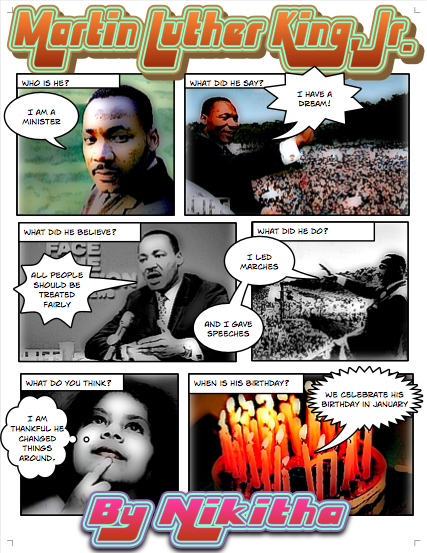
Yesterday was Martin Luther King Day, so several classes wanted to do a project to honor him. This could actually be adapted for kindergarten and 2nd grades as well since each of those grades learn about him too (SOL K.1b, 2.11, 3.11b). I gave the class a Comic Life template to use and a folder of pictures which you can download by clicking here. The template has speech bubbles already partially completed so the students only have to enter the important words. This is helpful for the students who have problems typing. However, for your good typists, you could differentiate by letting them type what they want in each speech bubble. The students add pictures of their choice to each block of the comic, complete the sentence, and then add special effects to it. You can see a sample project by clicking on the picture to see it larger. You might also want to visit my Martin Luther King webpage where you can watch part of his famous “I have a dream” speech and see a timeline of his life.


3rd Grade Rome Comics

Third grade students at Chamberlayne Elementary created comics about ancient Rome today using Comic Life. I gave them a template and a folder of pictures to use to get started. You can download them by clicking here. I showed them how to use the Styles button to change the text and the appearance of the photos. They chose which pictures to use and wrote facts about each picture in the speech bubbles. If you want to try this project with your class, you may want to give them a word bank to keep their writing focused. These students were instructed to use words like aqueduct, Coliseum, mosaic, and other words from SOL 3.1, 3.4, and 3.8. Then they used the built-in webcam feature to add their own photos. These comics will make an excellent study guide that the students will actually want to study! If you’d like to see some samples click here and here.


3rd Grade Map Grid on Scribblar

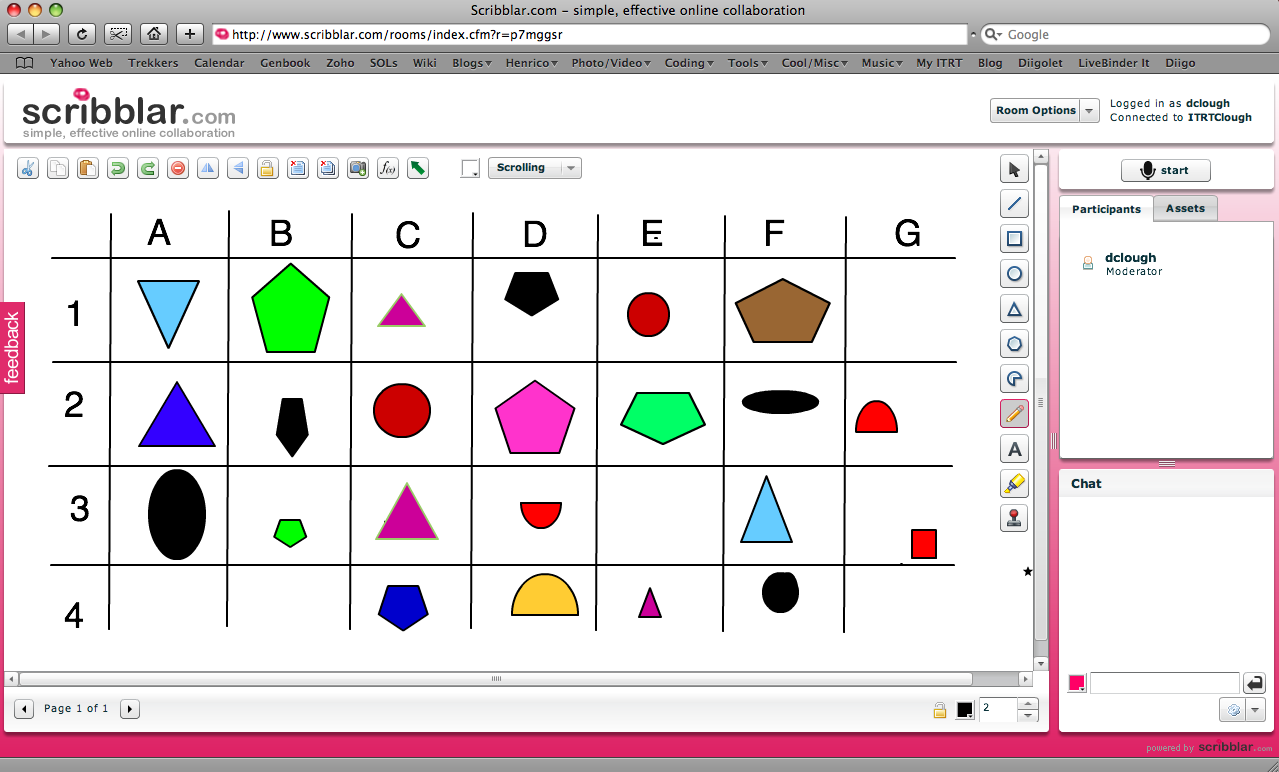
I’ve been wanting to try out Scribblar since I read about on a blog called Free Tech for Teachers, and I was finally able to use it with a third grade class that was studying map grids and coordinates. Scribblar is an online write board that has the simplest login I’ve seen on a web tool. You just have to type your name and you are in, so it’s ideal for elementary students! Once in, they can type, draw, chat, upload pictures, and basically collaborate live on different projects. So for this lesson, I uploaded a blank grid and instructed them to draw a shape in one of the squares. Then they had to identify the coordinates for that shape, such as B4 or C7. Everyone was able to participate at the same time, and they loved seeing their shapes appear immediately on everyone’s computer (even though it got a little crazy at times… click here to see a video clip from the lesson). Take a look at their final project by clicking here (remember just sign in with your name). I locked that room to prevent further changes so all the tools are missing, but if you would like to try out an open room with all the tools, click here.


3rd Grade Maps Pixie

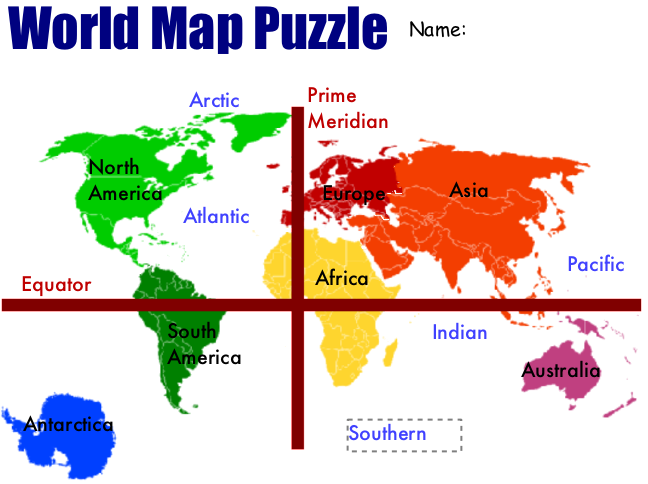
Today third grade students at Laburnum Elementary created maps of the world using Pixie (SOL 3.5). I gave them a template that you can download by clicking here. It’s basically a puzzle with the seven continents in a jumbled pile. First the students have to move the continents around so they are in the correct places. There is a map they can pull up for reference included in the template. Then they click and drag the labels to identify the seven continents and four oceans. Finally they glue all the pieces down and draw the equator and prime meridian using the line tool. You can see the sample by clicking on the picture to make it larger.


Tags:


3rd Grade Matter Pixie

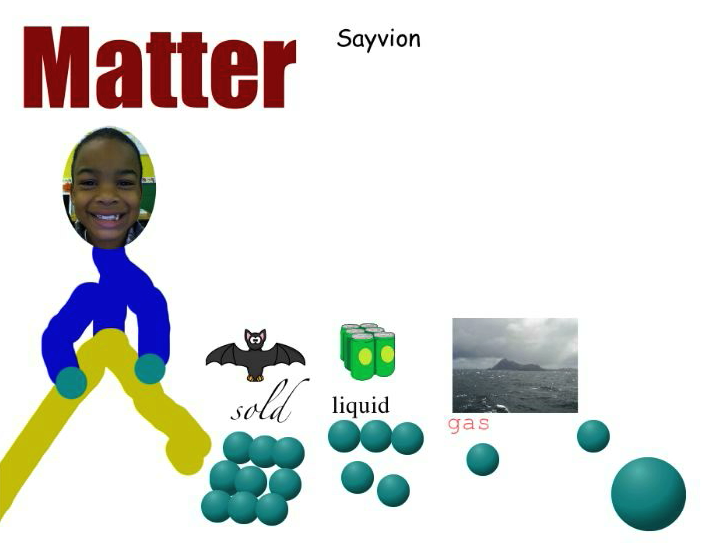
Third grade students created videos in Pixie explaining the different states of matter. They used many different tools to create their videos. First they took their photos with the camera tool, and they used the paintbrush to draw their body. Next they found pictures of solids, liquids, and gases in the Stickers. Then they used the 3-D paintbrush to draw the molecules of each state of matter. Finally they recorded their voices to describe the information in their pictures. You can see a sample video by clicking here. You can download a template to help your students get started by clicking here.


Tags:


4th Grade Investigations

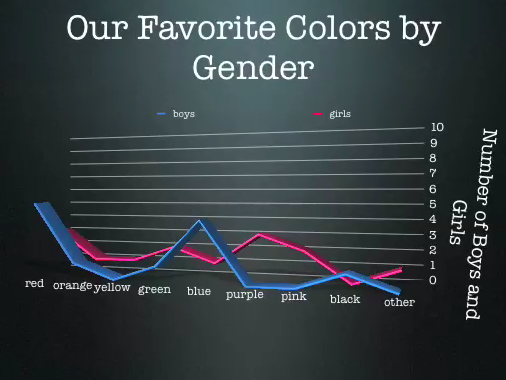
Today third and fourth graders at Laburnum worked on scientific investigations (SOL 3.1, 4.1) using Google Docs and Keynote. First they opened the Keynote template that you can download by clicking here. They made an hypothesis about which color was going to be the majority of the class’s favorite color, and they also hypothesized about the favorite color of the boys and the girls. Next they went to a Google Form online (you can see it by clicking here) and voted on their favorite colors. One of the advantages of using a Google Form is that it can instantly be sorted out in a Google Spreadsheet. So we looked at the spreadsheet (click here to see it), and I set it up with formulas to break the data down by whole class as well as gender. They used that to graph the results in their Keynote. Finally they added a conclusion at the end saying whether their hypothesis was right or wrong. You can check out a final version by clicking here.


3rd Grade Animals Keynote

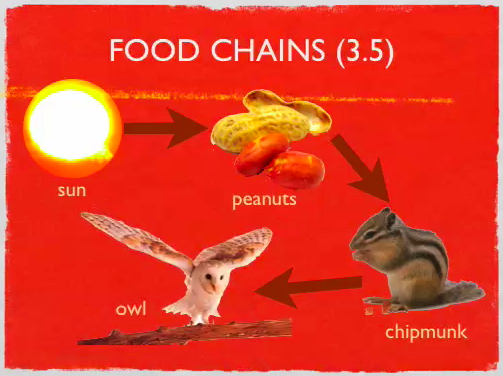
Third graders start the year off studying animals and habitats, and there are so many cool projects you can do with this unit. I’ve described a few ideas on this blog beflore such as creating a comic, a video, a “Mystery Animal” or a podcast. But here’s another idea that one class did this week: they created Keynotes to summarize the important information. There’s a slide about adaptations (SOL 3.4), a slide about food chains (SOL 3.5), and a slide about habitats (SOL 3.6). I created a template and gave them a folder of pictures to use that you can download by clicking here. Students chose the pictures they wanted to use to illustrate each concept, then they added their own text box explanations. Using the Inspector they added transitions and animations. You could also have your students do a voiceover if you wanted. You can see a sample by clicking here. If your students would like an animal that isn’t in my folder of pictures, or if they just need information, they could search this online database or this one. Wikipedia is also a safe place to search for animal pictures.