Category: 1st Grade

1st Grade Boat Diagrams
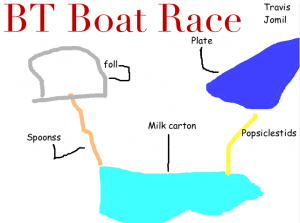
boatdiagramFirst grade students in Esra Kazanoglu’s class at Laburnum Elementary are preparing for a boat race! After studying Christopher Columbus’s ship (SOL 1.3) and understanding the principles of force and motion (SOL 1.2), each group of students must design a boat using various materials supplied by the teacher (milk cartons, cups, spoons, popsicle sticks, foil, paper plates, etc). Then they will test their boats in water in order to determine what adjustments they need to make before the big race. On the day of the race, the groups will attempt to make their boat go the farthest down a water-filled gutter within a certain time limit. They will measure the distance and record the race using the iPads. As you can see, this is an great example of cross-curricular project-based learning. So my job today was to help them create a diagram of their ship using Pixie. Since this was a group project, we discussed the importance of taking turns at the computer and the jobs of the students who weren’t on the computer at that time (to gather the materials in order to draw them correctly, to research spelling, to brainstorm ideas, etc.). First I showed the students how to add a creative title and change the font, size, and color of it. Next I explained how to draw a clear diagram using the paint tools. Finally, I taught them how to add text boxes for the labels and use a small paintbrush to connect them to the correct spot on the diagram. Using Pixie instead of paper and pencil allowed the students to move things around and make corrections easier (especially after their “test” run), plus the diagrams were a lot neater. You can see all the group’s diagrams by clicking here.


Tags:


1st Grade Partner Patterns with Pixie

First graders at Holladay Elementary have been learning about patterns, so today they did a partner activity using Pixie to see if they could create patterns to stump their friends. I showed them how to use the stamps and stickers to create patterns. Then they added photos of themselves and painted their bodies using the paint brush tool. The last step was to try to figure out their partners’ patterns. They used the recording feature to record their voices saying the patterns using letters like they have learned in class (for example: A-B-A-B or A-A-B-B). The students checked each others’ work to see if they were correct. I exported the projects as QuickTime videos so they could be shared online. Click here to view a sample.


Tags:


1st Grade Talking Pictures with Voiki

First graders in Ms. Reese’s class at Laburnum Elementary have been learning about how the location of a community and its climate affect the way people live, dress, and eat (SOL 1.6). So today each student chose a type of community and created a talking person who lives there using a cool site called Voiki. With Voiki, you create a character by choosing the background, skin color, facial features, and clothing. Then you make them talk by choosing a voice and typing what you want them to say. There are even some famous people to choose from like George Washington, Abraham Lincoln, and President Barack Obama! The students made their characters describe the place where they live, its climate, the clothing they wear, the activities they do, and the foods they eat. When they were finished I published all the links into one GoogleDoc for easy access. Take a look at these student examples: Beach Lady, Japanese Guy, Snow Woman, and Beach Lady 2.


1st Grade Recycling Graph

First graders in Ms. Murray’s class at Laburnum Elementary have been learning about recycling (SOL1.8). They have also been learning about graphing. So we wanted to see if they could collect some recycling data and make a graph about it (and even do a little bit of data analysis on a first grade level). I created a Google Form for them to collect their data. You can view the form by clicking here. They collected data about what they recycled at home and also wrote about things they reuse or try to reduce using at home. After everyone entered their information, I showed them the data set (you can see it here). We discovered that when the data is presented like that, it doesn’t make much sense. So I gave them a Numbers template for graphing the data. You can download it here. The students entered the information about what their classmates recycled and noticed some patterns right away! They were able to discuss ways they could improve their recycling habits at home. You could adapt this idea to almost any data collection and graphing lesson. Let me know how I can help!


Online Resources for Music Month (and More!)

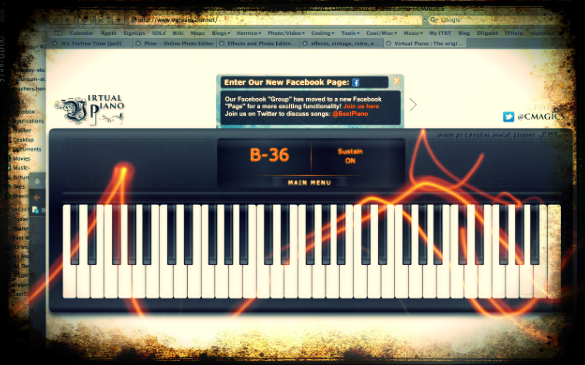
March is Music Month at Laburnum Elementary and Ms. Allison is always eager to try new things. So I set up a website for her of interactive links that range from letting students play a virtual keyboard to learning about the different instruments in the symphony and much more! I worked with her today during a couple of her classes, and then she went on to use the site in all her other classes. The great thing about online resources is that the students can use them at home too. I’ve compiled a more extensive list of resources for a workshop I conducted for elementary and secondary art and music teachers. Many of these web tools can be used by regular classroom teachers as well, such as recording an mp3 or painting a picture. I made a page of Art Resources and Music Resources. There’s plenty to keep you and your students busily creating for months! (The picture used in this post was of an online keyboard funkified with Pixlr-o-Matic).


1st Grade Goods & Services

First graders at Laburnum Elementary have been learning all about Economics (SOLs 1.7, 1.8, 1.9). Today they worked on a project to demonstrate how well they understood goods and services in a business. Their task was to create their own business and make a poster for it showing the goods and services involved. I gave them a Pixie template that you can download by clicking here. First they came up with a name for their business and I showed them how to change the font, size, and color of the text. Next, the students found a sticker of a worker and added their head to it. They put the person on the services side and thought about the services their business would provide. Then they thought about what goods are involved in their business and found stickers of those items. We discussed prices for their goods and services, and they added money stickers to their poster. We did not have time to finish, but a final step would be to record a short description or a commercial for their business using the audio recording feature.


Tags:


1st Grade Math Word Problems with iPad

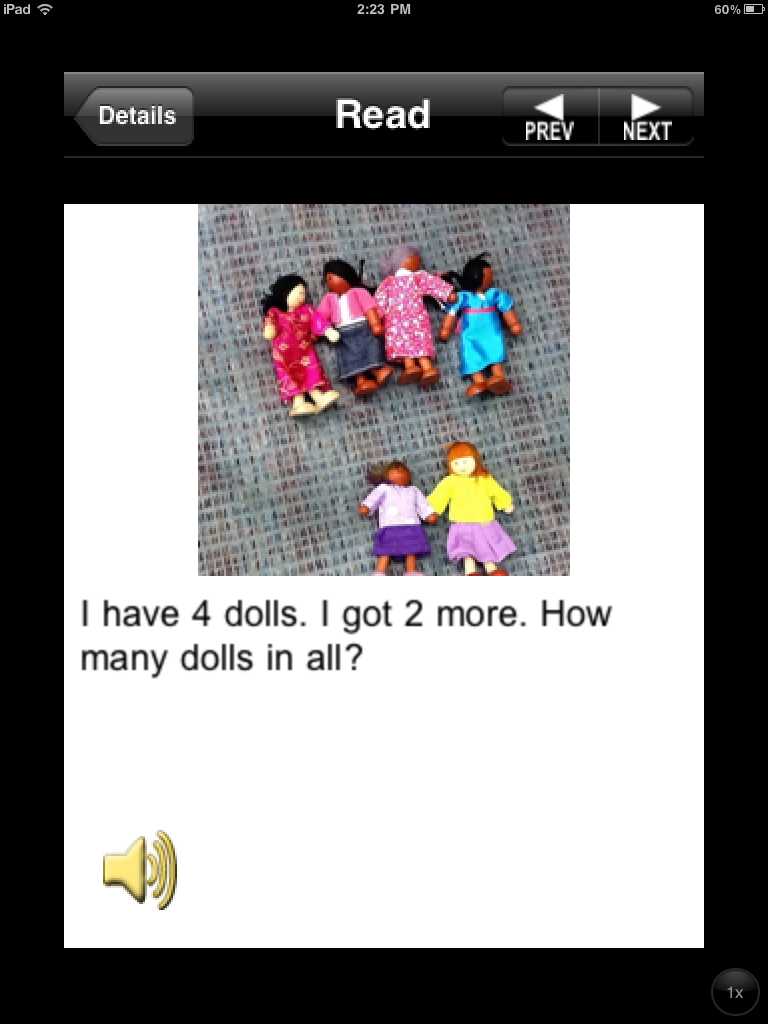
Today at Holladay, Ms. Favale’s first grade class made math word problems using their iPads. First they created their own addition problem using objects in the classroom. They made two groups, one for each addend and figured out the sum. Then used an app called Story Kit to create their word problems. They took a photo of their objects and typed the word problem. Finally, they recorded their voice explaining the answer. That way, other students could try to figure out the problem and check their answer by pressing the audio button. The students had a great time solving each others’ word problems, and it was a fun way to review a difficult concept! Thanks for sharing this idea Ms. Favale!


Tags:


1st Grade Earth/Space Pixie

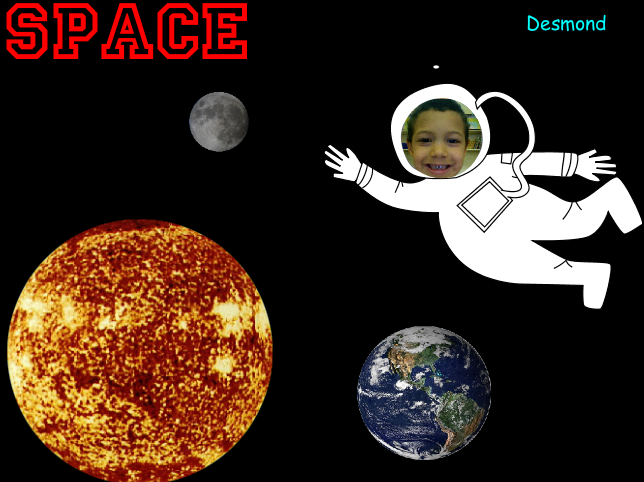
Today first graders at Chamberlayne Elementary made instructional videos explaining what they know about the movements of the Earth, sun, and moon. They started out with a blank Pixie template and I showed them how to add text and change the font, size, and color. Next we went to the stickers folder and searched for images of the Earth, sun, and moon. We talked about their relative sizes, and I showed them to make the stickers bigger or smaller. Then we got a sticker of an astronaut, and they took their picture and put it into the astronaut’s helmet so it looked like they were in space! Last I showed them how to record their voice and we discussed the importance of speaking loudly and clearly. You can see a student sample by clicking here.


Tags:


1st Grade Seasons Book & Graph

Today 1st grade students at Holladay Elementary did a multi-step technology lesson and they finished in just an hour! First they had to draw a picture of themselves in their favorite season using Pixie. We saved the pictures as JPG images and uploaded them to Keepsy. In Keepsy, students could add sentences with different fonts and change the background color. All the pictures together make a book that you can view online here. The next step in the project was to count all the students who liked each season. We tallied the results and graphed them using a template in Keynote that you can download here. Once the data is entered (directions are included in the template), the graph is automatically generated, and if you press the play button you will see some cool 3-D animation effects.


1st Grade American Symbols

Mrs. Favale, a 1st grade teacher at Holladay Elementary, had the Reflective Friends team come to her class and observe her lesson today, so I wanted to share it with you! Her students have been learning about American Symbols: the Statue of Liberty, the bald eagle, the Washington Monument, and the U.S. Flag (SOL 1.11). Since Holladay has a high ESL population, they thought it would be a great idea to publish a magazine that the ESL teachers, students, and their families could use to learn about American symbols. Students worked with partners to choose a symbol and create a page describing the symbol using art materials (markers, construction paper, glue), the laptops (Pixie), or the iPads (StoryKit). They researched their symbols using books, websites, videos, and classroom posters. When they were finished, we combined all the projects together into one book that you can view online here. A hard copy of the book will be given to the ESL teachers to use with their students. Mrs. Favale is publishing the digital copy on her blog so that families can view it at home.