Category: Social Studies

1st Grade U.S. Symbols Research

symbolsFirst graders in Ms. Long’s class at Davis Elementary are doing research projects on the U.S. Symbols (SOL1.11). One great place to do research is PebbleGo because they have pages about all the U.S. Symbols, but did you know you can make your own webpage for research like PebbleGo? The advantage to making your own is you can include everything you want and customize it for your class. I wanted the students to be able to see on a map where some of these symbols are located and be able to zoom down and actually view them. So I created a webpage about each symbol using CheckThis. With CheckThis, making a website is as easy as typing a few sentences, uploading some pictures, and adding links to whatever media you want to include. I embedded some Google Maps for the interactive zooming feature (the students were surprised to see that the Statue of Liberty is on an island in the water). With Google Maps you can click the Satellite view and actually see the real place, which the students enjoyed doing. I also added a Soundcloud recording of myself reading the webpage for students who needed help. You can record your own voice right in Soundcloud then link to it in Checkthis. Finally I added a poll so anyone who visits the website can vote on their favorite U.S. symbol. The students were able to complete their research in just an hour, and hopefully everyone, including Ms. Long, learned something new! Here are the links to the individual sites: Bald Eagle, Washington Monument, Statue of Liberty, U.S. Flag. Or you can see where I put all the links on one page for the students here.
4th Grade Virginia Resources Graph

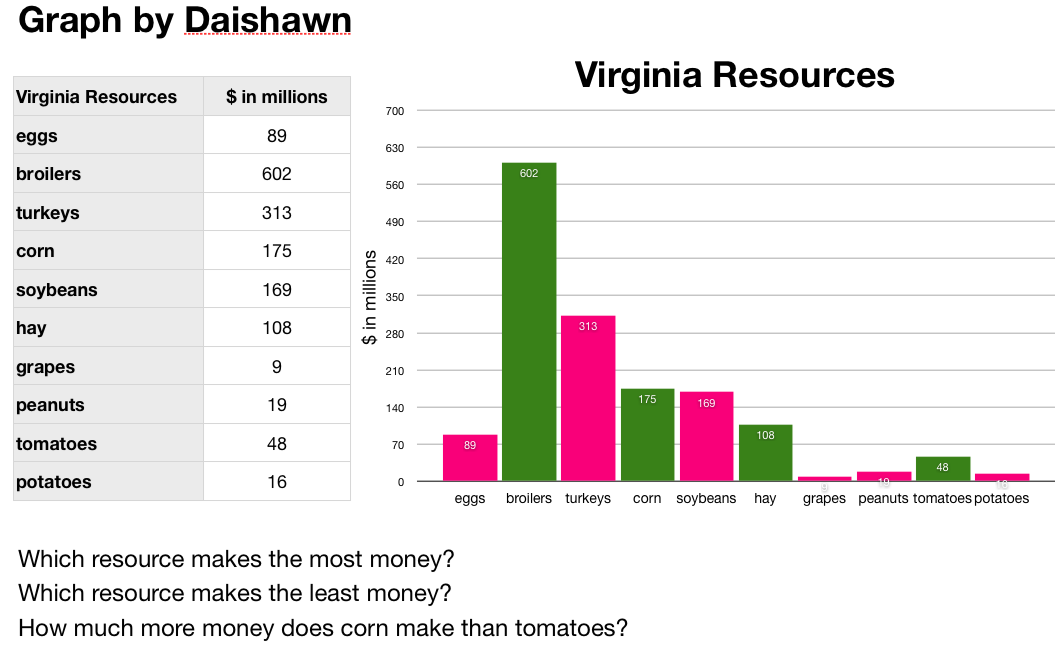
Screenshot VA ResourcesFourth graders at Davis Elementary have been learning in science about the different natural resources produced in Virginia (SOL4.9). In math they’ve been learning about graphing. So today we did some research to gather hard data about Virginia’s resources and graphed the information we found using the Mac spreadsheet program, Numbers. First we predicted which resources are the top ones produced in Virginia. Many students guessed coal and tobacco. Next we went online to two sites I created about Virginia’s mineral resources and farm products. (I created my own sites because the sites with the data, which I cited, did not have any pictures so students may not have known what those products were… like I didn’t know what “broilers” were). I pointed out that the data is hard to visualize when it’s just a list of numbers. That’s how graphs help! So the students selected which data they wanted to graph and entered the information into a Numbers template that you can download by clicking here. Then I showed them how to graph the data and customize the colors. Finally they made up a few questions of their own about the data for a partner to answer.


4th Grade Virginia Geography Maps

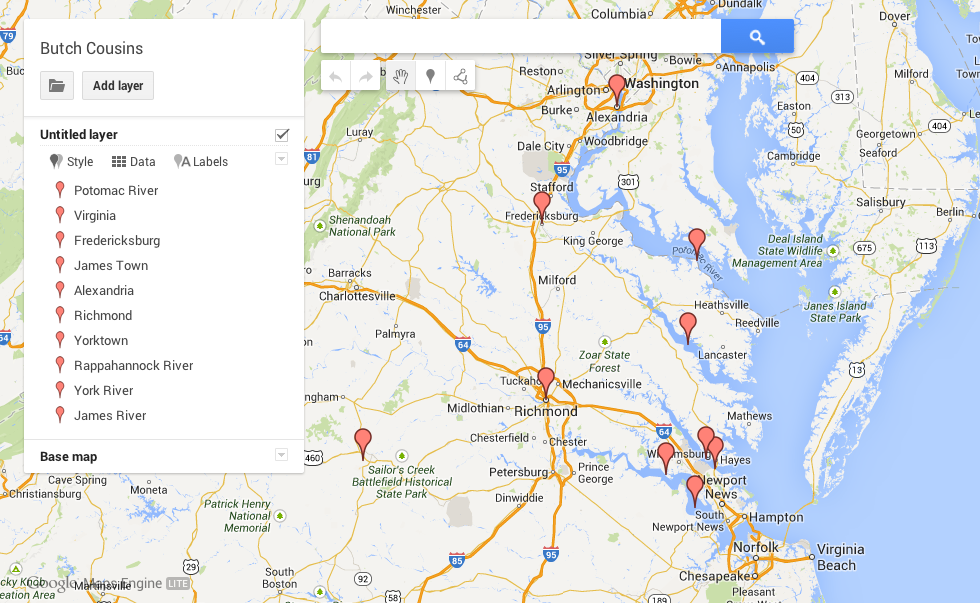
ButchFourth grade students in Ms. Cousins’ class at Davis Elementary created their own Virginia geography maps to show the different places and features they need to know (VS.2). They used Google Maps Engine Lite to place markers on and around Virginia identifying the five regions, the five bordering states, and the 4 major rivers. They also labeled the important cities for each river. Take a look at a student example here. They caught on quickly and enjoyed color coding their different place markers. Since it’s a Google Map it’s fully scrollable and zoomable so some students, like this one, even went further and identified their school and their country of origin. Students can go home and show their parents and study the information in a way that’s personally meaningful. I’m hoping this will be a tool, like Google Earth, that teachers use all year long in their geography lessons. Let me know if you’d like me to show your class how to do it.


5th Grade Henrico Math Websites

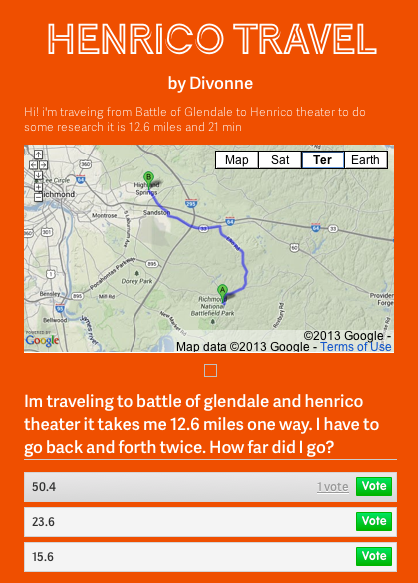
DivonneFifth grade students in Ms. Allen’s class at Laburnum Elementary have been learning about important places in Henrico County (HC.1). They have also been studying 2-digit multiplication in math. So today we combined the two topics into one lesson. First the students had to pick two famous places in Henrico County and use Google Maps to figure out the distance between them. Next we went to CheckThis and created a website with the embedded map and a word problem that involved multiplying the distance by a specific number. For example, a person might have to travel back and forth between the two places a certain number of times. Then the students created a poll question with various answers that visitors could choose. I posted all of their sites onto one page that you can see here. Students can answer each others’ questions to review multiplication as well as places in Henrico County.


4th Grade Virginia Indian Maps

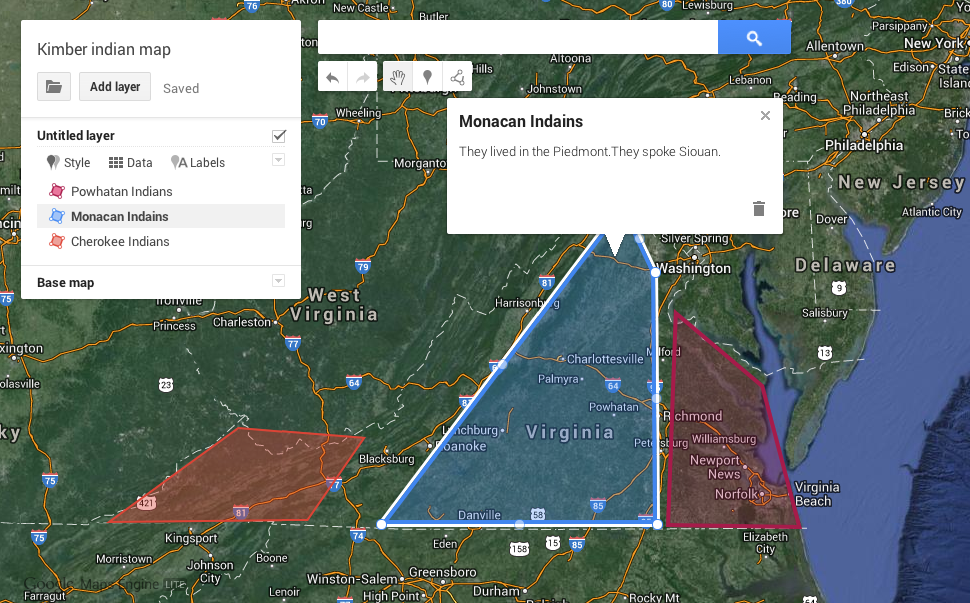
Kimber AnthonyCreating Google maps with students is a great way to teach them about geography and history. Recently Google rolled out some changes that make the process simpler, and they call it Maps Engine Lite. So today I tried it out with the fourth graders in Ms. Anthony’s class at Holladay Elementary who have been studying the Indian tribes of Virginia (VS.2). They created maps showing where the tribes lived and added a description so that when people click on the regions they would be able to see which tribe lived there and what language they spoke. The maps are customizable in many ways. Students can choose different base maps such as satellite or terrain view. They can change the colors of shaded regions and pick different place markers. Each map gets its own link, so students are able to show their parents the maps they made and study at home (or anywhere). Take a look at two student examples: Kimber and Steven.


Trekker Updates

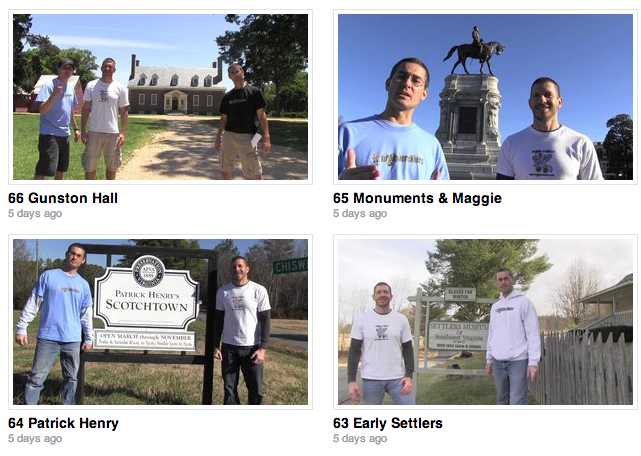
Screen shot 2013-11-22 at 10.45.50 AMI had a great summer traveling across the country to California going the northern route and making videos for our 5th graders who are studying the regions of the United States. Last summer I went the southern route with the Virginia Trekkers and those videos are on our website. I haven’t finished editing the videos from this summer’s trip yet, but there are lots of other updates on the Trekkers site. We filmed 5 videos in southwestern Virginia telling about the Indians (VS.2), the European immigrants (VS.4), and westward migration (VS.6). We filmed a whole podcast about the life of Patrick Henry (VS.5b) from his birthplace in Scotchtown to his famous speech in Richmond and ending with his death and burial at Red Hill. We also filmed at the Maggie Walker house (VS.9d) and Gunston Hall, home of George Mason (VS.6b). Our most recent podcast was done back in May where we visited the Midlothian Mines to talk about coal production at the first coal mine in Virginia (VS.10b). Several teachers have written to us telling us that they have been having trouble playing our videos. I produce them using an old version of Flash, so that could be the problem. Over the summer I uploaded most of our videos to Vimeo, and hopefully they will play better there. Finally, be sure to enter our 2014 video contest this year. Your class will learn a lot making their own video and you could win a dance party, like our 2013 winners.


2nd Grade Famous Americans iMovies

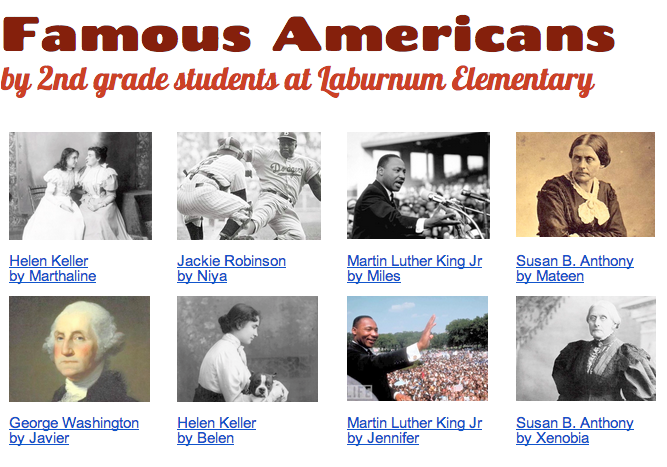
Screen shot 2013-08-07 at 1.49.26 PMiMovie is one of the more complicated programs on the MacBook computers, so I usually save that one for later in the school year. I’ve been working a lot with the second graders at Laburnum Elementary, and they have showed me they were ready to try iMovie. Since they’ve been reviewing the famous Americans (SOL 2.11) for upcoming tests, we decided to create movies about the famous Americans that they (and other classes) could use for review. Each child selected a person they were interested in and did a bit of research to refresh their memories. I showed them how to open up iMovie and add a title screen. Next they recorded themselves introducing the person using the built in video camera. I taught them how to select the part of the video they wanted to use and drag it up into their project. Then we did a Google Image Search for pictures of their famous person and added those to the video. I explained how to adjust the Ken Burns effect if necessary and they recorded a voiceover narration to accompany the photos. Finally I showed them how to add music to their video using the Audio Inspector. We exported the finished videos, and I posted them to a Google Doc which you can see by clicking here.


4th Grade Civil War Instabloggs

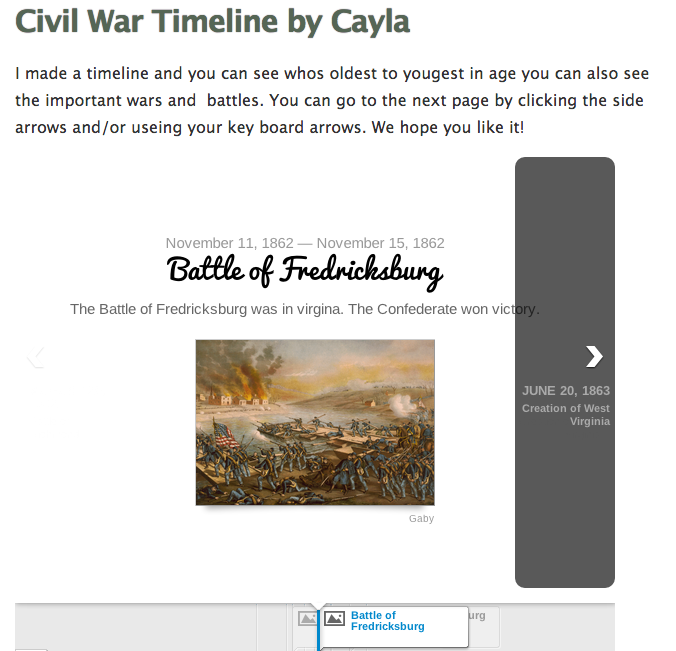
timelinesampleEarlier, on this post, I described a lesson where students created Civil War timelines using TimelineJS. I was teaching that lesson today with a different group of students at Holladay Elementary and wanted a good way for them to save and display their timelines. Instablogg is one of the best sites I have found for students to easily publish projects that have an embed code. I like it because there is no sign in required, it allows comments, and it gives students a link where they can go back and continue editing. To add embed code, you just click on the “Code” button. We did find that we couldn’t use the exact embed code that TimelineJS gave us, so I showed them how to go into the code and adjust the size to this: height=”650″ width=”600″ and that seemed to work well. You can see all the students’ Instabloggs by clicking here (but remember that the timelines will all be the same since they use data from the same spreadsheet).


2nd Grade China & Egypt Websites

egyptSecond graders in Ms. Jones’ class at Laburnum Elementary created their own websites about Egypt & China (SOL 2.1) today. We used CheckThis which allows the students to make a quick webpage with pictures and maps. First they picked Egypt or China and wrote the title. Then they had to write a few sentences about the ancient civilization, including information about its location, landmarks, and contributions. Next they did a Google search for an image that would represent their civilization. I gave them a word bank to use, or they could choose their own search terms. Once they found a picture, they just added the link to it in their CheckThis website. I also wanted them to include a map, so we went to Google Maps, searched for the country, copied the link, and pasted it into CheckThis. If we had more time, the students could have added a poll or a question to their site. I copied all their links and posted them to a Google Doc for easy access. You can see a couple of student samples here: China, Egypt, or see them all by clicking here.


3rd Grade Mali Comics

maliThird graders have been studying Mali (SOL 3.2) recently so today we made comics about Mali using a program called Comic Life. I provided them with a blank template and showed them how to add a fancy title. Then I showed them how to twist and stretch the title and change the style of it. We added 4 panels to the comic and then we did an Internet image search for pictures. I gave them some suggestions and wrote a word bank on the board: Africa, empire, Mali, gold, salt, trade, route, pilgrimage, Mansa Musa, Sundiata, griot, Timbuktu, Sahara, etc. With our version of Comic Life, the students couldn’t drag images off the Internet into their comics, so I taught them how to drag the photos into their folders first and then, from there, drag them into their comics. Next we used the Style button to change the style of the photos. Finally I showed them how to add the speech bubbles. I explained that they should write in complete sentences and include good facts and details. When they completed their comics I combined them all into one document and uploaded it to FlipSnack. You can see the finished comic by clicking here.