Category: Social Studies

2nd Grade Famous Americans Animations
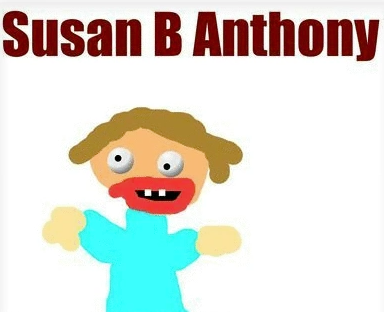
Screen shot 2014-03-25 at 12.57.03 PMSecond graders in Ms. Arnold’s class at Holladay Elementary have been researching famous Americans, and today they created speaking animated characters to share their information. First they drew their famous American in Pixie and typed his or her name. I showed them how to use the 3D brush to make “googly eyes” so their character looked more “cartoonish.” Next we had to make the mouth appear like it was talking. To keep it simple we just added two different mouth shapes. We duplicated the picture and redrew the mouth so that it was in a long shape for making the “ee” sound. Then we duplicated the picture again and redrew the mouth so it was in an O shape for making the “oh” sound. We exported all the pictures as PNG files and saved them to our folders. Next the students went to Voki to create the voice. They clicked the “TTS” button (text to speech) and typed in some factual sentences for their famous American to say about themselves. The fun part was choosing an accent! The students saved their Voki links to their folders as well. That was all we had time for, so it was my job to put the voices together with the drawings. I uploaded the 3 drawings of each character to Glickr in order to make an animated GIF. Then I clicked the link to their Voki. As the GIF and the Voki were playing at the same time I recorded it with Screencast-O-Matic. Take a look at a couple of student examples: Helen Keller by Alana and Susan B. Anthony by Hayden. I uploaded them all to a Google Doc that you can view here.

1st Grade Goods & Services Comic

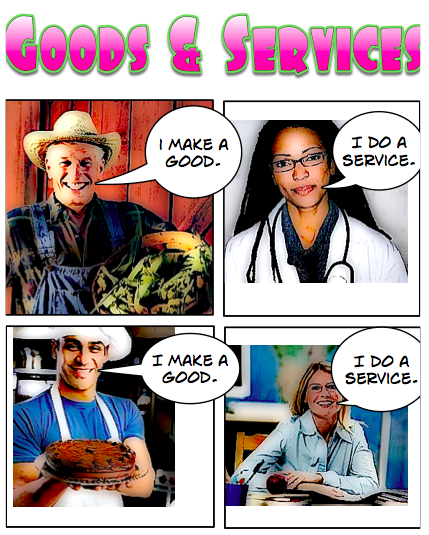
Screen shot 2014-03-17 at 11.29.06 PMFirst graders in Ms. Gerrard’s class at Davis Elementary have been learning about goods & services (SOL1.7) so today we reviewed those concepts with Comic Life. I wanted them to understand that people can provide goods as well as services. So all the pictures I gave them are of people: farmers, builders, cooks, doctors, firemen, and teachers. You can download the folder of pictures here. I also gave them a Comic Life template that you can download by clicking here. We discussed what kinds of goods and services each job provides. You could use this site to help review those ideas. There are four panels on the template, so I instructed them to add two people who provide goods and two people who provide services. Then I taught them how to type a simple sentence in each speech bubble: “I make a good,” or “I do a service.” Next we added a new page and showed them how to take their picture with the built-in camera and how to type their name with the special lettering. We also added a speech bubble for them to type in what kind of job they wanted to do and whether it provided a good or a service, but we ran out of time. You can take a look at a couple of student examples: Connor and Nardeen.


Kindergarten Needs & Wants Comic

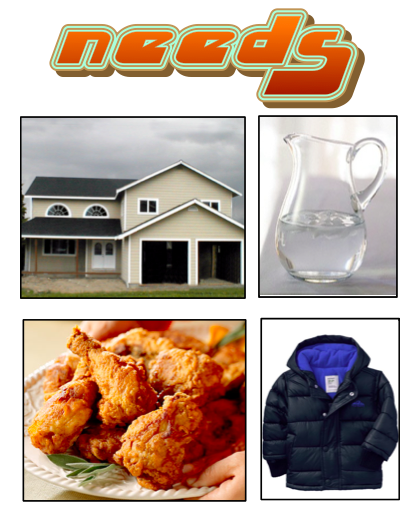
Screen shot 2014-03-17 at 7.24.37 PMKindergarten students in Ms. Fennell’s class at Laburnum Elementary have been learning about needs and wants (SOLK.7) so today I taught them how to make a needs and wants comic using the program, Comic Life. They started out with a template that you can download by clicking here and a folder of pictures that you can download by clicking here. On the first page it says “I have needs and wants.” I showed the students how to take their photo using the built-in camera and type their name in the speech bubble. The next page says “Needs” and has four boxes. I taught them how to use the Finder button in Comic Life to find the folder of pictures I gave them. They had to look at the pictures, identify four examples of needs, and drag them into the boxes. Most of the students did a great job identifying food, clothing, water, and shelter as needs. But pizza presented a bit of a dilemma. Was it a need (food) or a want? I let them think about that, then we went to the last page, titled “Wants.” They had to drag in four pictures of wants. Finally, I showed them how to change the style of the pictures and text using the Style button in Comic Life. You can see some student examples of this project here: Josiah, Markiya, and Alejandro.


3rd Grade Greek Multiplication

adityarThird graders in Ms. Dickey’s class at Davis Elementary have been learning about the ancient Greeks in social studies (SOL3.4) and multiplication in math (SOL3.2). So today we made Greek multiplication problems using Pixie and Keynote. First the students opened a blank Pixie document and used a combination of the painting tools and stickers to create a picture of one group of items that would be found in ancient Greece: like a ship with 7 jugs of olive oil, or a row of 8 grapevines, or a Medusa with 6 snakes coming out of her head. We exported the pictures as PNG files with transparency (so there wasn’t a background). Then we opened a blank Keynote, added a title and our name, and dragged the PNG file onto the slide. We shrunk it down and copied and pasted it as many times as we needed. Next the students made text boxes to write out the multiplication problem and its solution. I showed them how to click on each object in the order they want it to appear and add a build in animation using the Inspector. Finally the students recorded their voices telling about the multiplication problem and skip counting until they got their answer. I exported the Keynotes as QuickTime videos and posted them on this page.


1st Grade Adding U.S. Symbols

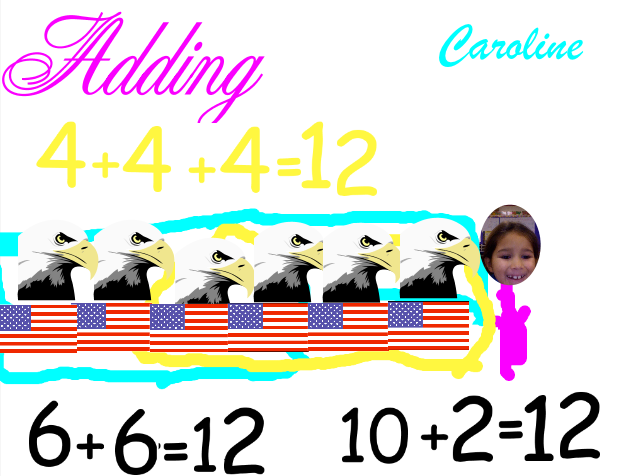
CarolineFirst graders in Ms. Collins class at Holladay Elementary have been learning about the U.S. Symbols in social studies (SOL 1.11) and addition strategies in math (SOL 1.6) so today we combined the two topics and created an “Adding U.S. Symbols” Pixie. First we opened up a blank Pixie template and the students typed the title and their names. Next I showed them how to use the paint brush tool to paint a picture of themselves. We used the built-in camera feature to take a picture of their faces. Then I showed them where to find stickers of the U.S. Symbols that they’ve been learning about (it’s in Stickers > Symbols > American). They created their own addition problem with a maximum sum of 18 using two of the symbols. For example, they might add 5 bald eagles and 7 flags. Next they used the stamp tool to write out their sums, like 5 + 7 = 12. One of their addition strategies has been to “make a 10” so I told them to use the paint brush and circle 10 symbols. They used the stamp tool to write out another sum showing their new grouping, like 10 + 2 = 12. Some of the students even had time to show one of their other strategies, “make doubles.” So for my example, they would circle six and write out 6 + 6 = 12. You can take a look at a couple of student examples: Caroline, Jassem, and Matei.


Tags:


4th Grade Bartering Videos

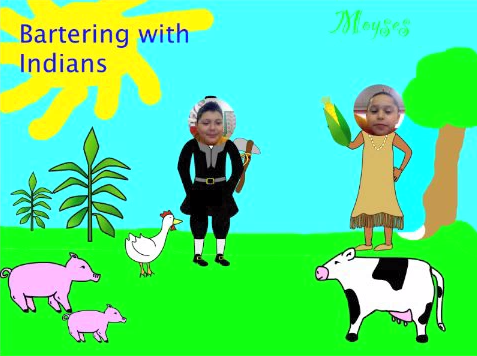
Screen shot 2014-02-17 at 3.13.26 PMFourth graders in Ms. Lara’s class at Holladay have been learning about how the colonists often bartered with the American Indians and with each other (VS.4d). Today they created short bartering videos using Pixie. First we discussed what kinds of products the Virginia colonists and Indians would have available to trade with each other, and we discussed what they might say during a bartering transaction. I pointed out that they would often have to go back and forth making changes in their trades until both parties could agree. Next we opened a blank Pixie and painted a colonial scene. I showed them how to search the Stickers library for the people and their products. They pasted a picture of themselves to one of the people, and then they got a partner to paste a photo to the other person. Next, both pairs acted out a bartering conversation and recorded it. I exported them as QuickTime videos and added a link to each video on a Google Doc where they could all be easily accessed. You can take a look at them here.


Tags:


3rd Grade Ancient Greece Math

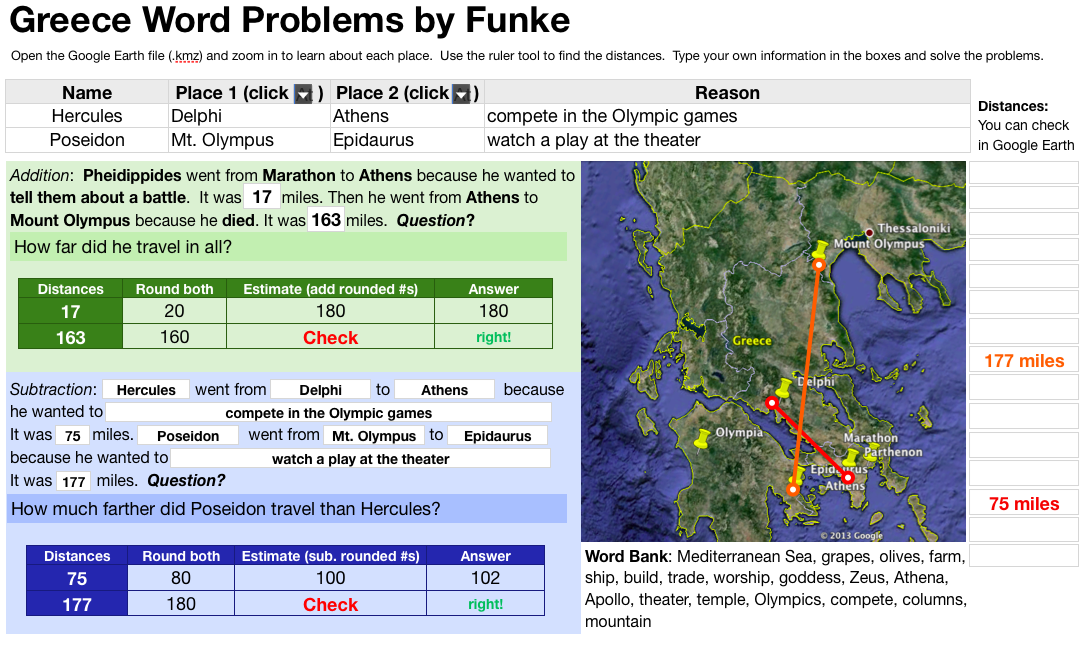
greecemathThird graders in Ms. Leo’s class at Varina Elementary have just started learning about ancient Greece (SOL3.4) so I wanted to take them on a tour of Greece using Google Earth. I created a .kmz file with placemarks on important sites like Olympia, where the first Olympics were held (you can still see the track they ran on), the Parthenon (if you turn on 3-D Buildings you will see it), and Mount Olympus (the highest mountain in Greece where they believed the gods lived). But since my focus this year is on math and writing, I had them to measure the distances between the sites using the ruler tool and write some word problems about those distances. I created a Numbers spreadsheet with a lot of the information pre-loaded, that you can download by clicking here. First the students entered the distances into the spreadsheet. Then they came up with questions about the distances. We talked about clue words for addition (“all together” or “in all”) and subtraction (“how much further” or “how many more”). They made up word problems about Greek characters traveling to the different places and gave reasons why they would visit each place (in order to review what was there). Next they rounded the numbers and got an estimate. Finally they solved each other’s problems, and I had a formula that would check if they were correct when they clicked the red “Check” box.


3rd Grade World Weather

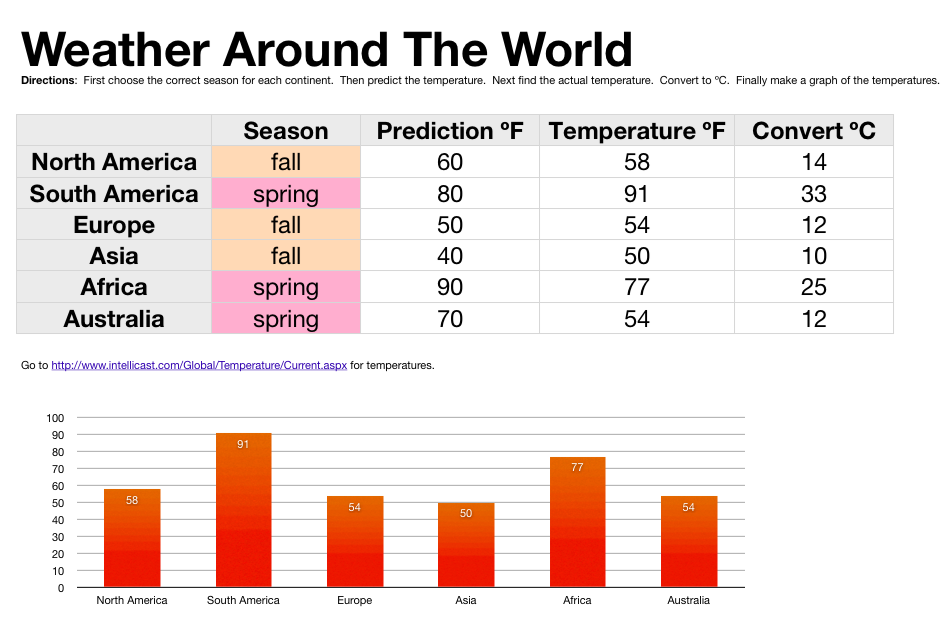
sampleThird grade students in Ms. Strickler’s class at Varina Elementary have been studying the continents and hemispheres in social studies (SOL3.5) and temperature in math (SOL3.13) so today we looked at the relationship between hemispheres and temperatures. I gave them a Numbers template that you can download by clicking here. First, in Column B, the students tried to figure out which season each continent was having based on which hemisphere it was in (we discussed how seasons are opposite in the northern and southern hemispheres). Next they predicted the temperature for each place in Column C. To get today’s temperature from different spots around the globe we went to this website. In my research I also found this cool weather website, but it’s not as simple as the other one. The students entered that data into Column D. Since they were learning about Celsius and Fahrenheit I instructed them to create a new Column E and title it “Convert ÂșC.” You can make the degree symbol by holding down Option + 0 (zero). I showed them how to write a formula for converting from Fahrenheit to Celsius. Then they dragged the little white dot in the corner of the cell down through the other cells to copy the formula into them. The students were impressed with how quickly the temperatures were converted. Our last step was to create a graph of the temperatures so we could visualize quickly which continent was hottest, coldest, etc. I told the students to come up with some questions about their data for a friend to answer (like, “How much warmer is it in Africa than North America?”). Now that it’s complete, the students can open this spreadsheet during a different season, enter new temperatures, and the formulas and graphs would change according to the data.


3rd Grade Pirate Maps

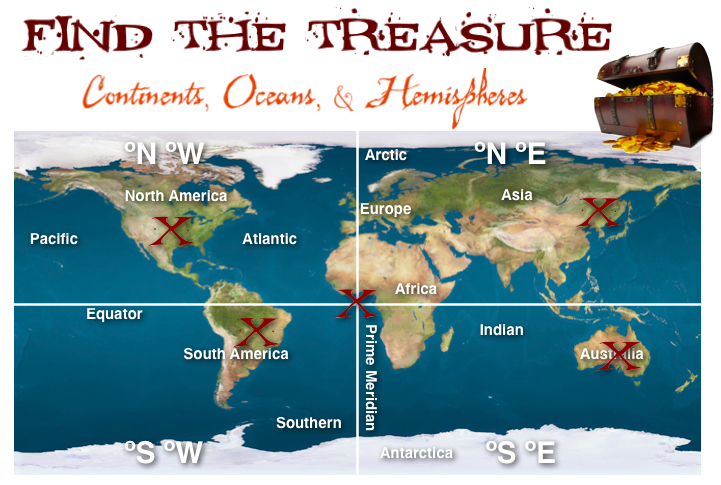
piratemapThird grade students in Ms. Ford’s class at Laburnum Elementary have been learning about the continents, oceans, and hemispheres (SOL3.5). So today we practiced finding and burying pirate treasures on various continents and oceans based on their hemispheres (really, using latitude and longitude lines). I gave them a template with a map and some questions that you can download by clicking here. First they had to label the continents and oceans on the map. Next we labeled the hemispheres by breaking them up into 4 quadrants: northeast, southeast, northwest, southwest. Now, using latitude and longitude coordinates we could figure out which quadrant we were in. I gave the students three treasures to find first. They entered the coordinates on iTouchMap and found where the treasures were located. Then they put a big red X on the spot. The next task was a little harder. I gave them coordinates that put the treasure in the ocean, but they had to adjust them to move the treasure to land. After testing a few numbers, the students figured out that the numbers get larger the farther away they are from the Equator or Prime Meridian and were finally able to place the treasure on land. For the last task, students could place the treasure anywhere they wanted, but they had to find the coordinates for the site and write it out as a question for a friend to solve. This activity adds a bit of math and problem solving to the continents, oceans, and hemispheres topic. Let me know if you’d like to try it out with your class!


Tags:


4th Grade Choose-Your-Own Adventure Stories

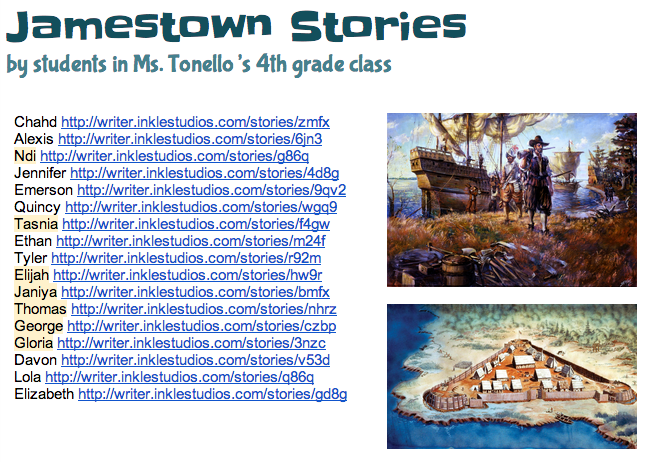
inkleFourth grade students in Ms. Tonello’s class at Holladay Elementary created choose-your-own adventure stories today about Jamestown using Inklewriter. They’ve learned about all the problems the Jamestown settlers had (VS.3), but what if the settlers made different choices? How would the outcomes be different? First I showed them a couple of examples to show them how Inklewriter works: What if one of the charters were revoked? Click here to see. What choices did a settler have when his wife became sick from drinking the water? Click here to see. Once the students understood the concept, I told them to think of a Jamestown problem and two possible choices for solving the problem. We wrote our stories in Pages so that we could save them if the website had any glitches (which they inevitably do). Then we just copied and pasted our text into Inklewriter. We also found pictures online to link in our stories. The students’ stories turned out great. You can see them all here. Reading each others’ stories gives students a fun way to review the Jamestown struggles and practice making predictions. If you’d like to try Inklewriter with your class, I’ve created a brief how-to guide that you can download here.