Tag: pixie

5th Grade “If I Could Change The World”

Fifth graders in Ms. Barker’s class at Chamberlayne Elementary wrote a paragraph on the topic: “If I Could Change The World.” They wrote it in Pages, but she wanted them to do something special to publish their writing. So we copied their text from Pages and pasted it into Pixie. Then I gave them a folder of pictures to use that related to their topics. It included pictures of poverty, hunger, war, pollution, etc. You can download the folder of pictures as well as the Pixie template by clicking here. After the students selected a picture and pasted it into their Pixie, they took their own photo with the webcam and added it to the picture. Then they added a body to their head by either painting it or using a Sticker. Finally they recorded their voice giving a brief synopsis of their idea to change the world. Take a look at some student samples by clicking here.
Kindergarten Measurement

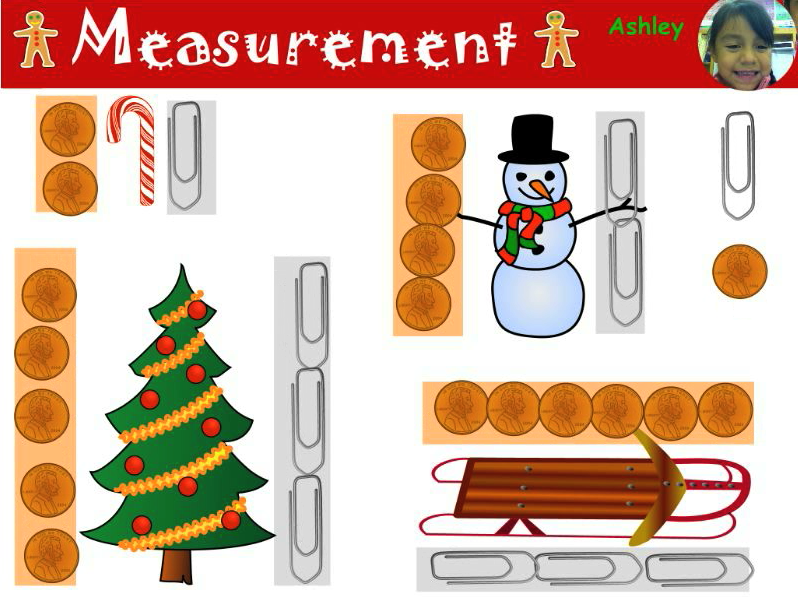
Kindergarten students at Pinchbeck and Holladay Elementary Schools have been learning about measurement. At Holladay they just got Pixie installed, so I set up a Pixie measurement lesson that you can download by clicking here. I had several holiday stickers for them to measure using different units (pennies and paper clips). Then they recorded themselves saying the measurements. You can check out their video by clicking here. At Pinchbeck, I had already done several Pixie activities so I wanted to try something different. I set up a Scribblar grid workspace with each child’s name in a box. After the students logged in by typing their names, they each drew a simple object in their boxes. Next they got a friend to measure their object using either the star or diamond stamps. Then they wrote the number of units in the box. You can check out the activity here.


2nd Grade American Indian Pixies

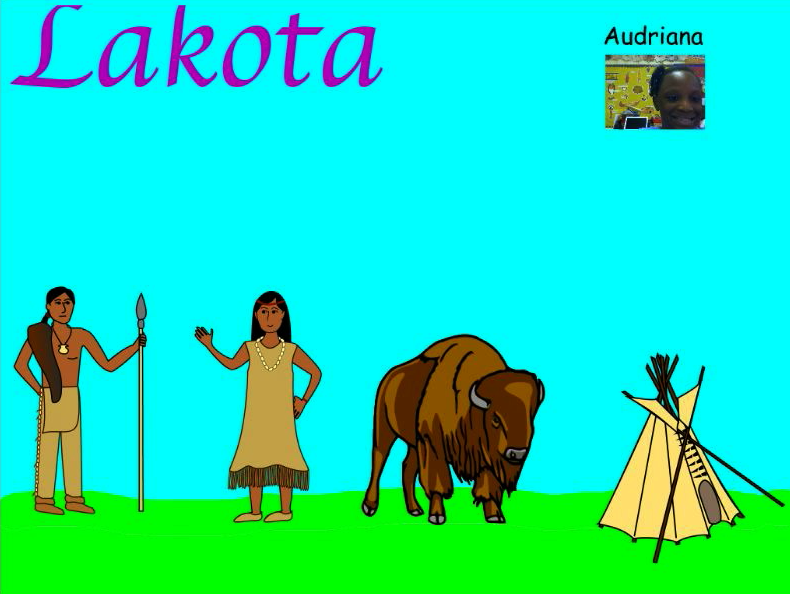
Second grade students at Chamberlayne Elementary made Pixies about the American Indian tribes today. One of the cool things about Pixie is that it already has a lot of stickers about topics the students are studying. So there are longhouses, deer, and canoes for the Powhatan and teepees, buffaloes, and horses for the Lakota. First the students painted the land so it matched the environment where the tribe they selected lived. Next they picked stickers to add to their painting. We had some guidelines for which stickers to use such as the home, transportation, and animal life, but we also gave them the choice of using additional stickers as long as they were relevant. Then used the webcam to put their picture next to their name or on an Indian. Finally they recorded voiceovers to explain the different facts about their tribes. You can see some sample videos by clicking here.


Tags:


3rd Grade Maps Pixie

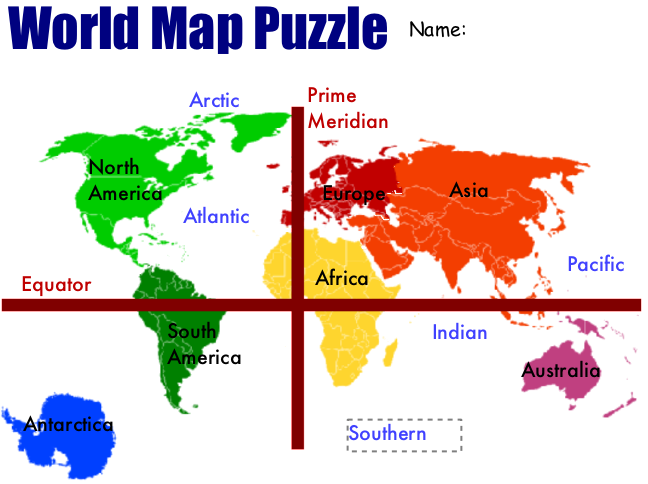
Today third grade students at Laburnum Elementary created maps of the world using Pixie (SOL 3.5). I gave them a template that you can download by clicking here. It’s basically a puzzle with the seven continents in a jumbled pile. First the students have to move the continents around so they are in the correct places. There is a map they can pull up for reference included in the template. Then they click and drag the labels to identify the seven continents and four oceans. Finally they glue all the pieces down and draw the equator and prime meridian using the line tool. You can see the sample by clicking on the picture to make it larger.


Tags:


3rd Grade Matter Pixie

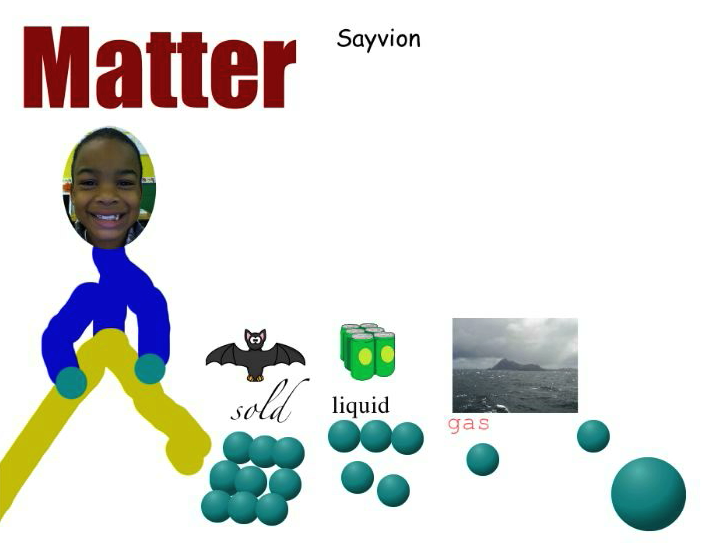
Third grade students created videos in Pixie explaining the different states of matter. They used many different tools to create their videos. First they took their photos with the camera tool, and they used the paintbrush to draw their body. Next they found pictures of solids, liquids, and gases in the Stickers. Then they used the 3-D paintbrush to draw the molecules of each state of matter. Finally they recorded their voices to describe the information in their pictures. You can see a sample video by clicking here. You can download a template to help your students get started by clicking here.


Tags:


Kindergarten Fall Patterns

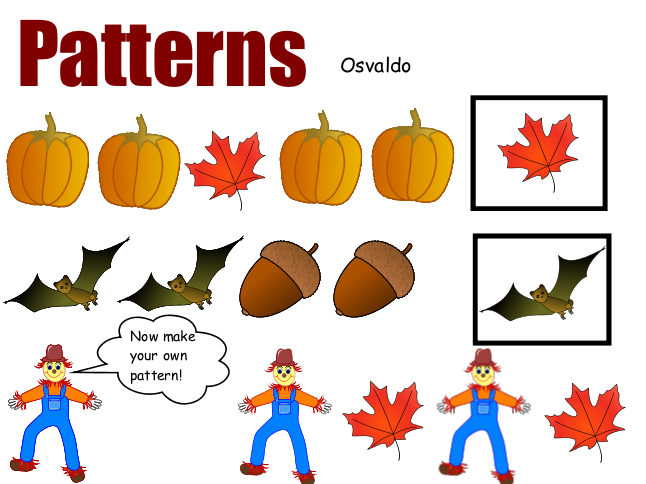
Kindergarten students have been learning about the seasons and patterns, so this Pixie activity reviews both, plus it gives you the opportunity to introduce Pixie to your class. I’ve been using this lesson with several of my kindergarten classes now that Pixie has been installed on all computers. Let me know if you still don’t have Pixie. First the students open the template which you can download by clicking here. Then they type their names in the box. Be sure that your students capitalize their names using the Shift key instead of Caps Lock. This prepares them for two-hand typing later. Next they click and drag the stickers to complete the sample fall patterns in the first two rows. For the bottom row, they click and drag the stickers to create their own pattern. It’s also a good idea to have your students verbalize the patterns, so we use the record button and students record their voices reading the patterns aloud.


Tags:


2nd Grade Maps Pixie

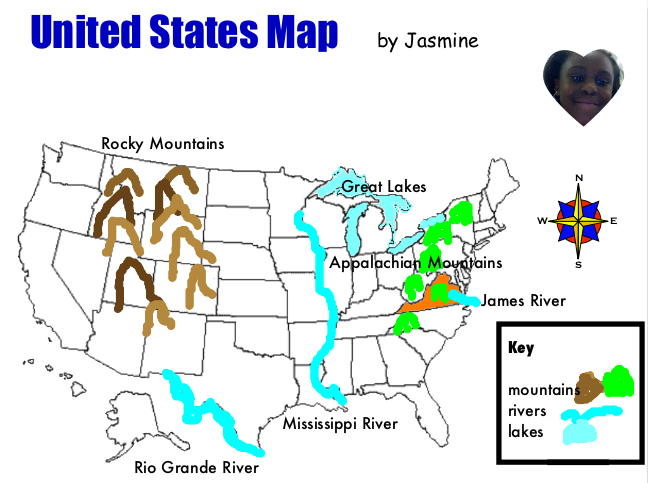
Today second grade students at Pinchbeck Elementary were reviewing their United States map skills (SOL 2.5b, 2.6) with Pixie. I gave them a template to use which you can download by clicking here. First students used the paint tool to draw the rivers on the map (Rio Grande, Mississippi, and James), then they added the symbol of a river to the map legend. Next they drew the Appalachian and Rocky Mountains on the map and added the mountain symbol to the legend. Finally they used the paint bucket tool to fill in the Great Lakes and Virginia. They also dragged the labels into the correct locations. We used the compass rose to ask directions about the location of different features. For example, “Is the Mississippi River east or west of the Rocky Mountains?” It was a great way to review maps and introduce Pixie at the same time. Another 2nd grade map skill is identifying the continents and oceans (SOL 2.5a). If you’d like to try a Pixie lesson for that skill, click here.


Tags:


Summer School Web Tools

This summer I taught a two week long technology enrichment class for 4th and 5th graders at Colonial Trail Elementary. My focus was using web tools to teach the new 5th grade SOLs about the regions of the United States. Each student chose a state and made a website about the state. We used Weebly to create the websites. First the students researched their state, then they made videos using Pixie, Keynote, and Photo Booth. We uploaded the videos onto a cool site for making online posters called Glogster. Next the students made songs about their states using Aviary for the music, SitePal for the vocals, and GarageBand to put them all together. They uploaded their songs to Glogster as well, then we evaluated sample Glogs using Voicethread. Another cool web tool we used is Tikatok to make online books about the states. Finally students embedded their Glog, added a Google map and a BuzzDash poll, and made a link to their book… all on their website. It’s really amazing. You can check out our finished website here. It has links to all the student websites as well as my blog and a video of our end of the summer party. All the students’ websites were fantastic but since you probably don’t have time to look at them all, here are two spotlights: Nicholas and Adina (password is clough). Below I have embedded an Animoto video of our class.


Kindergarten States of Water Pixie

I posted about a sink or float (SOL K.5c) activity for kindergarten here, but I had a few teachers who wanted to review the states of water (SOL K.5a). So I created another interactive website about that topic here. It’s actually one of my old Hyperstudio projects, but since we don’t have that program anymore I turned it into Flash so it could be online. It reviews the different states of water (solid, liquid, gas), how water travels downhill (SOL K.5b), and water conservation (SOL K.10c). After they complete the online activities they can do this Pixie activity where they use the different drawing tools and stickers to identify the states of water.


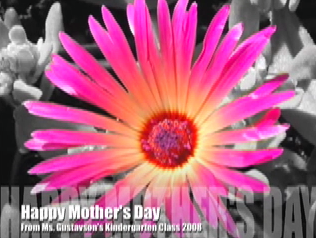
Mother’s Day iMovies

This week I haven’t been in my schools much because I’ve been doing VGLA scoring. However, some students at Holladay Elementary have been saving their Hawks tickets to earn a special VIP technology lesson as part of their school-wide behavior incentive. So I showed them how to create Mother’s Day videos using Pixie and iMovie. First they recorded themselves giving their moms a loving message. Then they drew a picture for their moms using Pixie. We exported it as a JPG file and brought it into iMovie so the picture showed up after their video. Finally they chose a soundtrack to accompany the video. I burned each movie to a DVD so their moms could view their special gift on a DVD player instead of on a computer. However, the DVD also included a digital copy of the movie and picture so they could post them to Facebook or email them to family members if they wanted. I don’t have any examples of these projects to share with you, but I do have an example I did a while ago with a kindergarten class at Crestview Elementary. It’s the same basic idea, except all the students were in the video instead of individual students like the ones we did this year.