
1st Grade Push & Pull Movies
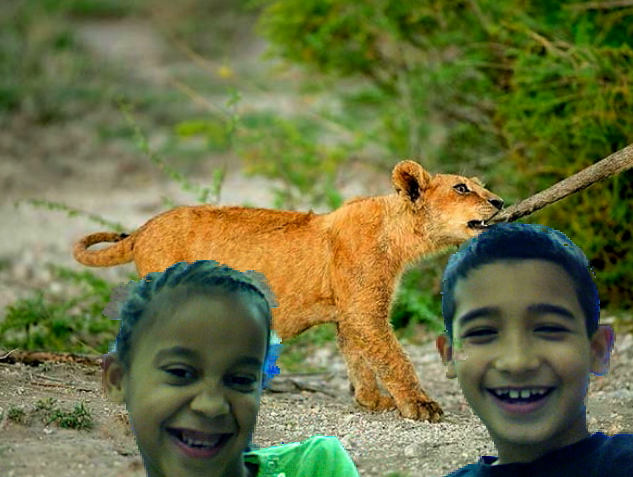 First graders at Holladay took the same pictures I used in this podcast lesson and put themselves into the picture using the PhotoBooth background effect! Then they created videos where they talked about what kinds of forces they saw… pushes or pulls. As you can imagine, they had a lot of fun doing it, and it was an excellent way to assess their understanding without using a worksheet or a test. Take a look at a few of their finished videos by clicking here. You can download the folder of pictures we used by clicking here. If you’d like to see other examples of classes using PhotoBooth backgrounds, just click PhotoBooth in the tag cloud there at the right.
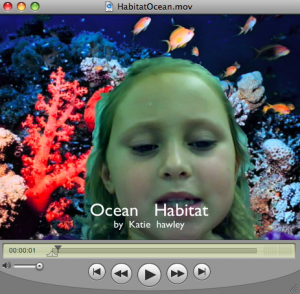 Third graders at Holladay are learning all about habitats (SOL 3.5), and they are sharing their knowledge with videos that look like they are actually IN the habitat they are talking about. They are doing this with the special “green screen” feature on PhotoBooth. I’ve used this before with
  For their Oceans Unit, 5th grade students at Chamberlayne Elementary created “talking Pages” where they have embedded videos right into their word processing documents. To make the videos, there are a couple of backgrounds in Photo Booth, or students can drag their own background picture over into it. Then students can introduce their paper, discuss vocabulary words, or do something creative like the student in
 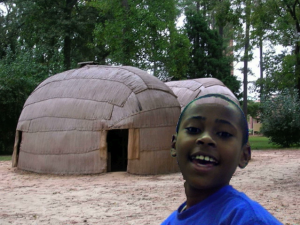 Fourth grade students at Holladay and Laburnum have been working on creating movies about the regions of Virginia. They are using the Backgrounds in Photo Booth to create a green screen effect that makes it look like they are right there in the region! You can download all the photos for this project by clicking the link on my
  Ms. Salmon, a 2nd grade teacher at Holladay had a great idea that I wanted to share with you. To keep parents entertained at back-to-school night or during parent conferences, you could have your students create quizzes for their parents to find out how much they really know about their children. Ms. Salmon instructed her students to take pictures of themselves in PhotoBooth, paste the pictures into a Keynote document, change the font and size of their name, and then write questions about themselves for their parents to answer. This gave the parents an opportunity to use the Mac computers and see what the Keynote program is all about. I took screenshots of some of the quizzes and put them together using a cool website called
 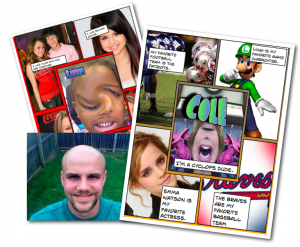 Mr. Golden, 4th grade teacher at Trevvett Elementary, jumped right into using technology with his students on the second week of school! They made “All About Me” Posters using Photo Booth and Comic Life. First they took pictures of themselves using the special effects in Photo Booth and dragged those into the center panel of the Basic Fives Template in Comic Life (Mr. Golden would like to remind you to be sure to save your comic before you close Photo Booth or you’ll get the spinning beach ball). Then they found pictures of their interests with Mr. Golden’s help and dragged those into the four surrounding panels. Finally they added text boxes to describe their interests in complete sentences. It was a fun way to get to know each other and motivate his students to start writing. Way to go, Mr. Golden! (You can see Mr. Golden’s comic by clicking
  Why not start the year off using technology? Your students could make a “Friend Interview” movie with Photo Booth (see sample