
Henrico 21 & Student 21
 Today we celebrated all the amazing technology projects teachers and students have created this year across the county at our annual Henrico 21 Ceremony and Student 21 Fair. Teachers and students were chosen from every elementary, middle, and high school to showcase projects related to 21st century learning (hence the 21 in the name). During the H21 Ceremony, each teacher’s lesson was summarized in a video as they walked across the stage. You can download all their lessons on the Henrico 21 website. For the Student 21 Fair, each school had a table with a display of the students’ projects. Parents and members of the community could wander from table to table, visiting with the students and listening to them proudly explain what they created. There is an interactive map showing all the projects here, and you can read more about each one on the Student 21 blog. Our hope is that you will be inspired to try similar projects in your own classroom… and maybe you’ll be featured at next year’s ceremony! Let me know if you are interested in participating.


 I know many of you have created classroom websites in iWeb this year, and that is fantastic! If you haven’t created one yet, or if you’d just like some inspiration, check out
  This week’s teacher spotlight is Mrs. Hilton. She’s been very enthusiastic about using technology in her second grade classroom at Trevvett. Her students created a podcast in Pixie all about themselves with an awesome “Funkytown” soundtrack. You can see it by clicking
  Ms. Salmon, a 2nd grade teacher at Holladay had a great idea that I wanted to share with you. To keep parents entertained at back-to-school night or during parent conferences, you could have your students create quizzes for their parents to find out how much they really know about their children. Ms. Salmon instructed her students to take pictures of themselves in PhotoBooth, paste the pictures into a Keynote document, change the font and size of their name, and then write questions about themselves for their parents to answer. This gave the parents an opportunity to use the Mac computers and see what the Keynote program is all about. I took screenshots of some of the quizzes and put them together using a cool website called
  Ms. Stewart, 3rd Grade teacher at Holladay, found a creative way to share a fund raising project with the staff at her school – she created a podcast in GarageBand. In the video she uses photos, voiceovers, and animal sound effects to show teachers how to collect money for Maymont’s Animal Appreciation Program. You can see how much more effective this is than simply sending an email or making an announcement. Emily, thanks for going above and beyond the call of duty for the sake of Maymont’s animals! You can take a look at her podcast by clicking
 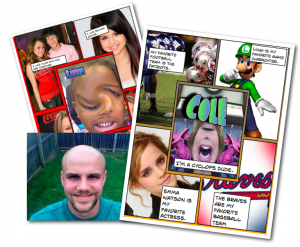 Mr. Golden, 4th grade teacher at Trevvett Elementary, jumped right into using technology with his students on the second week of school! They made “All About Me” Posters using Photo Booth and Comic Life. First they took pictures of themselves using the special effects in Photo Booth and dragged those into the center panel of the Basic Fives Template in Comic Life (Mr. Golden would like to remind you to be sure to save your comic before you close Photo Booth or you’ll get the spinning beach ball). Then they found pictures of their interests with Mr. Golden’s help and dragged those into the four surrounding panels. Finally they added text boxes to describe their interests in complete sentences. It was a fun way to get to know each other and motivate his students to start writing. Way to go, Mr. Golden! (You can see Mr. Golden’s comic by clicking