Category: 5th Grade

5th Grade Plate Tectonics
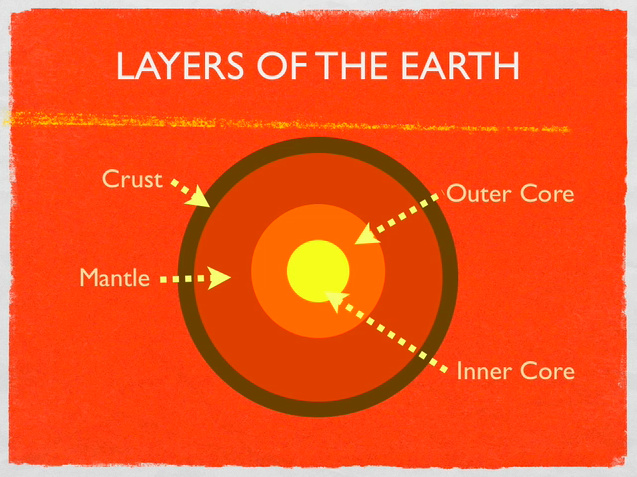
Today 5th graders at Holladay Elementary made animated Keynotes to explain plate tectonics (SOL 5.7). Using the Builds feature in the Inspector, the students were able to demonstrate the different motions of the Earth’s crust (divergent, convergent, and transform boundaries). They also enjoyed using the Flame Effect to describe volcanoes around the Ring of Fire. You can check out a sample video by clicking here. To get them started, I gave them a template and a folder of pictures to use that you can download by clicking here. Inside the folder are cool photos of volcanoes and earthquakes, links to websites, and various diagrams. You might also want to check out this blog post and this website for additional volcano resources.


Teacher Spotlight – Scott Hook

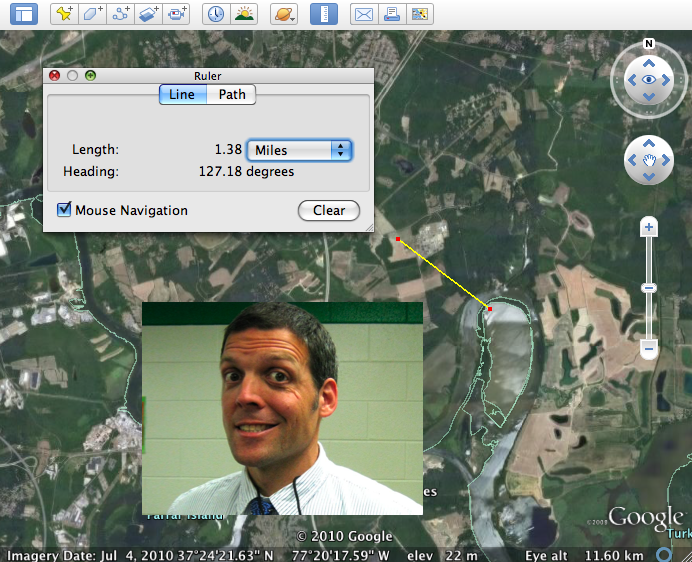
Scott Hook, a new fifth grade teacher at Holladay Elementary shared a great idea with me via email: “I wanted to just send a note mentioning that I found success with Google Earth in the classroom. We are covering Metric Measurement in Math and Google Earth has a great RULER feature that measures to the nearest NANOmeter. I have a Promethean Board in the class and we projected a great view of our school (Holladay ES). We made estimates about the length of the parking lot (“Would we use centimeters, meters, or kilometers?”). Then we used the Ruler tool to measure very accurately. We did this for several objects around the school (cafeteria, bus loop, dumpster), a few kids live close by and we measured their houses. Then we discussed where some of our students’ families were from. We “visited” them on Google Earth (Morocco, Vietnam, El Salvador, Iceland, Baltimore) , then made estimates as to how far the places were from Holladay. We would measure in kilometers, then I asked the kids to convert to meters, and then centimeters. It gave good practice in reading numbers up in the billions as some of the distances in centimeters were quite far. It was a chance to make ESL students feel unique, covered a slew of objectives, and incorporated technology.” Thanks a lot for sharing Scott, and if any other teachers have successful technology lessons, please share them with me!


5th Grade Illustrated Stories with Kerpoof

Many of you have been missing Pixie these first couple of weeks at school. I promise it’s coming! But in the meantime, there are some online alternatives. Two web-based drawing tools are ArtPad and Imagination Cubed. However, fifth graders at Chamberlayne really needed Pixie’s stickers today to illustrate the stories they had typed up earlier this week in Pages. So I took them to Kerpoof. It’s blocked in the county, but it’s worth unlocking for your students (you’ll need to type in your password for them, don’t let them do it). Once they are on the site they can go to “Make A Picture” or “Make a Story” (“Spell a Picture” is great for younger ages). The students were able to create a scene from their story and search for clip art. If they couldn’t find a picture of an object they wanted, they could even draw their own and add it to the scene! Your students can use all the tools for free and just take screenshots of their pictures (that’s what we did), but if you want to save them, you can set up student accounts with their own passwords. Here are a couple sample stories they illustrated: Chavis and Jordanne.


5th Grade Henrico Place Names

The Henrico History unit in 5th Grade presents a great opportunity for you to try some technology projects with your class. You could make a comic in Comic Life, a slideshow in Keynote, or a podcast in Garage Band. Examples of these types of projects are found throughout my blog. Today at Pinchbeck we made movies about the history of the different street names… and students went to those streets virtually via Google Maps! First partners were assigned a road to research using the Henrico website. Then they went to Google Maps and typed in the name of the road. Once they found it, they located an intersection and went to street view to see if they could get an image of the road with a road sign. They snapped a picture of it using Apple+Shift+4 (snapshots now go into the Documents folder), and used the picture as a background image in Photo Booth. Finally they recorded a video of themselves standing in front of the picture of the road, sharing what they learned about its history. Here’s a great student example about Pouncey Tract Road. And this guy is destined to be a TV announcer. Here’s the sample video I showed the students. If you’d like to download the activity click here.


5th & 3rd Grade “All About Me” Pages

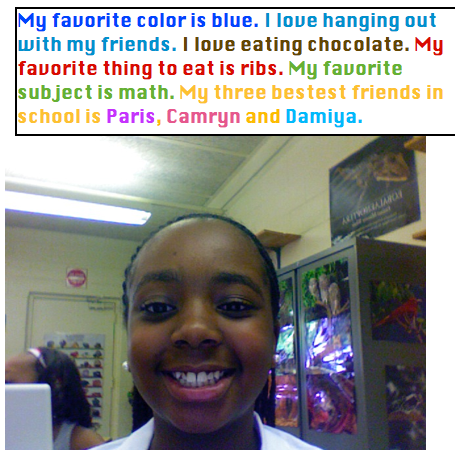
Fifth and third graders at Chamberlayne Elementary used Photo Booth and Pages to write “All About Me.” This is a great first week activity. First they opened up Photo Booth and took their picture. Then they dragged it into a Pages document and wrote about themselves. I showed them how to change the font, size, and color, and they got very creative as you can see in the example. Each teacher published the activity in a different way. Ms. Bradlee (5th grade) printed them out and hung them up on the walls for parents to see at back-to-school night. Mr. Mayo took screenshots and pasted them into a Keynote with music for a back-to-school night sideshow. It’s fantastic to see so many teachers jumping right into technology projects on the first week of school!


Summer School Web Tools

This summer I taught a two week long technology enrichment class for 4th and 5th graders at Colonial Trail Elementary. My focus was using web tools to teach the new 5th grade SOLs about the regions of the United States. Each student chose a state and made a website about the state. We used Weebly to create the websites. First the students researched their state, then they made videos using Pixie, Keynote, and Photo Booth. We uploaded the videos onto a cool site for making online posters called Glogster. Next the students made songs about their states using Aviary for the music, SitePal for the vocals, and GarageBand to put them all together. They uploaded their songs to Glogster as well, then we evaluated sample Glogs using Voicethread. Another cool web tool we used is Tikatok to make online books about the states. Finally students embedded their Glog, added a Google map and a BuzzDash poll, and made a link to their book… all on their website. It’s really amazing. You can check out our finished website here. It has links to all the student websites as well as my blog and a video of our end of the summer party. All the students’ websites were fantastic but since you probably don’t have time to look at them all, here are two spotlights: Nicholas and Adina (password is clough). Below I have embedded an Animoto video of our class.


5th Grade Oceans Videos

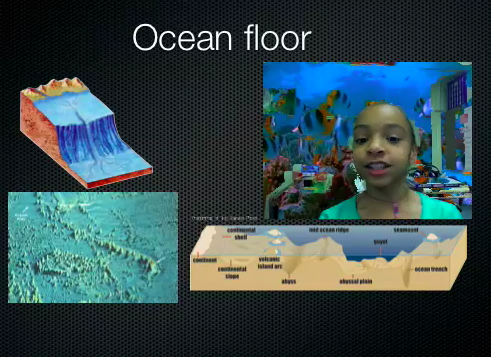
5th grade students have been working on a special project to review the oceans. Unfortunately they weren’t able to finish in time, but I’m going to go ahead and post what they did. Using a Keynote template I created for them (which you can download by clicking here) they added pictures to each slide to explain the different concepts like the ocean floor, ocean tides, and an ocean food chain (SOL 5.6). Then they recorded videos of themselves explaining the concepts using Photo Booth. The first slide turned out great! You can see some students samples here and here. Since they weren’t able to finish all the slides, you can take a look at my completed sample by clicking here. Doing a special project like this is a great way to review a topic the students are having trouble remembering. One thing I might do differently next time is have different groups of students complete a slide about each topic, then we can put them together. That way we could finish the project more quickly and still explain all the concepts. Live and learn!


5th Grade Elapsed Time Animations

Elapsed time is a difficult concept. Students need to see the hands of the clock moving to be able to really understand the idea. So animation is perfect for this lesson, and it’s somewhat simple to do using Keynote. I’ve created a template with some built in animations that you can download by clicking here. The download also includes written directions and some samples. The students create their own word problem with a beginning and ending time. On the next slides students rotate the hour hand so it shows the time advancing each hour. Then for the last slide they have to do a bit of math to figure out how many degrees to rotate the minute. Finally they calculate the total elapsed time. It’s a great review, of not only time, but also geometry and multiplication. You can see a finished sample by clicking here.


Tags:


5th Grade Animal Kingdoms Comic

I already posted an activity for reviewing the five kingdoms here, but I’ve been doing a lot of Keynotes lately, so I wanted to try something a little different using Comic Life. You can click on the other link to download the folder of pictures to use since it is fairly large, but click here to download the comic template and a sample. The basic layout is already in place. It has labels for protists, monerans, fungi, plants, and animals, as well as a few others. Students just need to add in the pictures of each kingdom and make speech bubbles explaining the characteristics of the kingdoms. It’s a quick, easy, and fun way to review for the SOL test.


5th Grade Civil War Timeline

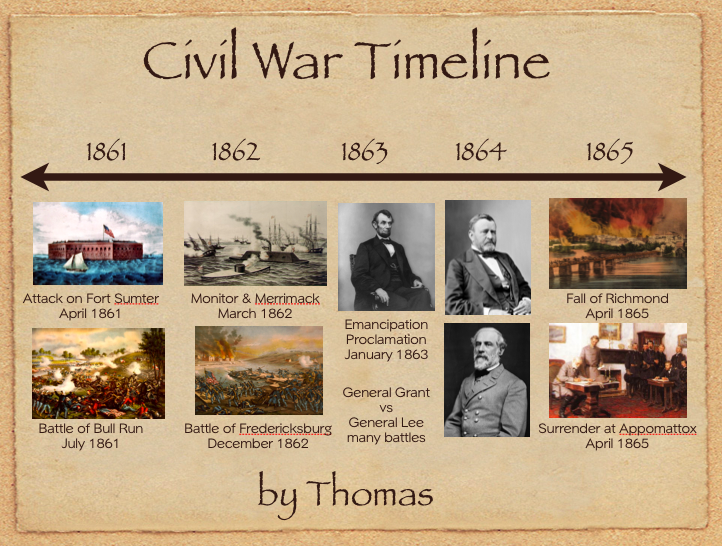
Fifth grade students have been reviewing the Civil War (VS.7). So to keep all the major events in order they created animated Civil War timelines using Keynote. I gave them a template and a folder of pictures to use that you can download by clicking here. They added the dates and the events in the correct places along the timeline. Next they added animation using the Inspector so that each event appeared in the order it happened. If you have time you could use the voiceover feature of Keynote and record a narration explaining the events. To see a finished sample video click here.


Tags: