
Animated 3-D Graphs
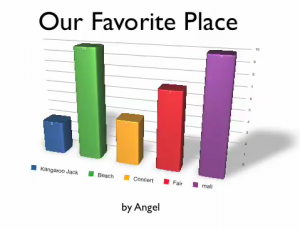 Fourth grade students at Laburnum had fun making animated 3-D graphs today using Numbers and Keynote. First they collected their data by asking each other a question, “What’s your favorite _____?” They used tally marks to keep track of the votes. Then they graphed the results using Numbers. I showed them how to use the Inspector to make the bars look like wood, metal, or marble. Next, they copied their graph over into Keynote and used the Build Inspector there to add a 3-D Grow Effect to their graph. The results were pretty impressive. Take a look at some of their favorite places, sports, restaurants, animals, ice cream flavors, family members, and foods.
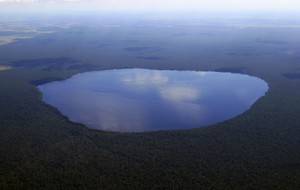 Fourth graders have some new places they need to know for the SOL Test this year, and two of them are the Great Dismal Swamp and Lake Drummond. I have gathered together some pictures of these places for you to use for classroom projects. You can download the folder of pictures by clicking
  Fourth grade students at Trevvett Elementary worked on Weather podcasts today. I gave them a GarageBand Template and a folder of pictures to use which you can download
 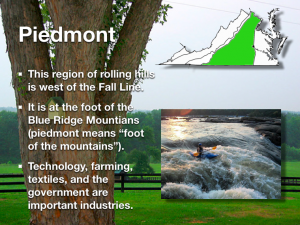 There are many projects your students could do for the Virginia regions unit. They could do a GarageBand podcast about each region, they could make travel brochures in Pages, or they could make animated movies with Pixie showing a virtual cartoon tour across the state. Let me know if you want to try one of those ideas or perhaps you have an idea of your own. Fourth graders at Chamberlayne are working on Virginia Regions Keynotes this week. You can see my sample by clicking
 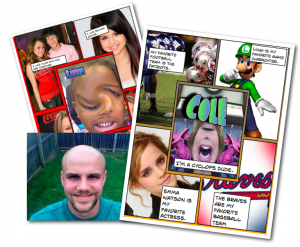 Mr. Golden, 4th grade teacher at Trevvett Elementary, jumped right into using technology with his students on the second week of school! They made “All About Me” Posters using Photo Booth and Comic Life. First they took pictures of themselves using the special effects in Photo Booth and dragged those into the center panel of the Basic Fives Template in Comic Life (Mr. Golden would like to remind you to be sure to save your comic before you close Photo Booth or you’ll get the spinning beach ball). Then they found pictures of their interests with Mr. Golden’s help and dragged those into the four surrounding panels. Finally they added text boxes to describe their interests in complete sentences. It was a fun way to get to know each other and motivate his students to start writing. Way to go, Mr. Golden! (You can see Mr. Golden’s comic by clicking