Category: 3rd Grade

3rd Grade Famous African Americans
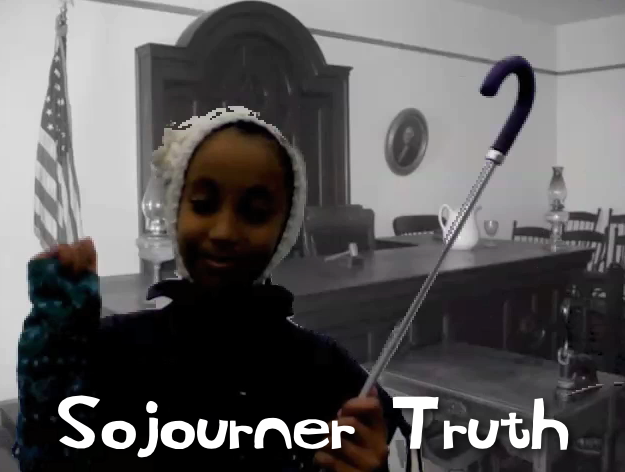
Picture 4As a special enrichment project for Black History Month, a small group of third grade students in Ms. Marion’s class at Holladay Elementary researched, created, and presented their own videos about famous African Americans. The three pairs of students selected Sojourner Truth, Malcolm X, and Rosa Parks for their projects. First, with the help of the media specialist, they gathered information about their person using books from the library and various websites. Then I helped them with some of the technology for their presentation. Some wanted to do a Keynote, and others wanted to do an iMovie project. These students already knew the basics of the programs, but I showed them how to use the advanced features like adding backgrounds, music, and special effects. They did all of the scripting and editing themselves. They also selected their own pictures and music to use. They even designed their own costumes and props! When they finished, I exported their projects as QuickTime videos and uploaded them to Vimeo so the students could share them with their classmates and families. You can check them out here: Sojourner Truth, Malcolm X, and Rosa Parks.

3rd Grade Blog Entries About The Inauguration

GabrielleThird graders at Laburnum Elementary have been doing a lot of writing using Pages (the word processing program on the Macs), so they wanted to try something new and different. I thought that blogging would be perfect for them! We used Instablogg because it doesn’t require a login, it gives a link for them to go back and edit, and it also allows comments. Since this past weekend was the Inauguration of President Obama in Washington DC, I gave that as a possible topic. It’s a good idea to give choices though, so if they didn’t want to write about that, they could write about their weekends. First we talked about good writing habits. We discussed how to keep their ideas organized and flowing smoothly. We also discussed using sentence variety and descriptive words to keep things interesting. I pointed out the importance of correct spelling and grammar since this would be published online and anyone could read it (even President Obama)! Once they finished typing, I showed them how to search for a good picture online. I also showed them how to change the size when they embed it into the blog. I posted all their links to a Google Doc that you can see here.


3rd & 4th Grade Videos with Green Screen Effects

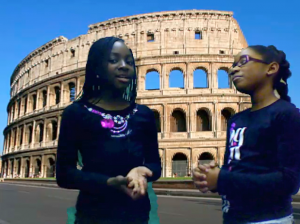
Picture 3Third and fourth grade students at Chamberlayne Elementary learned how to use green screen effects for videos today, just like the ones professional movie producers use. The green screen effect is great for making it look like you are standing right in front of a historical landmark, or a habitat you are studying in science, or a setting from a book, and it can be used right in Photo Booth! First we did a Google image search to find a good background. The third graders were making movies about Greece & Rome while the fourth graders were making Revolutionary War videos. We allowed them to choose their topic, but if too many students were picking the same topic, we encouraged them to select another one. The background photo cannot be directly dragged into Photo Booth, so they had to drag the pictures into their folders. From there we dragged them into the Photo Booth backgrounds (found at the end of all the Effects). Next I modeled how to use the green screen effect in Photo Booth. I also gave them an informal rubric to use for evaluating their videos for Content, Clarity, and Creativity. It’s important to have a plain backdrop when using this effect so I provided them with plastic colored table cloths to hang or hold behind them. Now it was time to start filming. The students acted like they were news reporters or talk show hosts interviewing people. When they were finished they saved the movies to their folders. Teachers could then post the videos on their blogs or somewhere else online for publishing. Here’s a 3rd grade example (Rome) and a 4th grade example (Declaration of Independence)


1st Grade Goods & Services Town

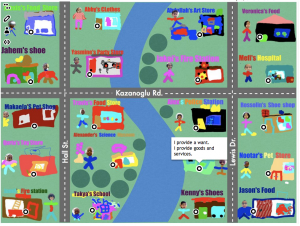
Picture 9Today first graders at Chamberlayne Elementary combined their knowledge of map skills (SOL1.4) and goods and services (SOL1.7) in a special project. Each class created their own interactive town map where you could click on a building and see whether it produced goods or services. Here’s how we did it. First we discussed what goods and services the people in a town would need or want. Then I instructed the students to choose one and design their store in Pixie. If we noticed that too many students were picking one type of store, we’d say, “We have a lot of pet stores in our town, what is something else our town should have?” I asked them to include several elements in their Pixie drawings: their names, their stores’ names, pictures of themselves, and pictures of what they sell or provide. I also asked them to highlight whether they provided goods or services or both. They exported their finished pictures as PNG files with transparent backgrounds. Next I added their buildings to a town map in Keynote (you can download the files we used for this project here). I uploaded the map to ThingLink and added the clickable hotspots. Since ThingLink sometimes has ads, I didn’t want to directly link to those, so I embedded them into Instabloggs. You can see the finished products from each class by clicking the links: Ms. Gardner, Ms. McLean, Ms. Kazanoglu. Teachers could then use these maps to review knowledge and encourage critical thinking: Is our town lacking anything? Which side of the river would you live on and why? Which direction would you travel to get from one specific store to another? Parents can also view the maps from home and leave comments!


3rd Grade Greece & Rome Websites

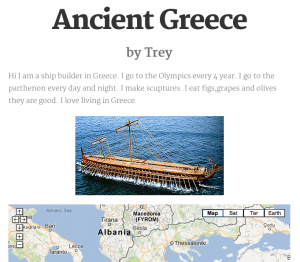
3rdSiteThird graders at Holladay Elementary have finished their study of Greece & Rome and were ready today for a final project to review and share what they have learned. I showed them how to create free websites using CheckThis. First they had to decide which ancient civilization they wanted to review. We wrote that in the title. Next they had to pretend that they actually lived in ancient Greece or Rome and tell about their lives. They had to include facts about land features, occupations, trade, sports, art, etc. They wrote a paragraph, or as much as they could in the alloted time (you can save if you log into an account, but since we didn’t, we had to finish the website in the hour we had together). I showed them how to add a picture from the Internet, but I also just learned today that CheckThis has a webcam feature you can use to add pictures. So I was able to test it out with Ms. Marion’s class. They took pictures from classroom books about Greece and Rome. We also added a Google map of the region that was fully interactive. Finally, we wrote poll questions for site visitors to answer. You can see all the websites by clicking on the teacher links below:
http://tinyurl.com/checkthismarion
http://tinyurl.com/checkthisbarnes
http://tinyurl.com/checkthiscowart


3rd Grade Eaters Comics

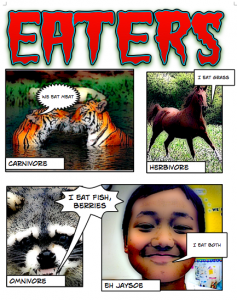
eatersThird graders at Laburnum Elementary have been studying predator-prey relationships and identifying carnivores, herbivores, and omnivores (SOL3.5). So today they created animal trading cards using Comic Life. First we opened Comic Life and I showed them how to drag in 4 boxes and resize them so they were all the same. Next we got on the Internet and I instructed them to do a Google Image search for 3 animals: a carnivore, a herbivore, and an omnivore. They were allowed to choose whatever animal they wanted as long as they were able to identify it. They dragged the images into the Comic Life panels and added text boxes and speech bubbles to provide information about what the animal eats. If they didn’t know, they could do some quick Internet research to find out. Finally, the students took their photo using the built in webcam feature of Comic Life, and put that in the last panel. They identified themselves as carnivores, omnivores, or herbivores and wrote what they eat. You can see a student sample by clicking on the picture.


3rd Grade Water Conservation Posters

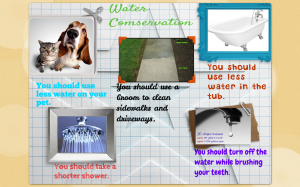
Tamia3Third graders in Ms. Tate’s class at Chamberlayne Elementary have been learning about water conservation (SOL3.6d, 3.9e). Today they made posters to hang around the school encouraging students to conserve water. We decided to make them online using a site called BeeClip so we could share them with others who don’t attend Chamberlayne. First the students decided which were the most important facts from their research to include on their posters. They typed them up using BeeClip’s text feature. Next they used BeeClip’s built in Google Image Safe Search to look for pictures that related to their text. Finally they selected some of BeeClip’s stickers to add decoration to their posters. In order to save the posters without having an account, the students had to take screenshots. Then we uploaded the screenshots to an online photo sharing site called CoMemories. You can see them all by clicking here. The projects turned out great, and the students were proud of their professional looking posters that will be displayed around the school.


3rd Grade Animal Research Projects

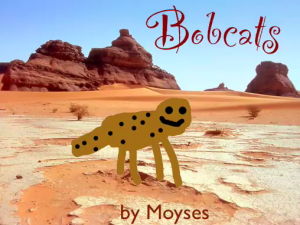
bobcatOne of the major research projects in 3rd grade is the Animal Report. Students choose an animal, think of questions they have about that animal, then go to the library and find information about its habitat, eating habits, predators, and other interesting facts. Once they have gathered their information, they must present it to their classmates in an interesting way. Of course, using technology is a great way to present their reports, and there are many exciting options for students to chose from. You can find many ideas on my blog here, here, here, here, and here. But today the students could chose between making an animated video or a Comic Life ebook. For the animated video, students drew a picture of their animal in Pixie, exported it as a PNG file (with transparency), and then brought it into Keynote. In Keynote, they added a picture of the animal’s habitat from an Internet search, then used one of the animated builds to make the animal move into its habitat. They also recorded a narration explaining the important facts about their animal. You can see a sample student video here. For the Comic Life ebook the students gathered their own animal/habitat pictures from the Internet and used them to create a comic in the Comic Life program. Then they added information using the speech bubbles. I combined them together into one PDF so we could publish it as an ebook using FlipSnack. You can see the student sample here.


3rd Grade Place Value Animation

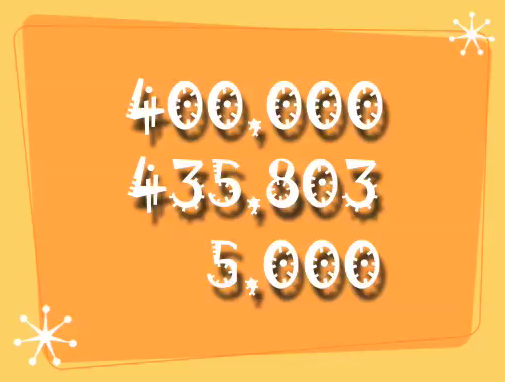
As a former third grade teacher, I know that place value is a difficult concept for students to grasp. One thing I found effective with my class was to get them to teach each other. And if they could record their teaching as a video that could be watched by other students as needed, it became even more effective. Making educational videos has become very popular, especially with the Khan Academy and the rising popularity of the flipped classroom. So today I showed two third grade classes how to create educational videos about place value using Keynote. First the students came up with a six-digit number. Next they had to choose one of the thousands digits and identify its place value. They did the same thing with one of the ones digits. A cool feature of Keynote is the ability to make animations so I showed the students how to animate their numbers. Finally they recorded a voiceover explaining the place value of the digits. You can see a student sample by clicking here.


Tags:


3rd Grade Biomes Podcasts

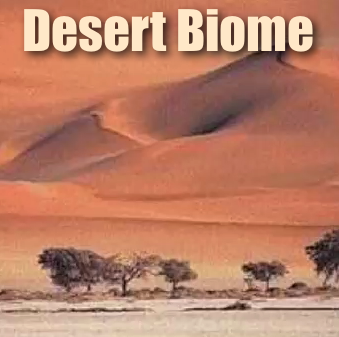
Third grade students at Laburnum Elementary have been learning about different biomes, and their teacher, Ms. Emanuelson, wanted to learn about Garage Band. So today they used Garage Band to make biome podcasts. Each program on the Macs has its specialty: for Pixie its drawing, for Keynote its animation, and for Garage Band its sound effects. So even though students wanted to include pictures of their biomes and record voiceovers, which are possible in both Pixie and Keynote, they wanted the additional ability to add a musical soundtrack and ambience noises from their habitat (like waterfall-, monkey-, and bird-sounds for the rainforest). Garage Band makes it easy to do this. First the students recorded their voiceover. Next, I showed them how to search the Internet for pictures, drag them into the Garage Band podcast, and make them sync with the voiceover. Finally we added a soundtrack from Garage Band’s music library and selected sound effects. The final projects turned out great. You can see two student samples here: The Rainforest by Daliah and The Desert by Jose.