Category: Social Studies

2nd Grade Famous Americans eBook
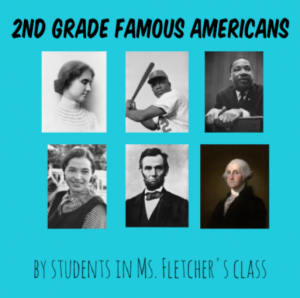
Second graders at Trevvett Elementary have been learning about famous Americans: George Washington, Abraham Lincoln, Susan B. Anthony, Helen Keller, Jackie Robinson, and Martin Luther King, Jr. (SOL2.11). Today, students in Ms. Fletcher’s class created an eBook (electronic book) about all of them. First, we reviewed the famous Americans, and they chose one whom they found most interesting. Then we spent about five minutes researching the person’s contributions. Students could use their notes, classroom posters, or a quick Google search to find relevant facts. Next, we logged into BookCreator using a class code. I showed them how to create a new book and customize the cover. We changed its color, typed a title (remembering to use uppercase letters), and added a photo of the person using the built-in Google image safe search. On the following page we recorded a video of ourselves telling about the famous American’s accomplishments. Although video is a fantastic feature of eBooks, I’ve found that it doesn’t work well in BookCreator. The videos just seem to load and load and load… and never play. Be aware of that issue if you try it with your class. On the last page we typed a complete sentence about our person and used the drawing tools to draw a picture of them. Finally, I combined all the students’ individual books together into one big book. You can read it here. Be sure to check out BookCreator’s newest feature, “Read Aloud.” When you press the button, a computerized voice will read the book aloud. It’s a great way for students to recognize spelling and grammar mistakes.


1st Grade Animated Services

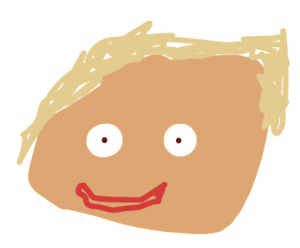
First graders at Holladay Elementary have been learning about goods and services (SOL1.7), so today, students in Ms. Wimmer’s class created animated services with ABCYa! Animate. First, we discussed the differences between goods and services and identified various jobs that provide services (fireman, policeman, doctor, nurse, dentist, teacher, barber, plumber, etc). The students chose a service they wanted to animate, and we headed over to ABCYa! Animate to draw a picture of a big head. We wanted it to be big so we could show the mouth moving. I explained that they could add a hat to show the uniform, but I don’t think anyone did that. Next, we used the Copy Cat button to make a copy of the face. We deleted the mouth (with the X tool) and drew another mouth in a different shape to make it look like it was talking. I showed them various mouth shapes for making different sounds (Oh, EE, L, F, Th, etc). We noticed that in some mouth shapes you can see the teeth or tongue. After making a couple of additional copies of the face with different mouth shapes, we pressed the Loop button (so it repeated) and exported it as an animated GIF. Now it was time to add the voice. We used Vocaroo to make an mp3 recording of the students explaining the services. Then we posted our animations and recordings on a Padlet. I combined them all into a video that you can see here. Later, I realized it might be easier to upload the animated GIFs to WeVideo and record a voiceover there. I’ll try that in another lesson!


3rd Grade Famous Americans Come To Life!

Third graders at Varina Elementary have been learning about famous Americans (SOL3.11b George Washington; Thomas Jefferson; Abraham Lincoln; Rosa Parks; Thurgood Marshall; Martin Luther King, Jr.; and Cesar Chavez;). Today, students in Ms. Long’s class used SitePal to make them come to life. First, the students chose one of the famous Americans to represent, and we made sure that each person was picked by at least one student. Next, we did some quick research to find some facts and pictures of the person. I instructed the students to find a photo that showed their face up close so we could use it in the animation. We downloaded the image by right clicking it and selecting “Save image as.” Then, we went to SitePal and clicked the Demo button. We uploaded our image and followed the site’s instructions to add special markers to the eyes, nose, ears, mouth, and chin. Once that was done, the students were surprised to see the famous American blinking and looking around! To add the voice, students clicked the TTS (Text to Speech) tab and typed some sentences with good facts from their research. SitePal has customized male and female voices to choose from that read the text aloud. Finally, we used the Screencastify Chrome extension to record our animation. It’s amazing how realistic and life-like they look! You can see all the videos here.


Kindergarten Martin Luther King, Jr. Animations

Yesterday was Martin Luther King, Jr. Day so kindergarten students at Holladay Elementary have been learning about his life and his famous “I Have A Dream” speech. Today students in Ms. Connolly’s class created animated pictures of Martin Luther King, Jr. speaking. First, we went to ABCYa! Animate, and I explained that we would draw two pictures of Dr. King. One would have his mouth in one shape, and the other would have his mouth in a different shape. When we played the pictures together, one after another, it would look like he was talking. In order to draw him accurately, we looked at photos of him. We saw that he had brown skin, black hair, and a mustache. The students tried to draw him on the first frame, then we copied the frame (using the copycat button), deleted his mouth, and redrew it differently. Some students made the mouth open and closed. Others added teeth or a tongue. I showed them how to turn on looping (so it keeps playing), and we exported our animations as .gif files. Finally, we uploaded them to a Padlet so we could see everyone’s. You can play audio from his speech while viewing the animations, and it will look like Dr. King is actually speaking!


5th Grade Southeastern State or Animal Websites

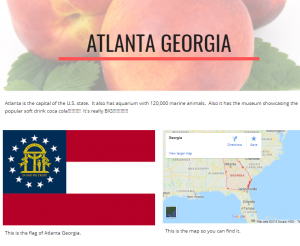
Fifth graders at Laburnum Elementary have been studying the southeastern states in History (SOLSE), and they have been learning about animal survival traits in Science (SOL5.5c). Today students in Ms. Hall’s class chose a southeastern state or an animal to research, and then shared their findings on a Google website. First I explained how to research their topic using books or the Internet. We discussed the importance of checking facts (seeing if the fact was repeated in multiple sources) and using reliable websites. I instructed them to find the answers to three questions they were curious about–like “What is the coolest place to visit in the state?” or “What is the most amazing survival trick of this animal?” Once our research was complete, we went to Google Drive and clicked New > More > Google Sites to create a website. I showed the students how to pick a theme, and how to use the buttons to add different features to their websites. Besides including their three facts, I also wanted them to include a header image, a photo, and a map. When our websites were finished, we published them and copied the links into Schoology. You can see them all here.


2nd Grade American Indian Homophones

Second graders at Holladay Elementary have been learning about American Indians in History (SOL2.2) and homophones in English (SOL2.7a). Today, students in Ms. Fournier’s class chose an Indian tribe (Powhatan, Lakota, or Pueblo) and thought of homophones that they might say (if they spoke English). First, we opened Pixie and used the paint brush and paint bucket tools to draw the correct environment for the tribe we selected (woods for Powhattan, plains for Lakota, desert for Pueblo). Next, we used Stickers to add examples of people, animals, houses, and tools to represent the tribe. Before we wrote the homophone sentence, we brainstormed a list of possible homophones to use. Then the students chose a homophone pair to include in a sentence about their tribe. We exported the images as JPG files and shared them in a Schoology album. You can see a few student examples here.


Tags:


3rd Grade Greece & Rome Multiplication Comics

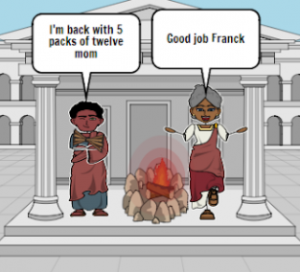
Third graders at Varina Elementary have been studying multiplication in Math (SOL3.5), and they have been learning about Greece and Rome in History (SOL3.1). Today, students in Ms. Lanham’s class used StoryboardThat to create comics about Greece or Rome with a multiplication problem to solve. First, we reviewed the concept of multiplication. It is repeated addition of the same number, or it can be thought of as equal groups. Next, we discussed life in ancient Greece and Rome and brainstormed some possible multiplication problems. Farmers may have problems dealing with the number of grapes or olives they can grow in equal rows or put into jars. Shipbuilders may have to solve how many people can fit in each boat. Priests may have to figure out how many designs are on each column of the temple. Once we had our ideas, we went to StoryboardThat, and I showed them where they could find Greece and Rome backgrounds (Scenes > Historical, Rustic, or Outdoor). There are also Greece and Rome people in Characters > Classical Era. Finally, they added speech bubbles (Textables) to explain the multiplication problem in their comic. The first panel might explain how many items are in each group. The second panel might explain how many equal groups there are in all. The third panel could ask about the total number of items. We took screenshots of our comics and shared them in a Schoology discussion so we could solve each other’s problems. You can see them all here. If you’d like to see more examples, I also taught this lesson to Ms. Cathcart’s and Ms. Haley’s classes.


Tags:


4th Grade Virginia Tally Marks & Graphs

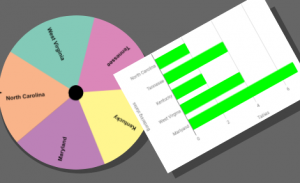
Fourth graders at Varina Elementary have been learning about Virginia geography (VS.2) and Jamestown (VS.3) in Social Studies, and they have been making bar graphs in Math (SOL4.14). Today students in Ms. Belcher’s class chose a Virginia topic, created a spinner out of its subtopics, tallied the spins, and graphed the results. First, we reviewed various topics they could use to generate their spinner subtopics: Virginia Rivers, Virginia Regions, Indian Language Groups, Problems at Jamestown, Bordering States, etc. Next, we created our custom spinners using a cool webtool called WheelDecide. Then they spun the spinner as many times as they could in two minutes and tallied the results on paper. To make the graph, we used a Google spreadsheet. I showed them how to access their Google shortcuts (the array of 9 tiny squares in the top right corner of a Google search page), and we opened a new spreadsheet. In the first column we typed the spinner subtopics, and in the second column we typed the number of tallies for each one. Then we highlighted the columns, pressed the graph button, and a bar graph appeared! I showed the students how to change the colors of the bars, if they wanted. We shared our spreadsheets on Schoology, but you can see them all here. Can you guess the main topics just by looking at the graphs?


4th Grade Powhatan Dioramas

Fourth graders at Varina Elementary have been learning about the Indian tribes of Virginia and their language groups (VS.2d,e). Today students in Ms. Connell’s class created virtual 3-D dioramas of a tribe of their choice using CoSpaces. First, we reviewed the tribes (Powhatan, Monacan, and Cherokee), their language groups (Algonquian, Siouan, and Iroquoian), and where they lived in Virginia. Next, I explained the project and pointed out that these dioramas could be viewed and explored with virtual reality goggles. They could also use coding to add actions and sounds to their project (we didn’t get that far, but I made an example here where you can click each person, and they will move and speak). After logging into CoSpaces with our Google accounts, we created a new space, and I showed them how to set the background with the Environment button at the bottom. CoSpaces offers a few backgrounds, but we did a Google search for a 360 degree photo of Virgina woodlands, and uploaded that. Next I showed them how to add characters from the Library and right click on each one to customize its colors and poses. I also explained how to add speech bubbles and type facts about the tribe. We used the Building Blocks library to create model longhouses. Finally we clicked the share button, copied the link, and posted our creations on Schoology. You can see them all here.


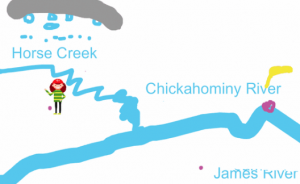
5th Grade Henrico Watershed Animations

Fifth graders at Laburnum Elementary have been studying Henrico County and Virginia watersheds (SOL4.9a). Today students in Ms. Burgess’s class created animations for Laburnum’s watershed. First we reviewed watersheds and why understanding them is important. Several students didn’t realize that their drinking water comes from the James River. So we discussed where the trash that is thrown on the ground eventually ends up (Answer: rain washes it into creeks and rivers which flow into the James River). Next we went to Google Maps and found Laburnum Elementary. We searched for the nearest creek, which turned out to be Horse Creek. Then we followed Horse Creek to the Chickahominy River and finally to the James River. Now they were ready to create an animation showing the path a discarded piece of trash takes from Laburnum Elementary down through the watershed into the source of their drinking water. We used ABCYa! Animate to create the animations. You can see them all here.