Category: Social Studies

3rd Grade Explorer Websites

Third graders at Holladay Elementary have been studying the explorers (SOL3.3) so today they chose an explorer and used CheckThis to create their own website about him. First they typed in the facts that they had gathered from their research. Then I showed them how to add a picture of the explorer and a map of his route. They also created a poll question for other students to answer to make their website more interactive. After they published their sites, I gathered the URLs together into one GoogleDoc so that the students (and their parents) could look at each others’ sites, answer each others’ questions, and review the explorers in a fun, motivating way. We did all that in just under an hour! You can too! Go ahead and check out some of their websites. Be sure to leave a comment and “Like” their pages. Let me know if you’d like to create websites with your students. I’d be happy to show you how.

4th Grade Talking Heads VS.6

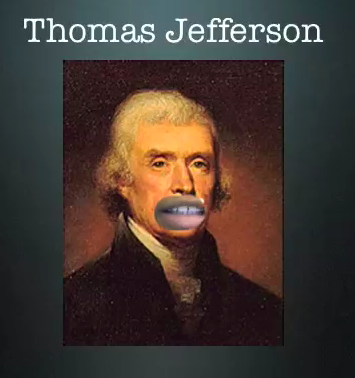
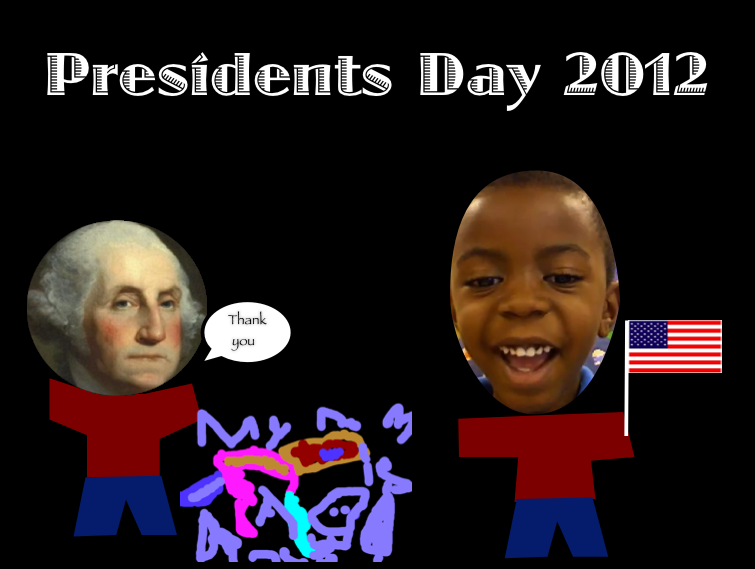
Fourth graders at Laburnum Elementary have been studying famous Virginians and the early documents they wrote declaring our rights and freedoms as Americans (SOL VS.6). We wanted our Founding Fathers to explain the documents themselves, and this is possible with Blabberize, but since we were having trouble with that website, we decided to try something different (you have to be flexible with technology, right?). I gave them a folder of pictures to use that you can download by clicking here. We cut away their mouths in Pixie and exported the pictures as PNG files with transparency (so their mouths would be empty holes). Then we brought them over into Keynote and added a title. Next we used Photo Booth to record ourselves speaking for the famous people, explaining their accomplishments. We put the video into our Keynote and put the picture on top of it, aligning our mouths with the hole in the picture. Then when we played our Keynotes, it looked like the famous person was talking! Take a look at a couple of student examples: Alicia – Thomas Jefferson and Nyesha – George Washington.


Kindergarten Presidents Day Birthday Presents

Today kindergarten students at Holladay Elementary thought about what they could give George Washington or Abraham Lincoln for Presidents Day. We talked about how they lived in the past so we couldn’t give them presents that we would want, like Xbox or Legos. We also discussed presents that would be meaningful for them, relating to what they did or what they enjoyed. The students did a great job coming up with ideas: books, axes, top hats, and a big 16 for Abraham Lincoln; a horse, new teeth, a lantern, and a big #1 for George Washington. Next students drew their ideas in Pixie and exported the picture as a PNG file so that it would have a transparent background. We helped them put the picture into a Keynote template that you can download by clicking here. Then the students filmed themselves giving a birthday message to the president, explaining why they gave him that gift. They placed the video in the template as well. You can see some finished projects here:
Daisy giving a horse to Lincoln
Harrison giving an axe to Lincoln
Jack giving a tricorn hat to Washington


3rd Grade Famous African Americans

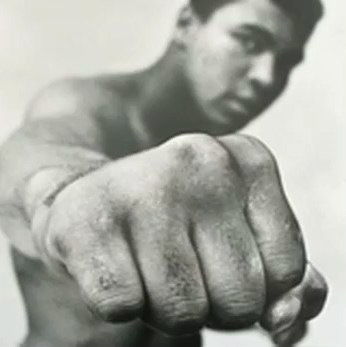
Third graders at Chamberlayne Elementary have been researching famous African Americans for African American History Month. Today I helped them create movies (podcasts) about their people in Garage Band. The students were able to choose the famous person they wanted to research and they worked with a partner to plan a script. I gave them a folder of images that you can download by clicking here. Students also had the option of finding pictures online. Our first step was to drag the pictures into the Garage Band project. Next, the students recorded their voiceovers and adjusted the length of their pictures to match the audio narration. Our last step was to add some background music. I exported them as QuickTime videos so that they could be posted to a blog or website. Take a look at some student samples: Muhammad Ali and Michelle Obama.


1st Grade Goods & Services

First graders at Laburnum Elementary have been learning all about Economics (SOLs 1.7, 1.8, 1.9). Today they worked on a project to demonstrate how well they understood goods and services in a business. Their task was to create their own business and make a poster for it showing the goods and services involved. I gave them a Pixie template that you can download by clicking here. First they came up with a name for their business and I showed them how to change the font, size, and color of the text. Next, the students found a sticker of a worker and added their head to it. They put the person on the services side and thought about the services their business would provide. Then they thought about what goods are involved in their business and found stickers of those items. We discussed prices for their goods and services, and they added money stickers to their poster. We did not have time to finish, but a final step would be to record a short description or a commercial for their business using the audio recording feature.


Tags:


3rd Grade Virtual Tours of Ancient Rome

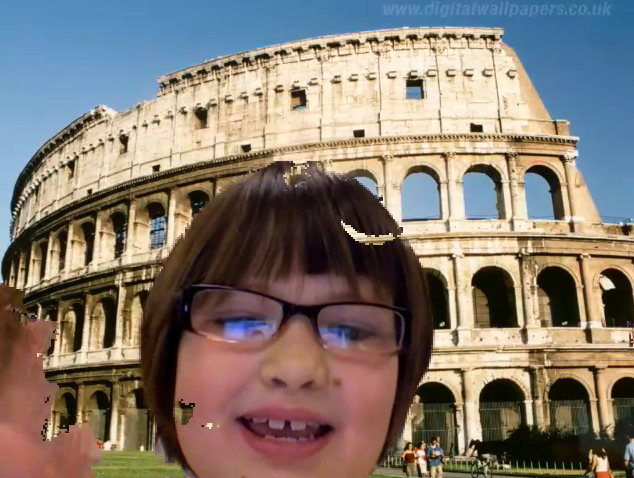
Today third graders at Holladay Elementary created virtual tours of ancient Rome. I gave them a folder of pictures that you can download by clicking here. They chose the picture they wanted to use for the background of their video and researched facts about that place or topic. Some of them chose to write out a script while others improvised with just a few notes. After discussing the importance of speaking clearly with expression, we opened up Photo Booth and I showed them how to add their background picture using the green screen effect. Depending on the background, some videos turned out better than others. You can see a couple of student samples here: The Collosseum and Grapes.


5th Grade Regions Raps

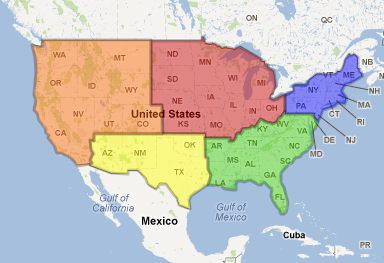
Today fifth graders at Chamberlayne Elementary created “Region Raps” to share information about the regions of the United States in a creative way. First the students researched their region using books and websites. They were instructed to find certain specific facts as well as anything interesting that they could include in their rap. The students worked in groups to develop lyrics keeping in mind our discussion of the importance of rhythm and rhyme in raps. Next, I showed them how to find a beat and make it loop in Garage Band. The students recorded their raps and were given the opportunity to add special vocal effects if they wanted. Finally, the completed raps were posted onto the classroom blog. This project was also submitted to our county’s blog of shared resources called “Henrico 21.” If you’d like to listen to a student sample about the southeast region, click here.


Kindergarten Thanksgiving Resources

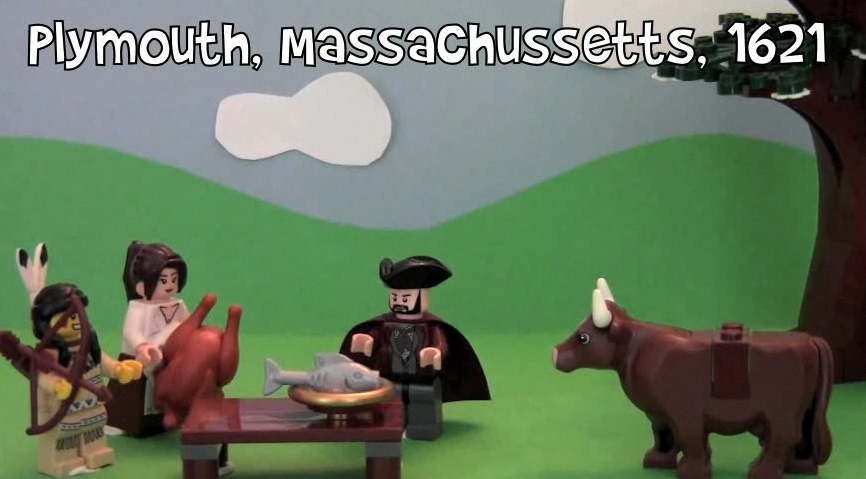
Thanksgiving is fast approaching, and several kindergarten classes have been working on technology projects (K.1b). Today at Holladay, they put themselves back in time at the first Thanksgiving and set food on the table in Pixie. They also recorded their voices telling about their Thanksgiving traditions and what they are thankful for. Click to watch a few student samples: Cameron, Fatima, Jace. Next week at Johnson we will be working on Thanksgiving Past & Present using Comic Life and a folder of pictures that you can download by clicking here. You can actually use those photos for a variety of projects… use them as a background in Photobooth, create a Keynote, or make a Thanksgiving video in iMovie. Did you know the first official Thanksgiving was actually held right here in Virginia? I filmed a video for the Virginia Trekkers at Berkeley Plantation where you can find out all about it. I also included several kid-friendly links for your students to research Thanksgiving. Hope you enjoy your holiday next week!


5th Grade Layers of the Earth Rap

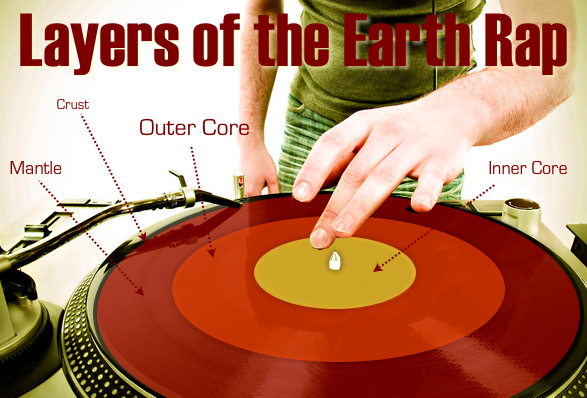
Today 5th grade students in Ms. Allison’s music class at Laburnum Elementary created raps about different topics they have been studying. They could work alone or with a group, and they could choose the topic they wanted to rap about. Some students make social studies raps, others made math raps, and here’s a sample science rap: The Layers of the Earth. Making raps is a fun, easy way to motivate your students to review. It also provides an opportunity for writing since students must write out their lyrics ahead of time (and try to make them rhyme like a poem). Students created their raps by using a simple beat in Garage Band and recording their voices with the beat. If you want to learn more about making raps with your students check out my tutorial page.


1st Grade American Symbols

Mrs. Favale, a 1st grade teacher at Holladay Elementary, had the Reflective Friends team come to her class and observe her lesson today, so I wanted to share it with you! Her students have been learning about American Symbols: the Statue of Liberty, the bald eagle, the Washington Monument, and the U.S. Flag (SOL 1.11). Since Holladay has a high ESL population, they thought it would be a great idea to publish a magazine that the ESL teachers, students, and their families could use to learn about American symbols. Students worked with partners to choose a symbol and create a page describing the symbol using art materials (markers, construction paper, glue), the laptops (Pixie), or the iPads (StoryKit). They researched their symbols using books, websites, videos, and classroom posters. When they were finished, we combined all the projects together into one book that you can view online here. A hard copy of the book will be given to the ESL teachers to use with their students. Mrs. Favale is publishing the digital copy on her blog so that families can view it at home.