Tag: keynote

4th Grade Student Interviews with Keynote
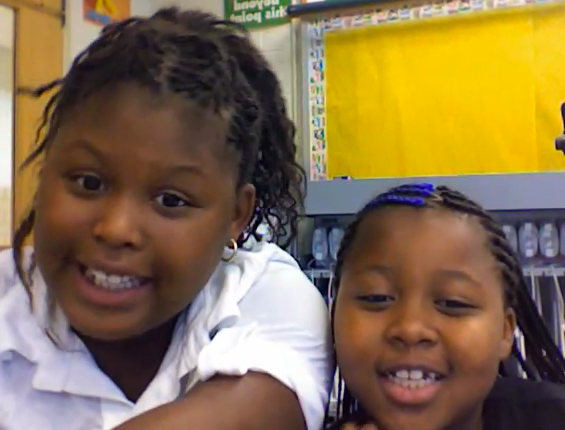
Today fourth grade students at Laburnum Elementary interviewed each other in a 21st century remix of the traditional first week of school activity. Each teacher had their students prepare questions ahead of time and grouped them into partners. Then I came in and explained the principles of being a good interviewer (asking probing questions, responding positively to answers, being enthusiastic) as well as being a good interviewee (replying with more than yes or no answers, elaborating, being upbeat and friendly). We modeled an interview, and then the students opened up Photo Booth and got to work video taping their interviews. Next the students put their videos into Keynotes so that they could add text to them. You can click here to see a finished Keynote. And click here to see a great example of how well the students learned the lesson of being a good interviewer and interviewee (notice their enthusiasm and elaboration). At the end of the lesson, Ms. Norris said that she would love to do this for book studies… students could make a different video and Keynote slide for each chapter. Great idea! I love it when teachers make connections like that!


Summer School Web Tools

This summer I taught a two week long technology enrichment class for 4th and 5th graders at Colonial Trail Elementary. My focus was using web tools to teach the new 5th grade SOLs about the regions of the United States. Each student chose a state and made a website about the state. We used Weebly to create the websites. First the students researched their state, then they made videos using Pixie, Keynote, and Photo Booth. We uploaded the videos onto a cool site for making online posters called Glogster. Next the students made songs about their states using Aviary for the music, SitePal for the vocals, and GarageBand to put them all together. They uploaded their songs to Glogster as well, then we evaluated sample Glogs using Voicethread. Another cool web tool we used is Tikatok to make online books about the states. Finally students embedded their Glog, added a Google map and a BuzzDash poll, and made a link to their book… all on their website. It’s really amazing. You can check out our finished website here. It has links to all the student websites as well as my blog and a video of our end of the summer party. All the students’ websites were fantastic but since you probably don’t have time to look at them all, here are two spotlights: Nicholas and Adina (password is clough). Below I have embedded an Animoto video of our class.


5th Grade Oceans Videos

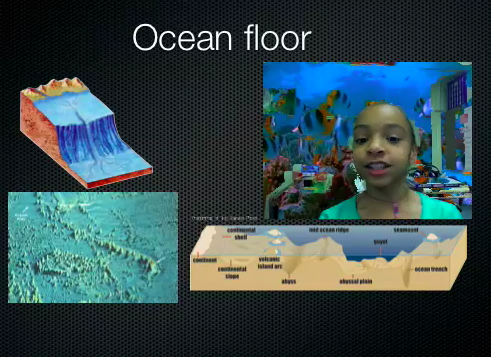
5th grade students have been working on a special project to review the oceans. Unfortunately they weren’t able to finish in time, but I’m going to go ahead and post what they did. Using a Keynote template I created for them (which you can download by clicking here) they added pictures to each slide to explain the different concepts like the ocean floor, ocean tides, and an ocean food chain (SOL 5.6). Then they recorded videos of themselves explaining the concepts using Photo Booth. The first slide turned out great! You can see some students samples here and here. Since they weren’t able to finish all the slides, you can take a look at my completed sample by clicking here. Doing a special project like this is a great way to review a topic the students are having trouble remembering. One thing I might do differently next time is have different groups of students complete a slide about each topic, then we can put them together. That way we could finish the project more quickly and still explain all the concepts. Live and learn!


5th Grade Elapsed Time Animations

Elapsed time is a difficult concept. Students need to see the hands of the clock moving to be able to really understand the idea. So animation is perfect for this lesson, and it’s somewhat simple to do using Keynote. I’ve created a template with some built in animations that you can download by clicking here. The download also includes written directions and some samples. The students create their own word problem with a beginning and ending time. On the next slides students rotate the hour hand so it shows the time advancing each hour. Then for the last slide they have to do a bit of math to figure out how many degrees to rotate the minute. Finally they calculate the total elapsed time. It’s a great review, of not only time, but also geometry and multiplication. You can see a finished sample by clicking here.


Tags:


3rd Grade Mali Slideshows

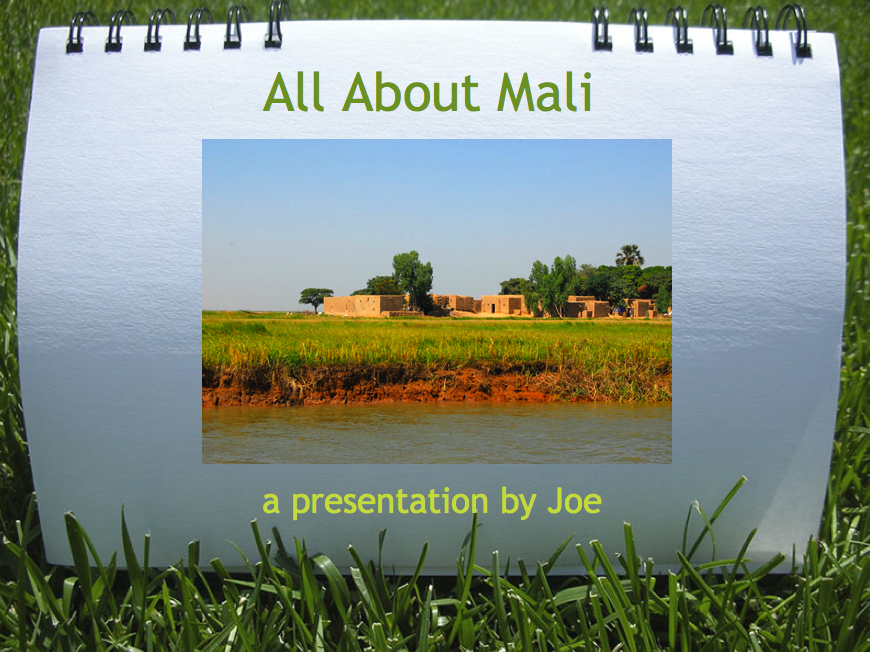
The 3rd grade Mali unit is one of those units where it’s difficult to find good resources. I know because I taught 3rd grade for 6 years and I can sympathize with you! So here’s a cool project idea if you have a Google account. You can have your students log in to your account (or just create a new one for your class), and they can create online slideshows like this one. One of the really cool things about doing it online is you can use the embed code to put the slideshows on your website and then parents can see their children’s work. However, if you don’t want to do it online, you can still make a really cool slideshow about Mali using Keynote. You can download the folder of pictures for this project by clicking here. You can see a sample Keynote video by clicking here.


4th Grade Math Movies

I’ve written several posts about using Photo Booth backgrounds to make cool videos. Just click on the photobooth tag over in the tag cloud to view them. But we’ve never made a math video… until now! You can use any photo or video as a background in Photo Booth. So for this lesson I created some animated math problems using Keynote. Then I exported them as QuickTime videos. You can download the videos by clicking here. Or you can make your own based on what your students need practice with. Students drag the videos into the Photo Booth backgrounds. Then they recorded themselves explaining the math concept. You can see some sample videos by clicking here and here.


3rd Grade Explorers Movie Project

I already posted a Keynote activity for the explorers here, but that mostly reviewed the routes the explorers took from their sponsoring countries and the areas they explored. However, I had a teacher at Holladay who asked for something different. She had a small group of students who were motivated and wanted to do a special project about the explorers on their own. So they researched the explorers, filled out a form she gave them with the information, and then I worked with them to put it together into a project using Keynote and iMovie. I gave them a folder of pictures to use that you can download by clicking here. Each student made four slides about their explorer and recorded a voiceover narration. Then we added copyright free music using a great resource called FreePlay Music. The songs we used are listed at the end of the movie so you can download them if you want. To see their final video click here.


Tags:


1st Grade Maps Keynote

This maps activity is similar to the Kindergarten Keynote I did last week, but it is more geared towards the first grade SOLs (1.4) where they need to identify the capital of the United States and the capital of Virginia. So first we looked at them in Google Earth. I took screenshots of the places and put them into the Keynote template that you can download by clicking here. The students also identified their classroom at their school (Trevvett in this case, but you can change that slide to fit your school). On each slide the students labeled the cardinal directions as well. If you’d like to see a finished sample, click here (you will also need to click to advance the slides in the online version).


5th Grade Civil War Timeline

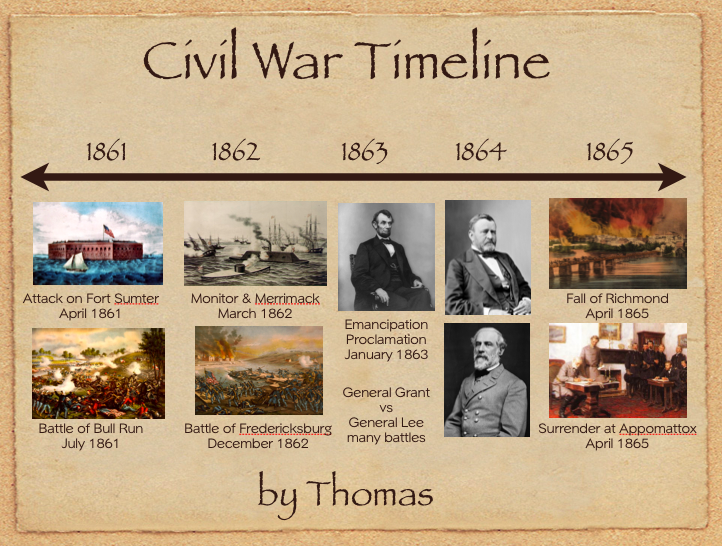
Fifth grade students have been reviewing the Civil War (VS.7). So to keep all the major events in order they created animated Civil War timelines using Keynote. I gave them a template and a folder of pictures to use that you can download by clicking here. They added the dates and the events in the correct places along the timeline. Next they added animation using the Inspector so that each event appeared in the order it happened. If you have time you could use the voiceover feature of Keynote and record a narration explaining the events. To see a finished sample video click here.


Tags:


4th Grade Revolutionary War Videos

Fourth graders at Holladay created videos to review the important people and events of the Revolutionary War. They used a combination of PhotoBooth and Keynote to make the movies. You’ll see from the examples that they used a lot of expression and really knew the information! I gave them a very basic Keynote template and a folder of pictures to use which you can download by clicking here. Then they created slides about famous Revolutionary War people and events and added the photos. Next they went into PhotoBooth and recorded a newscast about the topic. Some of the students used the special effects and backgrounds to add excitement and humor to their videos. Finally they dragged the videos into their Keynote, added transitions, and exported it all as a QuickTime video. I posted them to a writeboard online which you can access here (password = rw). Writeboard is a great place to share student work with parents very quickly and easily. If you’d like to see a student sample without visiting the writeboard, click here.