Category: 5th Grade

5th Grade Sound Podcast

5th Graders at Trevvett Elementary worked on creating sound podcasts using GarageBand. GarageBand is a great program to use for your sound unit because you can record sounds, change the pitch and frequency, and even see the waveforms. I gave the students a template to use which you can download by clicking here. It already includes artwork and chapter titles. All your students have to do is record themselves with a high amplitude, low amplitude, high frequency, and low frequency. The amplitude is easy to see with the waveforms which are automatically generated by GarageBand when you record. The frequency can be adjusted using the various vocal effects under track details. We used Monster for low frequency and Chipmunk for high frequency. Then we exported our podcasts as movies. You can take a look at a sample student podcast by clicking here.



Google Earth & Shapes of Kazakhstan

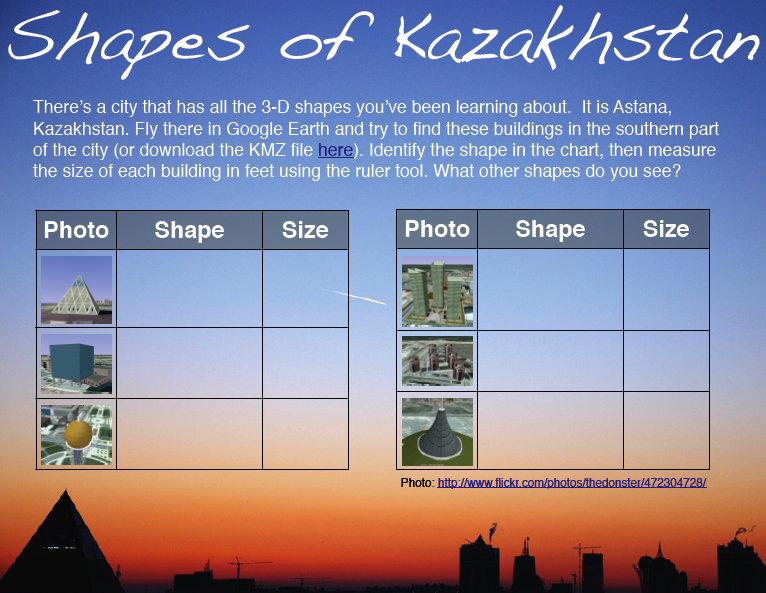
Inspired by my friend Frank’s post about finding 3-D shapes in Google Earth, I looked for a city that has buildings with all the different shapes our students need to know (cylinder, cone, sphere, pyramid, cube, rectangular prism SOL 3.18, 4.17, 5.16). Astana, Kazakhstan fits the bill. Open Google Earth, fly there by typing “Astana” and look south of the city for a unique layout of interestingly shaped buildings. You should be able to find all of the shapes within a 2-mile radius by using the navigation controls (be sure 3D buildings is checked in the Layers). As the students find each shape, instruct them to use the ruler tool and measure the height of each building, then enter their data on the sheet which you can download here or if you want to see the PDF version, click here. If your students are having trouble finding the shapes, you can cheat by downloading the KMZ file here. The KMZ file will load the places into Google Earth and if you click them you will get a tour that looks kind of like this. If your students would like to learn more about Astana, Kazakhstan, I created a website here to describe the buildings a little more, and it also includes an interactive map. If you find any more interesting-shaped buildings let me know!


5th Grade Branches of Government

Fifth grade students at Chamberlayne Elementary have been studying the branches of government (VS.10a) and they wanted to make a 3-panel brochure in Pages to summarize what they have learned. So the students used the Template Chooser in Pages to select a brochure template they liked. They labeled the 3 columns Legislative, Executive, and Judicial and changed the fonts and colors. Next I gave them a folder of pictures to use that you can download by clicking here.It has pictures representing each of the three branches of government for the federal and state levels. They dragged a picture from the folder to each column. Then they typed facts about each branch of government as a bulleted list under each picture. I showed them how to use the Inspector to change the style of the bullets as well. If you’d like to see a sample just click the picture to make it larger.


Tags:


3rd & 5th Grade Volcanoes

Teachable Moment: I’m sure many of you have heard about the erupting of the Eyjafjallajokull volcano in Iceland today. Why not take this opportunity to review your Rome unit in 3rd grade (Vesuvius erupted in the Roman city of Pompeii) or your earth studies unit in 5th Grade (SOL5.7d). One 3rd grade class at Laburnum created slideshows about the volcano in Pompeii. Their teacher, Mrs. Emmanuelson had actually visited Pompeii and shared her photos with the class. You can see some of their Keynotes here (I added the “Possibility” soundtrack from “Twilight” because volcanoes are always a possibility). I also created a website here with cool links, interactive maps, a Prezi slideshow, and a Flash animation explaining how volcanoes form. Finally, you can click here to download a folder of pictures to use, including amazing photos from Eyjafjallajökull like the one in this blog post (Source).


Teacher Spotlight – Rachel Whitten

I always enjoy walking down the halls of my schools and seeing technology projects displayed on the walls. One project really caught my eye this week… actually two! Rachel Whitten, fifth grade teacher at Holladay, had a great idea for spicing up algebra (SOL 5.21 & 5.22). Her students created ComicLife word problems with variables. Click here to see them. Use the arrows to look through the examples. You can create your own navigation arrows and buttons like that with any Keynote. Just go to the Inspector, click the Hyperlinks tab and make any shape a link to another slide or even a website! As I was going through the student folders gathering the examples to share with you, I noticed another cool project Rachel had done. They made Function Machines in Keynote. Each student came up with their own rule, edited the template (which you can download here), and got a friend to solve it. You can see an example by clicking here. I added the soundtrack. I thought “Fembot” by Robyn was appropriate “Once you gone tech, you ain’t never goin’ back!“


4th Grade Civil War Comics

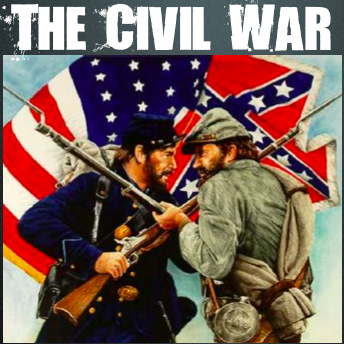
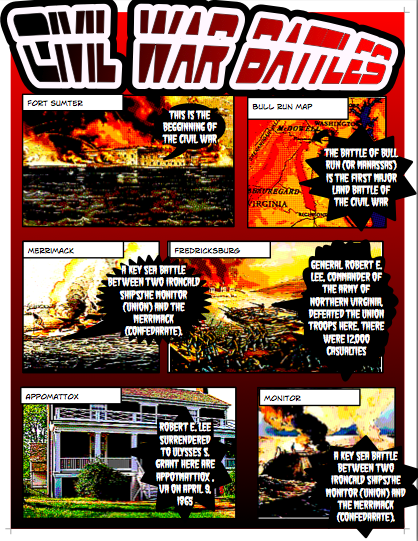
The Civil War is a new SOL for the 4th grade this year so many teachers are looking for good ideas. One idea to help your students remember the major events in the Civil War is to create comics like this class did at Holladay Elementary. I gave them a template to use which you can download by clicking here. I also gave them a huge (31 MB) folder of pictures to use which you can download by clicking here. The students dragged the pictures they wanted into the boxes on the template, added their own text boxes and speech bubbles to explain the event, and then changed the style of the pictures and text to make it look interesting. You can take a look at some student samples displayed in a cool Prezi by clicking here. One of the neat things about sharing your students’ work in a Prezi is that you can embed it in a website like in the example. Let me know if you’d like to learn more about Prezi.


4th Grade Civil War iMovies

The Civil War is a new SOL for 4th grade this year, and I’d be happy to help you with ideas and resources. One 4th grade class made Civil War iMovies. Using the same folder of pictures that you can download on this post, students selected a topic and created an iMovie by combining the pictures with a video they recorded of themselves introducing the topic. Then they added transitions and text, and finally they selected a soundtrack to go along with it from the media tab. I exported them as QuickTime videos so they could be posted online. We did all of this in just one hour! Take a look at a couple of student samples: Harriet Tubman, Abraham Lincoln. One of the problems with iMovie is that the projects are saved to the computer’s hard drive instead of to the students’ folders. So that exporting step is important if you want to save them to the students’ folders. Otherwise, you could avoid this problem by doing a similar project in GarageBand. It wouldn’t have the video, but it would still have the pictures, voice, and soundtrack. You can download a GarageBand template to use by clicking here.


5th Grade Poetry Podcast

Today, fifth graders at Holladay Elementary created poetry podcasts. Before the lesson, each child had chosen a poem they wanted to recite (reciting poetry is a great way to improve reading fluency). So the first thing we did was to go to Pixie and draw a picture for the podcast artwork. Then we exported it as a JPG file, opened a GarageBand podcast project, and dragged the picture into the podcast track. Next I showed them how to record their voices on the vocal track. Finally we added sound effects and music to the Jingles track. The projects turned out great! Take a look at a few examples:
1. Audrey’s poem about the number zero
2. Danielle’s poem about a dog
3. Aaliayh’s poem about bird droppings (she found it in a book!)
4. Jordan’s poem about eating eyeballs (another interesting one!)


5th Grade Civil War Fact Opinion iMovies

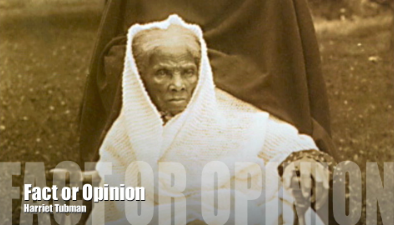
Fifth grade students at Laburnum have been studying the Civil War in Social Studies, and they’ve been studying facts and opinions in Language Arts, so we decided to combine the two topics into one iMovie project today. I gave them a huge (30MB) folder of all sorts of Civil War pictures for them to choose from. You can download the folder of pictures by clicking this link. The students chose two pictures and came up with a fact about one and an opinion about the other. Then they imported the pictures into iMovie and added the text “Fact or Opinion” to each picture. Next they used the voiceover button to record their fact and opinion statements about each picture. Finally they used the video button to film themselves saying, “That is a fact!” or “That is an opinion!” and put their movie together by dragging the different components to the correct place. It was a great review of what they have learned and it also gave them practice using iMovie. You can see some student samples by clicking here and here.


Tags:


Teacher Spotlight – Ms. Nuckols

Ms. Nuckols at Holladay elementary had an excellent project idea for her 5th grade class that I’d like to share with you. They made Civil War newspapers using Pages. What made this project so great was that it involved many of the 21st century skills we’ve been talking about: collaboration, creativity, problem solving, technology, etc. Each student was assigned a topic to research and write about. Ms. Nuckols gathered together a variety of Civil War pictures for her students to use. Then groups worked together to create their newspapers in Pages. Each student’s article was added to the newspaper with a picture to accompany it. Finally, after the projects were complete, Ms. Nuckols printed them and displayed them on the wall outside her classroom. Publishing and displaying is an important step in any project because students love seeing each other’s work, and it gives them the perfect opportunity to review their information. You can see a sample newspaper from her class by clicking here. If you use her idea, be sure to send her an email to thank her!