Category: 5th Grade

Online Resources for Music Month (and More!)
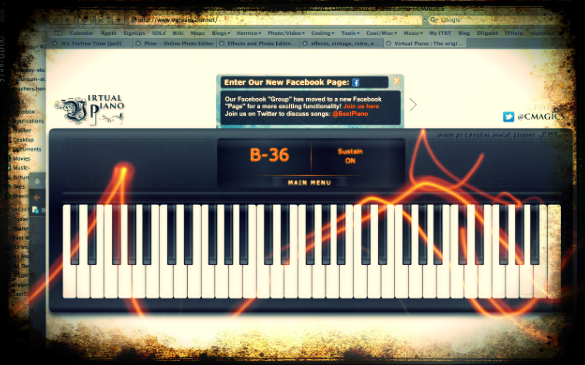
March is Music Month at Laburnum Elementary and Ms. Allison is always eager to try new things. So I set up a website for her of interactive links that range from letting students play a virtual keyboard to learning about the different instruments in the symphony and much more! I worked with her today during a couple of her classes, and then she went on to use the site in all her other classes. The great thing about online resources is that the students can use them at home too. I’ve compiled a more extensive list of resources for a workshop I conducted for elementary and secondary art and music teachers. Many of these web tools can be used by regular classroom teachers as well, such as recording an mp3 or painting a picture. I made a page of Art Resources and Music Resources. There’s plenty to keep you and your students busily creating for months! (The picture used in this post was of an online keyboard funkified with Pixlr-o-Matic).


5th Grade Oceans Movies

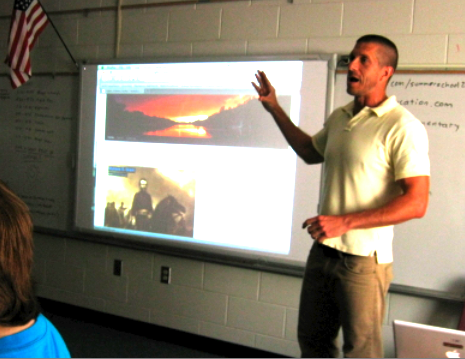
Fifth grade students at Chamberlayne Elementary have been learning about the oceans and ocean ecosystems. One of their cumulating projects was to create a video about a sea animal that they studied. So after their research was done, they called me in to show them how to use iMovie to create their videos. I explained how to drag in the pictures they collected, how to adjust the Ken Burns pan and zoom effects, and how to add special sound effects via the Media Library. Before they did their voiceovers, we discussed the importance of speaking clearly with expression. Some of them chose to write out a script while others could recall the important facts with just a few notes. One of the problems with recording in a full classroom is the background noise, so I allowed students to record out in the hallway if they wished. When the videos were finished, we exported them so the teacher could publish them on her blog. You can see a couple of student samples here: Sharks and Sea Turtles.


Tags:


5th Grade Regions Raps

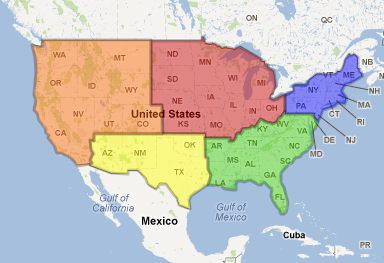
Today fifth graders at Chamberlayne Elementary created “Region Raps” to share information about the regions of the United States in a creative way. First the students researched their region using books and websites. They were instructed to find certain specific facts as well as anything interesting that they could include in their rap. The students worked in groups to develop lyrics keeping in mind our discussion of the importance of rhythm and rhyme in raps. Next, I showed them how to find a beat and make it loop in Garage Band. The students recorded their raps and were given the opportunity to add special vocal effects if they wanted. Finally, the completed raps were posted onto the classroom blog. This project was also submitted to our county’s blog of shared resources called “Henrico 21.” If you’d like to listen to a student sample about the southeast region, click here.


5th Grade Layers of the Earth Rap

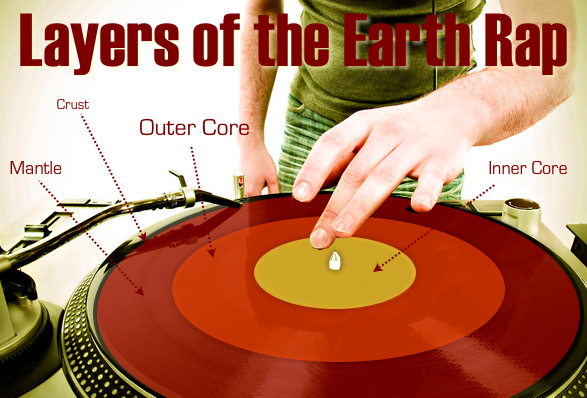
Today 5th grade students in Ms. Allison’s music class at Laburnum Elementary created raps about different topics they have been studying. They could work alone or with a group, and they could choose the topic they wanted to rap about. Some students make social studies raps, others made math raps, and here’s a sample science rap: The Layers of the Earth. Making raps is a fun, easy way to motivate your students to review. It also provides an opportunity for writing since students must write out their lyrics ahead of time (and try to make them rhyme like a poem). Students created their raps by using a simple beat in Garage Band and recording their voices with the beat. If you want to learn more about making raps with your students check out my tutorial page.


Henrico Trekkers

The Virginia Trekkers have been working hard all summer to create a website for 5th Grade Henrico Studies. It’s finally finished and you can check it out by clicking here. We have a total of 21 videos from different places around the county of historical or geographical significance. Each short video (1-2 minutes) is accompanied by additional written information and links for more research. There is an interactive Flash map as well as a Google Map that you can embed on your website or download to view in Google Earth with pushpins marking the important spots. We will continue to add to the site throughout the year. You could even have your own students create videos about Henrico County and submit them to the Trekkers. We’ll be posting some of them on our website!


Summer School 2011 “Lights, Camera, Action!”

During the week of July 25-28 I taught a summer school class at Springfield Elementary called “Lights, Camera, Action!” I had rising 4th and 5th graders and our goal was to create educational videos for teachers to use in their classrooms about different famous people. Students chose to work with a partner or solo, and they selected a famous person to research. They created all the parts of the video themselves, including the animations and music, using software on the computer (Photo Booth for the interview/green screen, Keynote for animations, Google Earth for satellite imagery, and iMovie for video editing) as well as web tools (SitePal for voiceovers, Aviary Education for soundtracks, Screencast-O-Matic for recording, and Blabberize for the “talking heads”). You can see my sample below and take a look at all the student samples on this website. Be sure to leave a comment on the videos to let my summer school students know what you think of their projects!

Woodrow Wilson from Henrico Students on Vimeo.


5th Grade GoogleEarth Video Tours

Fifth graders have been learning about the regions of the United States, which is a new SOL for them this year. Here’s a cool project you can do with your students to highlight the special features and landmarks of each region. Open GoogleEarth and be sure that 3D buildings is turned on (it’s in the left side panel). Then zoom in on features and famous landmarks in the region and place pushpins to mark the locations. Finally click the “Record a Tour” button in the top toolbar (it looks like a video camera) and click the pushpins in the “My Places” menu. As you zoom to each place, record yourself narrating the important information. You can save the video as a .kmz file which would open in GoogleEarth on any computer. However, if you want to add titles or a soundtrack, you could use a screen capture tool like Screencast-O-Matic, save your video and open it in iMovie or GarageBand. Take a look at this student sample about the midwest region from Chamberlayne Elementary. Let me know if you’d like me to help teach a lesson like this in your classroom!


5th Grade Elements Websites

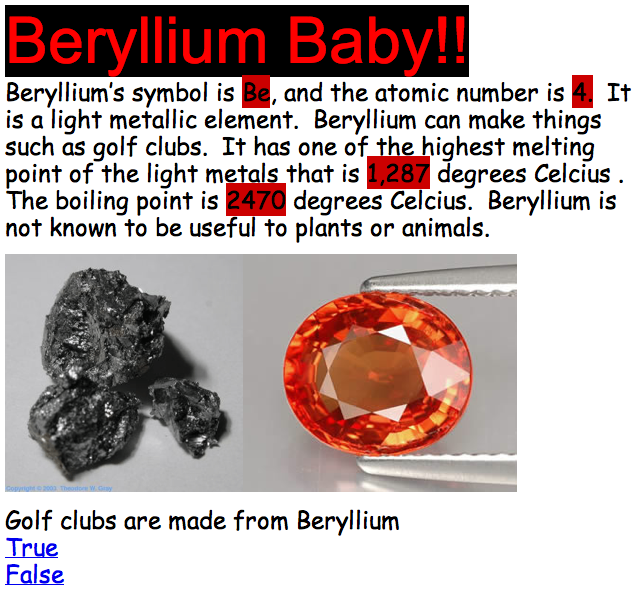
Fifth graders at Chamberlayne Elementary created their own interactive websites about the elements today. Each child was assigned an element from the Table of Elements which they had to research using Wikipedia, an online Periodic Table, and a cool iPad app called The Elements (Chamberlayne has a few iPads). There were certain facts they had to find like the symbol, the atomic number, and whether it was a metal or a nonmetal, but beyond that they could include anything else that they found interesting, as long as they understood it. Then the students created their websites using Google Docs. They included facts and pictures as well as interactive questions that utilized Google’s link and bookmark features. When viewers clicked on an answer to the question, they were told whether they were correct or incorrect. You can see some great samples here:
Michaela – Lithium Is Magnificent
Jenna – Learn About Sodium
Alex – Beryllium Baby!
Kyle – Aluminum
Ramses – Silicon


5th Grade “If I Could Change The World”

Fifth graders in Ms. Barker’s class at Chamberlayne Elementary wrote a paragraph on the topic: “If I Could Change The World.” They wrote it in Pages, but she wanted them to do something special to publish their writing. So we copied their text from Pages and pasted it into Pixie. Then I gave them a folder of pictures to use that related to their topics. It included pictures of poverty, hunger, war, pollution, etc. You can download the folder of pictures as well as the Pixie template by clicking here. After the students selected a picture and pasted it into their Pixie, they took their own photo with the webcam and added it to the picture. Then they added a body to their head by either painting it or using a Sticker. Finally they recorded their voice giving a brief synopsis of their idea to change the world. Take a look at some student samples by clicking here.


5th Grade Skittles Spreadsheet

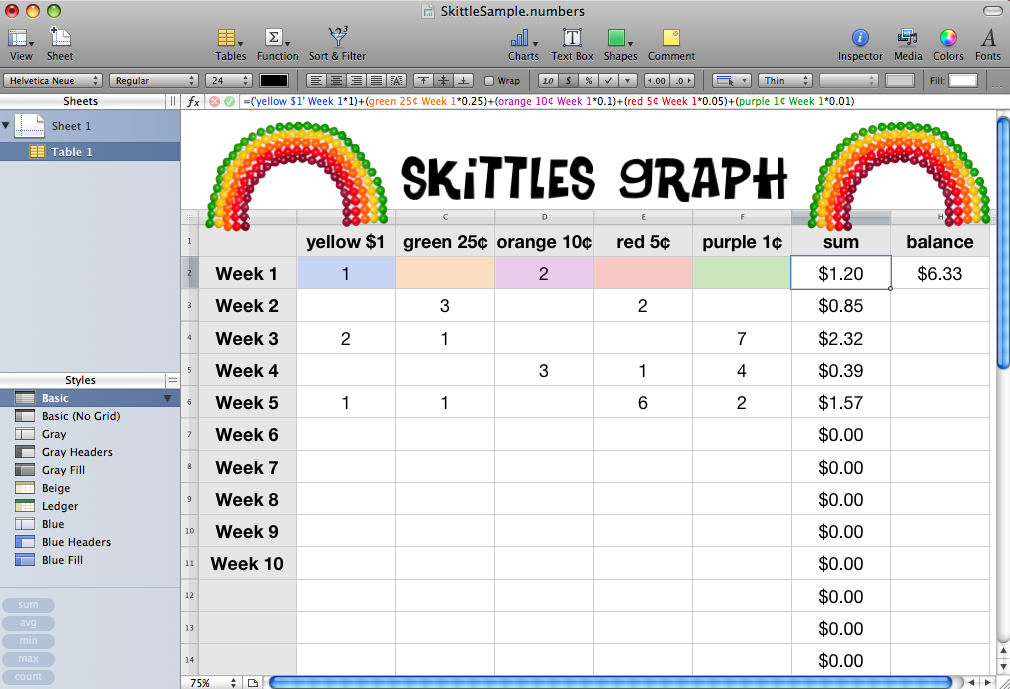
Ms. Bradlee, a fifth grade teacher at Chamberlayne Elementary, wanted a way for her students to keep track of their behavior incentive program. She uses a currency of Skittles to reward good behavior, with each color worth a different amount of money. So her students needed to keep a weekly total of their earnings and also the sum throughout the year. I created a template for them to use that you can download by clicking here. But the important part of this lesson is to guide the students through the steps of creating the various formulas. It’s a great way to make math practical and interesting. For each type of Skittle the students had to multiply by the cash value and then add them up. You can see a sample by clicking the picture to make it larger. Notice the complicated formula at the top. The students did that themselves! Now they have a quick way to keep track of their earnings.


Tags: