Category: 4th Grade

Google Earth & Shapes of Kazakhstan
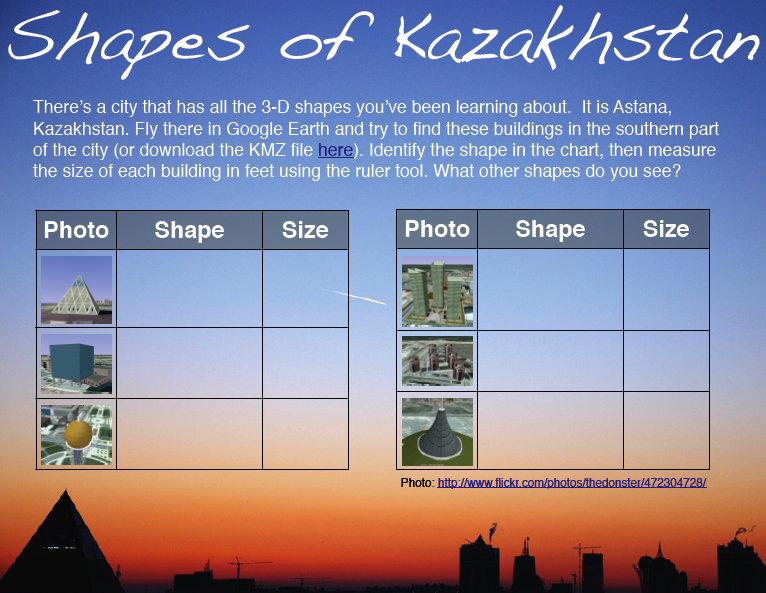
Inspired by my friend Frank’s post about finding 3-D shapes in Google Earth, I looked for a city that has buildings with all the different shapes our students need to know (cylinder, cone, sphere, pyramid, cube, rectangular prism SOL 3.18, 4.17, 5.16). Astana, Kazakhstan fits the bill. Open Google Earth, fly there by typing “Astana” and look south of the city for a unique layout of interestingly shaped buildings. You should be able to find all of the shapes within a 2-mile radius by using the navigation controls (be sure 3D buildings is checked in the Layers). As the students find each shape, instruct them to use the ruler tool and measure the height of each building, then enter their data on the sheet which you can download here or if you want to see the PDF version, click here. If your students are having trouble finding the shapes, you can cheat by downloading the KMZ file here. The KMZ file will load the places into Google Earth and if you click them you will get a tour that looks kind of like this. If your students would like to learn more about Astana, Kazakhstan, I created a website here to describe the buildings a little more, and it also includes an interactive map. If you find any more interesting-shaped buildings let me know!

4th Grade Perimeter in Pages

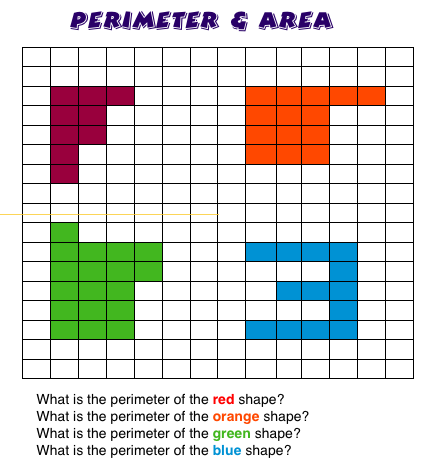
I had two fourth grade classes who needed a way to practice perimeter and area (SOL 4.13) using the computer, so I used the table feature in Pages to create a grid. Then the students clicked individual squares or highlighted several at once and filled them in with different colors to create polygons. Next they wrote their own perimeter and area questions for each shape and gave them to a friend to solve. That way they got double practice—answering their friend’s questions and checking their own. It also gave me the opportunity to review word processing skills like changing the fonts and colors of text. The students’ projects turned out great and they got to review math concepts in a new way. Click here to download the template and click the picture to see the example a little larger.


Tags:


4th Grade Scientists Podcast

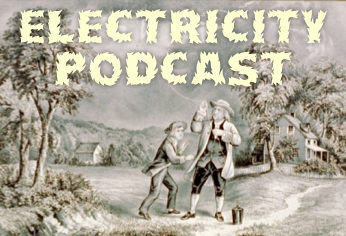
Ms. Norris’ class at Laburnum used GarageBand to create podcasts about the famous scientists who have contributed to our understanding of electricity. They took their own photos in Photobooth, then added pictures of Benjamin Franklin, Thomas Edison, and Michael Faraday (SOL 4.3f). You can download the picture files by clicking here. Next they created a voiceover describing the contributions of each inventor. Finally they added a music soundtrack to go along with it. You can see a finished podcast by clicking here. I posted the finished ones to a Writeboard so that parents could watch them from home and leave a comment. Click here to visit that site (the password = room30). You might also want to check out another idea for the same topic… making a comic. Finally, be sure to check out the Michael Faraday song that I created with GarageBand and Keynote since that was one inventor that seemed to cause the most blank stares.


4th Force and Motion Keynote

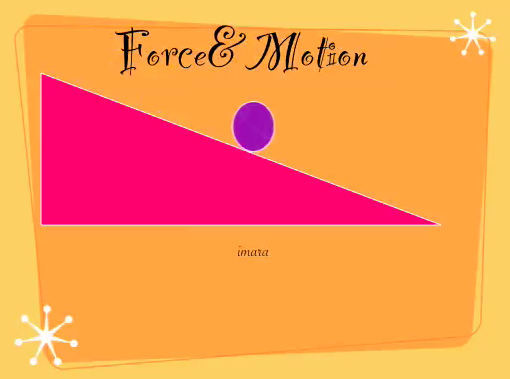
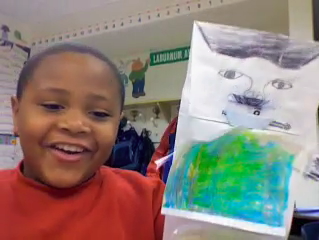
Technology projects can sometimes be short and quick. For example, these fourth graders created simple animations to show the difference between potential and kinetic energy (SOL 4.2d). All we did was open Keynote, choose a theme, type our title, and add two shapes, a triangle and a circle. Next we made the triangle look like a ramp by stretching the corners and placed the circle at the top of the ramp. We added motion to the circle by going to the Inspector, clicking the Build tab (yellow diamond), and choosing Actions > Move. After making it move from the top to the bottom of the ramp, we were ready to record our voices using the Audio button in the Document Inspector (white sheet of paper). It only took about 20 minutes to do and the results were great. This student even said it was the best thing she’d ever done! Take a look at a couple of other student samples by clicking here and here.


Tags:


4th Grade Scientist Comics

Fourth graders have been studying the scientists who contributed to our understanding of electricity (SOL 4.3f) so we created comics about them using ComicLife. I gave them a template and a folder of pictures to use which you can download here. I showed the students how to change the title using the Style button and the Details tab. Next they dragged a picture of each scientist (Benjamin Franklin, Thomas Edison, and Michael Faraday) into the boxes and labeled them. Then they added a speech bubble to each scientist explaining what he did. They could also use the Style button to change the look of the photos. Finally they added their own photo using the webcam feature and wrote about their favorite electrical invention. Take a look at some student samples by clicking here. You might also want to check out a presentation I made about Michael Faraday since there isn’t as much about him as the other scientists. I even composed a special “Michael Faraday Song” for it!


4th Grade Puppet Interviews

Fourth graders in Ms. Norris’ class at Laburnum Elementary have been working hard creating puppets and scripts for some very cool videos we created today. They had everything ready ahead of time, so when I arrived we got right to work on the movies. Each student recorded his or her own video in iMovie (just click the video camera button on the far left side of the window and press “Capture”). They asked their puppet a series of questions just like an interviewer on a news show. Then their puppet replied! After they had recorded the video, they added text using the T button over on the right side of the window. Finally we exported them as QuickTime videos for posting online. Take a look at some student samples:
1. Sherman interviews Arthur Ashe
2. Dehvon interviews Benjamin Franklin
3. Destiny interviews Rosa Parks
4. Dante interviews Robert E. Lee (and gets attacked by him!)


4th Grade Electricity Pixie Movies

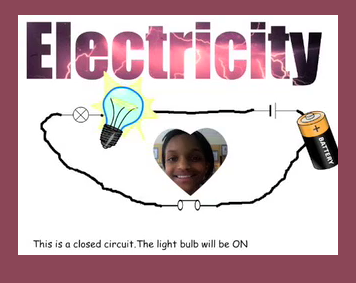
Fourth graders at Laburnum have been learning about electricity and circuits (SOL 4.3b), so we created circuit movies in Pixie. Pixie has some neat features that we used in this project like Cool Word and video transitions. First I gave them a template to get started (you can download it by clicking here). We merged the title and the picture of lightning using Cool Word (instructions are included on the Pixie), then we went to stickers and got the Circuit Stickers. Next the students put the pictures of the light bulb and battery on the correct symbols and connected them all together using the paint brush. They took a picture of themselves using the webcam tool and added that to where the switch was located. Then we made a copy of the closed circuit and changed a few things to make it an open circuit (we changed the switch, darkened the light bulb by gluing it down and using the paint bucket, and made the background gray). Finally, the students recorded their voices and shared the project as a QuickTime movie with a transition of their choice. The projects turned out great! You can take a look at a sample by clicking here.


Tags:


4th Grade Moon Phases

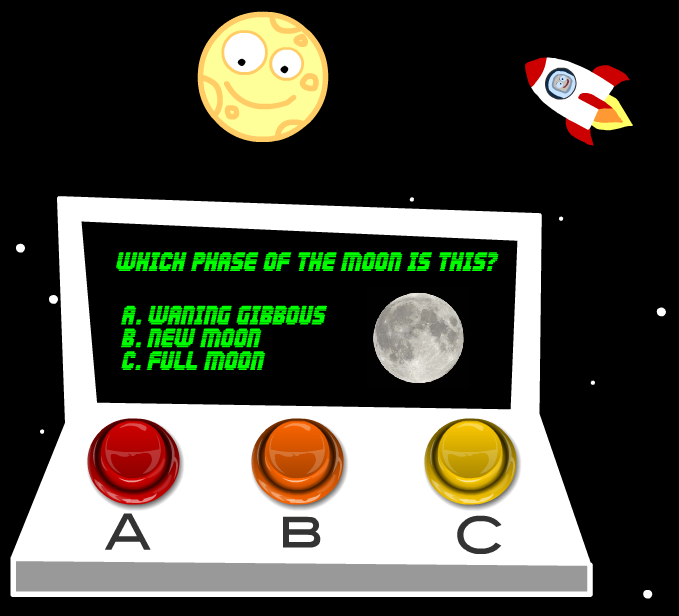
More snow this week! We were off Monday, Wednesday, and had a 2 hour delay today! So I missed teaching this lesson, but I figured I would post it anyway since some of you might like to try it. I was supposed to teach a fourth grade class about the phases of the moon. I created a website with animations and games that you can check out by clicking here. The site also shows the current phase of the moon and includes links to other fun websites. After reviewing the phases with the websites, the students were going to complete a Keynote about the phases of the moon. You can take a look at a sample here and download the template by clicking here. If you’ve had enough of Keynotes, I also have a Kidspiration activity that you can download by clicking here (take a look at it here). Finally if your students need a quick review of SOL 4.7 (earth, sun, moon, astronomers) they can watch this movie I put together in iMovie… maybe they will be inspired to make their own!


4th Grade Ordered Pairs Database

In fourth grade at Laburnum today we combined a database lesson with a lesson on ordered pairs. I gave each student a Numbers template which you can download by clicking here. The template has a link to an online form for each student to enter some coordinates for a shape of their choice. They choose the x-coordinate, the y-coordinate, the shape, the color, and type their name. After all the students have entered their data, they open the next link which shows all the records. Now they are ready to enter this information into the Numbers document. As they type in their classmates’ coordinates, the points are automatically plotted on the graph. The final step is to use the Shapes tool to put the correct shape on the correct coordinates and change the fill color to the one specified. You can take a look at this class’s final copy by clicking here.


4th Grade New Nation Comic

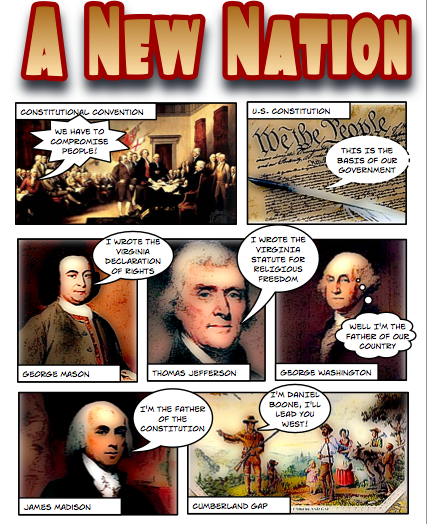
SOL VS.6 may be a little dry and difficult to teach, so why not spice it up with a cool project like the fourth grade teachers at Holladay did. They asked me to give them some pictures and a Comic Life template to use, and then they taught their students how to make the comics on their own. That made topics like the Virginia Declaration of Rights and the Constitution a lot more interesting. If you’d like to download the template and pictures click here. To see a finished sample of the “New Nation Comic” click here. And don’t forget about the Constitution website I mentioned in this post for Constitution Day. Finally, if you are looking for a way to show your students the Cumberland Gap (VS.6c), the Virginia Trekkers filmed Podcast #19 there. We’ll take you right through the main passageway that the early settlers used to migrate west!