Category: 3rd Grade

5th & 3rd Grade “All About Me” Pages
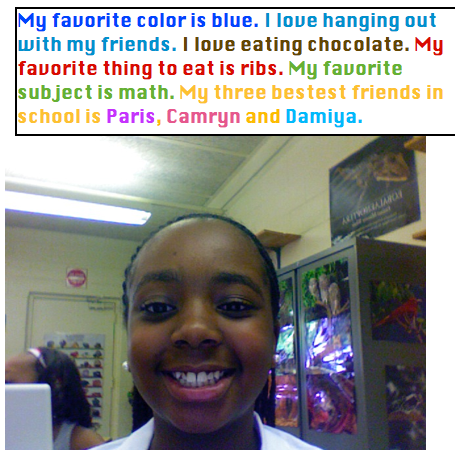
Fifth and third graders at Chamberlayne Elementary used Photo Booth and Pages to write “All About Me.” This is a great first week activity. First they opened up Photo Booth and took their picture. Then they dragged it into a Pages document and wrote about themselves. I showed them how to change the font, size, and color, and they got very creative as you can see in the example. Each teacher published the activity in a different way. Ms. Bradlee (5th grade) printed them out and hung them up on the walls for parents to see at back-to-school night. Mr. Mayo took screenshots and pasted them into a Keynote with music for a back-to-school night sideshow. It’s fantastic to see so many teachers jumping right into technology projects on the first week of school!


3rd Grade Resources Kidspiration

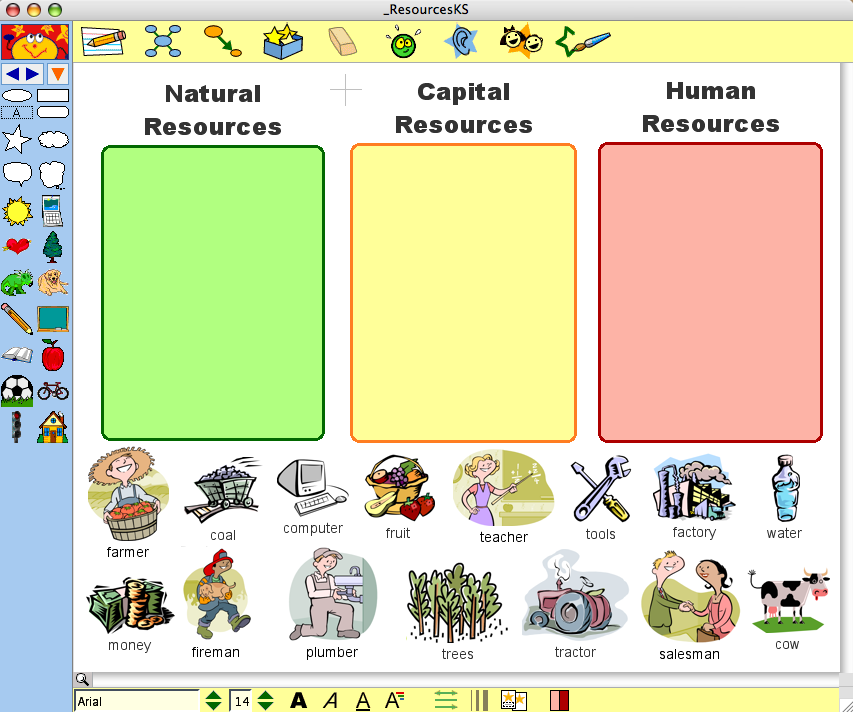
Third graders can review natural, capital, and human resources (SOL 3.7) with this Kidspiration. First they sort the pictures into the correct categories. Kidspiration has two components though. There’s the visual, graphic organizer part, but then there’s also the writing part which is important to include. So after the students complete the sorting activity, send them over to the writing activity by clicking the button on the top left corner. It automatically presents an outline based on the graphic organizer to guide the students’ writing. They will finish the activity by writing about each of the resources. You can download the lesson by clicking here. It’s a great way to review for the SOL test!


3rd Grade Mali Slideshows

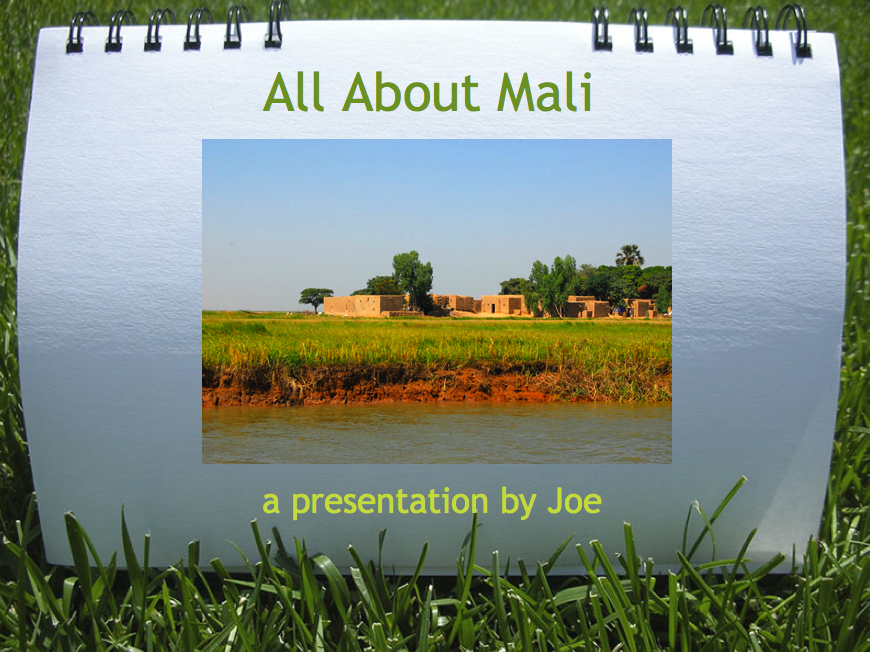
The 3rd grade Mali unit is one of those units where it’s difficult to find good resources. I know because I taught 3rd grade for 6 years and I can sympathize with you! So here’s a cool project idea if you have a Google account. You can have your students log in to your account (or just create a new one for your class), and they can create online slideshows like this one. One of the really cool things about doing it online is you can use the embed code to put the slideshows on your website and then parents can see their children’s work. However, if you don’t want to do it online, you can still make a really cool slideshow about Mali using Keynote. You can download the folder of pictures for this project by clicking here. You can see a sample Keynote video by clicking here.


3rd Grade Explorers Movie Project

I already posted a Keynote activity for the explorers here, but that mostly reviewed the routes the explorers took from their sponsoring countries and the areas they explored. However, I had a teacher at Holladay who asked for something different. She had a small group of students who were motivated and wanted to do a special project about the explorers on their own. So they researched the explorers, filled out a form she gave them with the information, and then I worked with them to put it together into a project using Keynote and iMovie. I gave them a folder of pictures to use that you can download by clicking here. Each student made four slides about their explorer and recorded a voiceover narration. Then we added copyright free music using a great resource called FreePlay Music. The songs we used are listed at the end of the movie so you can download them if you want. To see their final video click here.


Tags:


3rd Grade Soil Comics

The soil unit in 3rd grade (SOL 3.7) is hard to teach because there aren’t many resources available. I’ve found a couple of websites that you can use and posted them here. One cool activity you can use to spice up your soil unit is to make a comic about soil using Comic Life. I got some pictures together of the different types of soils (sand, silt, clay, humus, loam), and I created a template to get your students started. The students can add speech bubbles to each type of soil explaining their characteristics. To show the different sizes, you can use the speech bubble, drag the tail into the bubble so it looks like a circle, choose a style, and type in it. The template also has a place for students to label the layers of soil (topsoil, subsoil, and bedrock). You can download all the files and a sample by clicking here.


Google Earth & Shapes of Kazakhstan

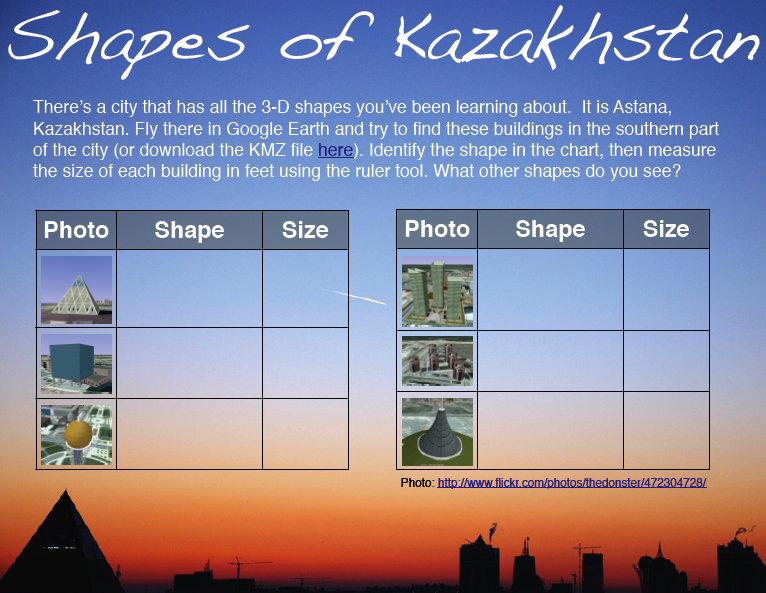
Inspired by my friend Frank’s post about finding 3-D shapes in Google Earth, I looked for a city that has buildings with all the different shapes our students need to know (cylinder, cone, sphere, pyramid, cube, rectangular prism SOL 3.18, 4.17, 5.16). Astana, Kazakhstan fits the bill. Open Google Earth, fly there by typing “Astana” and look south of the city for a unique layout of interestingly shaped buildings. You should be able to find all of the shapes within a 2-mile radius by using the navigation controls (be sure 3D buildings is checked in the Layers). As the students find each shape, instruct them to use the ruler tool and measure the height of each building, then enter their data on the sheet which you can download here or if you want to see the PDF version, click here. If your students are having trouble finding the shapes, you can cheat by downloading the KMZ file here. The KMZ file will load the places into Google Earth and if you click them you will get a tour that looks kind of like this. If your students would like to learn more about Astana, Kazakhstan, I created a website here to describe the buildings a little more, and it also includes an interactive map. If you find any more interesting-shaped buildings let me know!


3rd Grade Fractions

Third graders at Chamberlayne learned about fractions and formulas today using Numbers. I gave them a template to use that you can download by clicking here. It has three parts. The first part involves making equivalent fractions. The picture changes as the students enter the numbers so they can actually see if the fractions are equal. The second part involves adding fractions. Students try to pick numbers that will create a specific kind of picture. The visual makes it very clear how the two fractions combine together, and it updates automatically with each new number. The third part involves using a formula. The students have to figure out a simple spreadsheet formula that will make the picture match the fraction. Don’t worry, the template includes the answer if your students can’t figure it out. When the students finish the activity they can go to the Inspector and change the appearance of the 3-D pictures (like metal or wood) if they want. Try it out with your class and let me know if you have any questions or suggestions.


Tags:


3rd & 5th Grade Volcanoes

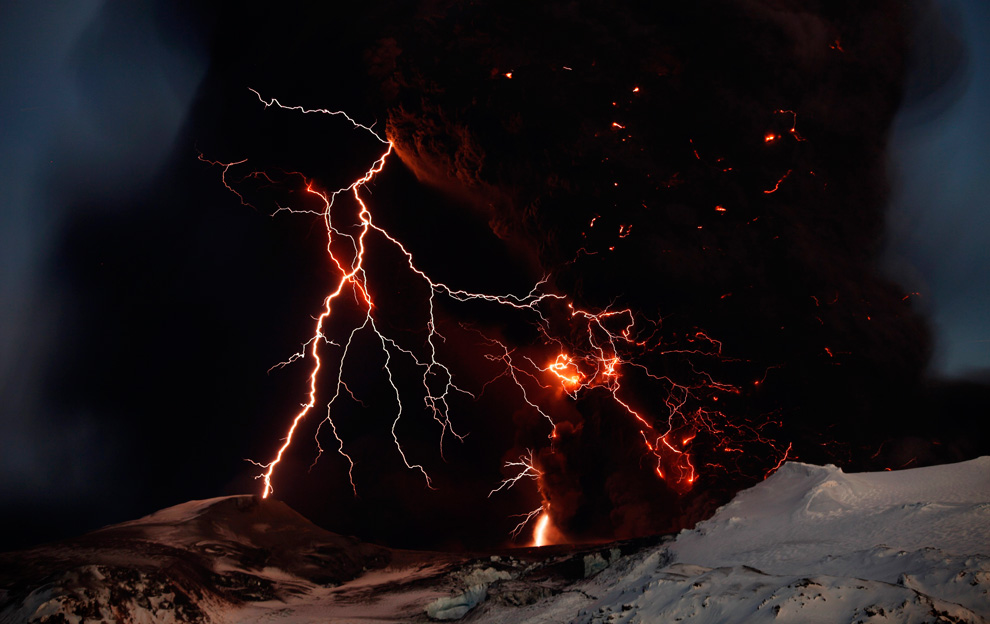
Teachable Moment: I’m sure many of you have heard about the erupting of the Eyjafjallajokull volcano in Iceland today. Why not take this opportunity to review your Rome unit in 3rd grade (Vesuvius erupted in the Roman city of Pompeii) or your earth studies unit in 5th Grade (SOL5.7d). One 3rd grade class at Laburnum created slideshows about the volcano in Pompeii. Their teacher, Mrs. Emmanuelson had actually visited Pompeii and shared her photos with the class. You can see some of their Keynotes here (I added the “Possibility” soundtrack from “Twilight” because volcanoes are always a possibility). I also created a website here with cool links, interactive maps, a Prezi slideshow, and a Flash animation explaining how volcanoes form. Finally, you can click here to download a folder of pictures to use, including amazing photos from Eyjafjallajökull like the one in this blog post (Source).


3rd Grade Simple Machines

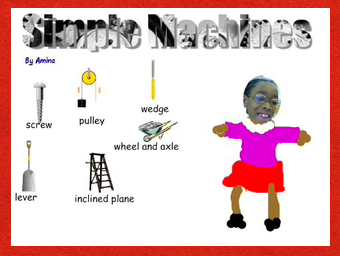
Third graders at Laburnum have been studying simple machines (SOL 3.2) so they created Pixie projects to show off what they have learned. If you click here you can see a sample, and if you click here you can download the template to get your started. First we created Word Art (the directions are on the template), then we found Stickers of the simple machines (go to the Science folder, then to the Simple Machines folder). Next the students took their picture and drew their bodies. Finally they recorded an audio voiceover identifying the machines. There are many other project ideas you could do. Using photos of the machines (click here to download it) you can create a ComicLife or an iMovie. There are lots of cool websites on simple machines for your students to explore, and I’ve tried to gather them all together on this webpage. Don’t forget to check out the Trekkers’ simple machines from the past activity. Go ahead and have fun with your simple machines unit!


3rd Grade Energy & the Environment

Earth Day is coming up, and third graders at Trevvett elementary are working on special projects about the sources of energy and the environment (SOL3.10). They will be using a combination of PhotoBooth, Keynote, and iMovie to create their projects. I’ll put up the link when they are done, but I wanted to share the resources with you now. I gave them a folder of pictures to use with examples of the different types of energy sources as well as examples of recycling, conservation, and pollution. You can download the folder by clicking here. I also created a special site for their research with lots of great links to interactive webpages about energy and the environment. If you’d like to show your students what happens in a real recycling facility right here in Virginia, take a look at the Trekkers podcast! Here are a couple of examples of what the students are doing: Water Pollution Video, Land Pollution Video.