Category: 2nd Grade

2nd Grade Fossils

Today 2nd Graders in Ms. Stewart’s class at Laburnum Elementary made Keynotes about fossils (SOL 2.5). Since this was their first time using Keynote, I wanted to teach them some of the special features of making a slideshow like how to play it back and how to add photos, transitions, and animations. So I gave them a template and a folder of pictures that you can download by clicking here. First I played the sample which you can see by clicking here. Then I showed them how to add the photos and animations to each of their own slides. A good idea would have been to allow the students to record a voiceover for their slideshow, but we didn’t have time to do that. You could also instruct your students to do their own research. I have created a page of great interactive fossil links here.


2nd Grade Fall Project

All the second graders at Johnson Elementary had a special day today, not only because it was Halloween, but also because the teachers planned a Fall Project Day. The students moved through different rotations with lots of fun fall-related learning activities at each station. I was in charge of the movie station. First I gave the students a folder of fall pictures to choose from. You can download the file by clicking here. The students got in pairs and selected a picture for their movie background. Then I showed them how to drag it into Photo Booth. Now it looked like they were actually in the fall scene. We discussed how to include facts about fall they they’ve been learning about in class. We also talked how to speak with expression. After a bit of modeling, the students were ready to produce their movies. I tied them all together with a soundtrack and you can see the final result by clicking here.


2nd Grade Magnets

After trying Stixy earlier this week, I decided to go back to Scribblar for a similar classifying lesson in 2nd grade. They were studying magnets so I instructed them to draw a magnetic or a nonmagnetic object in Pixie. When they finished their drawings I showed them how to export them as .png files and save them to their folders. Then I sent them to Scribblar and they uploaded their pictures to the site and put them in the correct category: Magnetic or Nonmagnetic. Some were obvious while other required a bit of discussion, which was great. For example a child put a picture of a chair in the magnetic box, but some disagreed. He explained that the metal legs are magnetic even if the plastic seat isn’t. Having your students draw the artwork also makes the sorting a bit more personal and motivating than if you had drawn them yourself or used clipart. I plan on turning this into a drag and drop Flash activity, and I’ll include the link here when I do.


Famous Americans & Student Choices

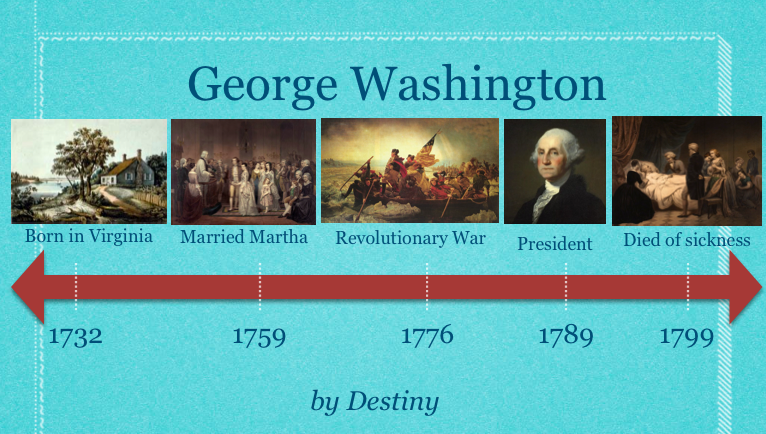
An important 21st century skill to include in your lessons is making choices. The famous Americans unit is a great opportunity to provide choices for your students. Not only could you let them choose which person they want to research, but they they could also choose how they want to present the information. As long as you’ve introduced the programs, let your students select the one they want to use… or they could even choose to use multiple programs. Students could do a Comic Life, a Garage Band podcast, a Keynote slideshow, or use some of the online web tools for their projects. Just to give you a couple of examples from recent lessons: in first grade, this student did a Keynote and video about Benjamin Franklin, and this student did an animated timeline about George Washington (you can download the template by clicking here); in second grade, this student made a podcast with music about Jackie Robinson, and this student should really just have his own talk show. Most of the pictures of the famous Americans can be downloaded on this post. Go ahead, give your students choices! What could be more American?


2nd Grade Fractions Flipbook

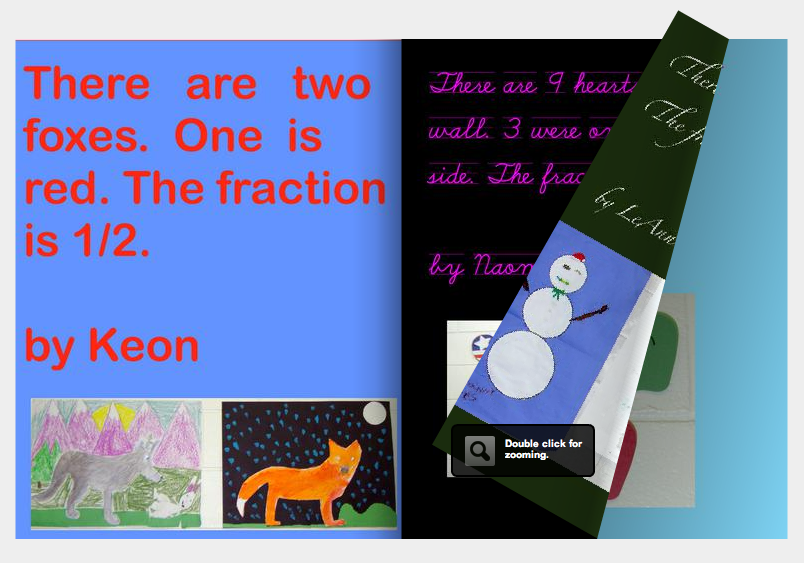
Second graders in Ms. Salmon’s class at Holladay Elementary made cool fractions flipbooks today using a website called Youblisher. First partners went around the school looking for real life examples of fractions. Most of them found lots of fractions in the artwork hanging on the walls. They photographed their examples using a digital camera. Then Ms. Salmon loaded the pictures into the students’ folders. I showed them how to edit the photos using Preview (you can trim a picture by dragging a square over the part you want then pushing Apple+K, and you can adjust the color and size by clicking Tools in the menu). After editing their photos they dragged them into a Pages document and typed a few sentences about their fraction. You can download the template (with a background color) by clicking here. I combined them into one document, printed them as a PDF, and uploaded them to the website. Youblisher did the rest! You can see the final product by clicking here.


2nd Grade Habitats

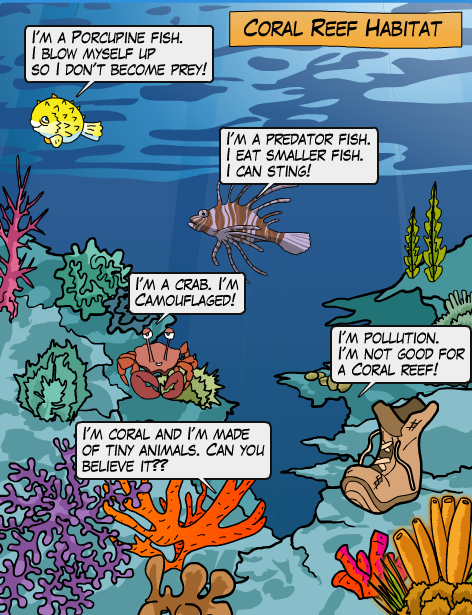
Yesterday I taught a workshop about web publishing. I shared various sites that let students publish books and websites online for free. You can see all the sites by clicking here, but one of my favorite sites from the workshop was Kerpoof. I used it today in 2nd grade at Chamberlayne Elementary for students to create habitat posters (SOL 2.5). If you go to Kerpoof and click “Make a Picture” you will see all the amazing background scenes the students can choose from. There’s pretty much every habitat you can imagine. So the students quickly selected a habitat, then they added in the clip art animals. The students could search for additional pictures and they could even draw their own. Next they added speech bubbles to convey important facts and vocabulary words about their habitat. You can see a sample by clicking on the picture to make it larger. You might also want to check out my list of Habitat Websites here.


3rd Grade Martin Luther King Comic

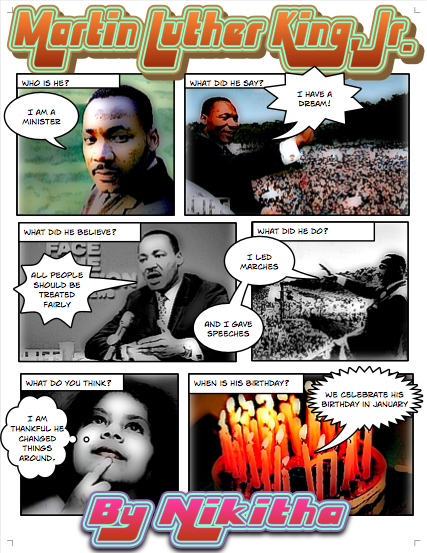
Yesterday was Martin Luther King Day, so several classes wanted to do a project to honor him. This could actually be adapted for kindergarten and 2nd grades as well since each of those grades learn about him too (SOL K.1b, 2.11, 3.11b). I gave the class a Comic Life template to use and a folder of pictures which you can download by clicking here. The template has speech bubbles already partially completed so the students only have to enter the important words. This is helpful for the students who have problems typing. However, for your good typists, you could differentiate by letting them type what they want in each speech bubble. The students add pictures of their choice to each block of the comic, complete the sentence, and then add special effects to it. You can see a sample project by clicking on the picture to see it larger. You might also want to visit my Martin Luther King webpage where you can watch part of his famous “I have a dream” speech and see a timeline of his life.


2nd Grade American Indian Projects

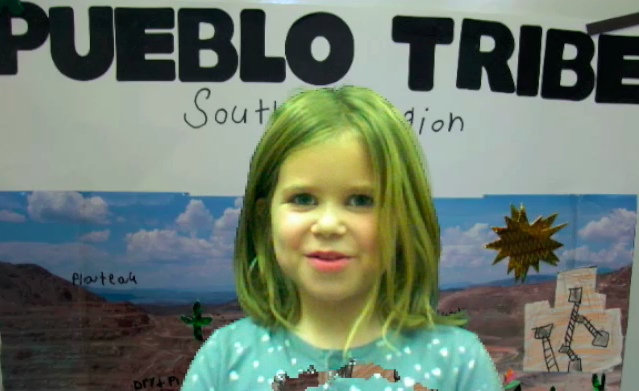
All the second grade students at Pinchbeck Elementary have worked hard on their American Indian projects so they wanted a special way to share what they have done. Each teacher took photos of their students’ projects and we used them as backgrounds in Photo Booth. Then with their project behind them, each child read a line from a script that told one important fact about the tribe. I edited the videos in iMovie and added a soundtrack from Freeplay Music. So when all the videos were put together, it made a fun and informative study guide for the American Indian Tribes (SOL 2.4). You can take a look at a sample from Ms. King’s class about the Pueblo Tribe here.


2nd Grade American Indian Pixies

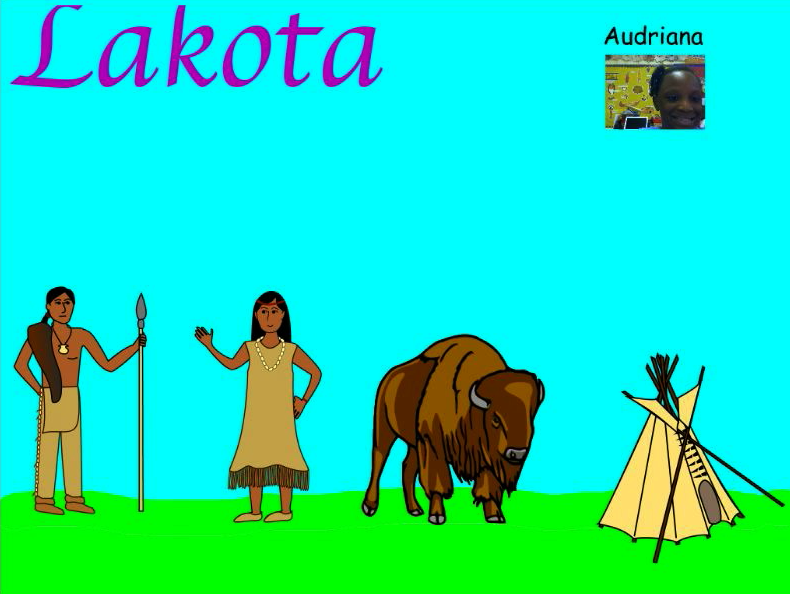
Second grade students at Chamberlayne Elementary made Pixies about the American Indian tribes today. One of the cool things about Pixie is that it already has a lot of stickers about topics the students are studying. So there are longhouses, deer, and canoes for the Powhatan and teepees, buffaloes, and horses for the Lakota. First the students painted the land so it matched the environment where the tribe they selected lived. Next they picked stickers to add to their painting. We had some guidelines for which stickers to use such as the home, transportation, and animal life, but we also gave them the choice of using additional stickers as long as they were relevant. Then used the webcam to put their picture next to their name or on an Indian. Finally they recorded voiceovers to explain the different facts about their tribes. You can see some sample videos by clicking here.


Tags:


2nd Grade Maps Pixie

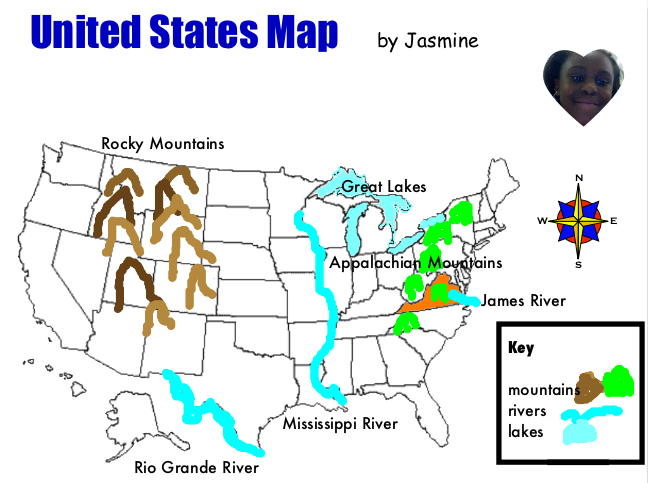
Today second grade students at Pinchbeck Elementary were reviewing their United States map skills (SOL 2.5b, 2.6) with Pixie. I gave them a template to use which you can download by clicking here. First students used the paint tool to draw the rivers on the map (Rio Grande, Mississippi, and James), then they added the symbol of a river to the map legend. Next they drew the Appalachian and Rocky Mountains on the map and added the mountain symbol to the legend. Finally they used the paint bucket tool to fill in the Great Lakes and Virginia. They also dragged the labels into the correct locations. We used the compass rose to ask directions about the location of different features. For example, “Is the Mississippi River east or west of the Rocky Mountains?” It was a great way to review maps and introduce Pixie at the same time. Another 2nd grade map skill is identifying the continents and oceans (SOL 2.5a). If you’d like to try a Pixie lesson for that skill, click here.


Tags: