
2nd Grade Weathering Podcast
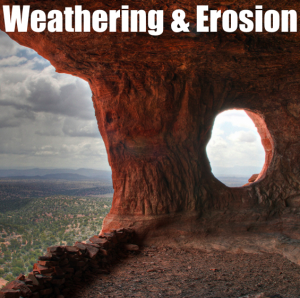 Second graders at Trevvett are learning about weathering and erosion (SOL2.7) and today we made podcasts about it using GarageBand. I gave them a folder of 25 pictures showing all types of weathering and erosion. I also gave them a GarageBand template to get them started. They dragged the pictures they wanted into the artwork track, recorded their voices on the vocals track, and added sound effects of water and wind in the jingles track. They are still working on them, but you can see a student sample by clicking here. You can download all the files including the template, the sample, and the photos by clicking here. Also be sure to checkout our Virginia Trekkers podcast on weathering and erosion. We went to St. Mary’s Falls in the Blue Ridge Mountains and showed several of examples of weathering. There’s a video, map activity, and lots of links to other cool weathering resources like BrainPop. Watch the podcast by clicking here.
 This week’s teacher spotlight is Mrs. Hilton. She’s been very enthusiastic about using technology in her second grade classroom at Trevvett. Her students created a podcast in Pixie all about themselves with an awesome “Funkytown” soundtrack. You can see it by clicking
  Ms. Salmon, a 2nd grade teacher at Holladay had a great idea that I wanted to share with you. To keep parents entertained at back-to-school night or during parent conferences, you could have your students create quizzes for their parents to find out how much they really know about their children. Ms. Salmon instructed her students to take pictures of themselves in PhotoBooth, paste the pictures into a Keynote document, change the font and size of their name, and then write questions about themselves for their parents to answer. This gave the parents an opportunity to use the Mac computers and see what the Keynote program is all about. I took screenshots of some of the quizzes and put them together using a cool website called
 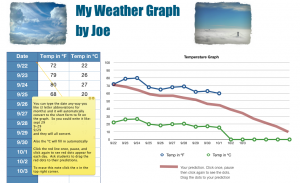 Another 2nd grade class at Laburnum made weather graphs. They are going to keep track of the weather throughout the month and graph the temperatures. I gave them a template to use and showed them how to get started on it. You can download the template
 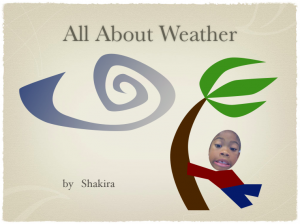 2nd Graders at Laburnum worked on different weather projects today. One class made Keynotes. I gave them a template and photos to use (which you can download