Category: Science

4th Grade 3-D Planet Models
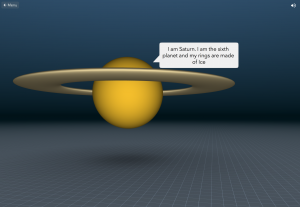
Fourth graders at Laburnum Elementary have been learning about the planets in the solar system (SOL4.7), so today students in Ms. Mayer’s class used CoSpaces to create 3-D models of the planets. A cool idea would be to use this tool to create a 3-D model of all the planets, comparing their sizes like this example, but we didn’t have time for that. The students each chose one planet to research, then they logged into CoSpaces with their Google accounts, and created a new space. First, we clicked the Environment tab at the bottom and selected Night, making the background dark like outer space. Next, we went to the Library tab and clicked Building Blocks. The students selected a sphere and I showed them how to resize it and raise it with the pop-up tools. Double clicking the sphere brings up more tools, and the students used the paint brush tool to change the color of the sphere to match the planet. They also added a speech bubble and typed some facts about the planet. When they finished, they went back to the library and selected additional objects like rings for Saturn or a space ship. Finally, they clicked the Share button at the top, copied the link, and posted it in Schoology for their classmates to see. You can visit all their planets here.
3rd Grade Coding a Food Chain

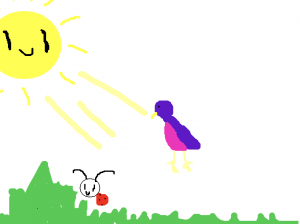
Third graders at Holladay Elementary have been learning about food chains (SOL3.5), so today students in Ms. Whittaker’s class created an animated food chain using code in Scratch. First, we reviewed the different types of aquatic and terrestrial food chains, and we discussed how all food chains start with the sun. Next, I helped the students set up their Scratch accounts. We started a new project, deleted the cat sprite (the default character), and I showed them how to draw their own sprites. They drew a sun, a plant, an animal to eat the plant (an herbivore), and an animal to eat that animal (a carnivore). Since it was going to be animated, they also drew several costumes for each sprite. For example, their sun sprite had costumes showing the rays shining down on the plant, and their plant sprite had costumes showing how it was being eaten. Finally the students added code to each sprite. The sun code looped through the costumes so it repeatedly sent rays to the plant. The other sprites’ codes programed them to move and cycle through the costumes at different time intervals, making it look like they were eating and getting eaten. We shared our project links on Schoology, but you can see them all here.


Tags:


3rd Grade 3-D Animal Reports

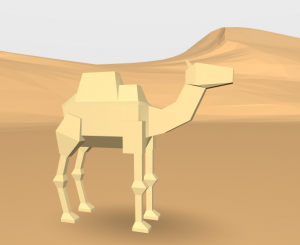
Third graders at Holladay Elementary have been studying animals and their habitats in Science (SOL3.4, 3.5, 3.6). They have also been learning about how to write research reports in Language Arts (SOL3.11). Today students in Ms. Ambrose’s class researched an animal of their choice with PebbleGo and created a 3-D report using CoSpaces. First, students selected an animal and used PebbleGo to find out about its habitat and its design, or adaptations. We discussed whether PebbleGo is a reliable website (it is :). Next, we logged into CoSpaces with our Google accounts, and I showed them how to choose a background image that looked like the animal’s habitat. Then we searched for a 3-D model of our animal (or an animal that looked similar). I explained that they can change the color of their animal by right clicking on it. They also needed to use the right-click to make the model accessible in Blockly (the coding language). We wanted to code the animal to speak about itself and share the facts we learned, but before we could do that, we had to record ourselves. We used Vocaroo to record and save an MP3 file (you could also use Audacity). We uploaded the file to CoSpaces using the Upload button. Finally, in Blockly, we added a few bits of code to make the animal speak when you click on it. Some of the students even added code to make the animal move. We published our projects and shared the links on Schoology. You can see them all here.


3rd Grade Moon Cycle Animations

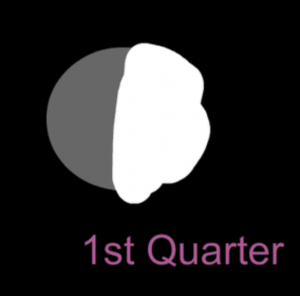
Third graders at Trevvett Elementary have been learning about moon cycles in Science (3.8a) and multiplication in Math (SOL3.5). Today students in Ms. Bae’s class solved multiplication moon problems and created their own moon cycle animation with ABCYa! Animate. First, I posted a discussion on Schoology with an animated image of the phases of the moon so they could get an idea of the type of animation they were going to create. I pointed out that the light starts on the right side and advances over to the left side of the moon. We reviewed the four phases: first quarter, full moon, last (or third) quarter, and new moon. We also talked about why they were called quarters when they look like halves (the moon is always half light and half dark but the cycle is divided into four parts, or quarters). The discussion question stated: “You have learned that the moon goes through four phases in about one month. How many phases would it got through in __ months? Insert your own number in the blank and solve the problem.” Students were able to review their knowledge of multiplication and the moon while using the discussion feature for the first time. Next, we went to ABCYa! Animate, and I showed them how to create a picture of the new moon by creating a black background and adding a grey circle. We used the Text Tool to type “New Moon.” Then we made a copy of the picture with the Copy Cat button. We typed “1st Quarter” and painted the right half white. We continued in this manner, making copies and adding details, until all four phases were illustrated. Finally, we turned on Looping and pressed the Play button. The students loved seeing their own animated moon cycle! We shared the exported GIFs in a Schoology album, but you can see them all here.


3rd Grade Matter Transitions

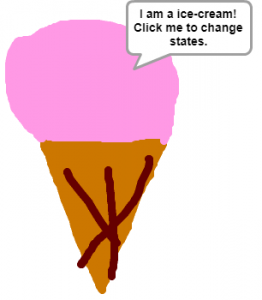
Third graders at Varina Elementary have been learning about matter and how it changes states from solid to liquid to gas and back to solid again (SOL3.3). Today students in Ms. Galvin’s, Ms. Long’s, and Ms. Hummel’s classes used Google slides and Scratch to show different types of matter changing states. Ms. Hummel’s class focused on water in their Google slideshows. We used the Transitions feature to animate pictures of water fading from solid ice to liquid or from liquid to water vapor. Ms. Galvin’s and Ms. Long’s classes chose different types of matter that can melt and freeze (like chocolate, ice cream, and Popsicles). First, they drew two costumes for their object (the solid state and the liquid state). Then they added code so that clicking the object changes its state, or costume. Some students also added code for their objects to “say” a fact about the state of matter. When their projects were finished, we published them online and shared the links on Schoology. You can see them all here.


5th Grade Coding an Ocean Tour

Fifth graders at Trevvett Elementary have been learning about the ocean (SOL5.6), so today students in Ms. Adamonis’ class used code to create an ocean tour in Scratch. First, we discussed different topics they could include in their tour: parts of the ocean floor, different depth zones, and various ecosystems. Next, we went to Scratch, and I showed them how to change the background by either drawing it or uploading a picture. Then they needed to add a tour guide (called a “sprite” in Scratch). Most of the students chose one from the built-in library, but they could also draw their own. Finally, I explained how to use code to create the tour. The drag and drop pieces of code could be used to animate the tour guide and make it “speak.” They quickly discovered the sound effects code and had fun adding audio to their projects. Some of the students went way beyond the original scope of the assignment and added keyboard strokes so that it could be played by an external controller (like a Makey Makey). They shared their finished projects on Schoology, but you can see them all here.


Tags:


5th Grade Weather Tools

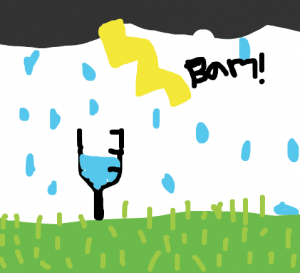
Fifth graders at Trevvett Elementary have been reviewing 4th grade weather tools (SOL4.6b), so today students in Ms. Capano’s class created animated GIFs showing the weather tools in action. We used ABCYa! Animate to create the moving images. First we brainstormed creative ways to illustrate each tool (rain gauges filling up, anemometers rotating, thermometers rising or falling, barometer dials moving, wind vanes spinning). Next, we went to ABCYa! Animate and drew a picture of the instrument as well as the background weather. I showed them how to copy each frame with the Copy Cat button. Then they added small changes and moved objects by increments in each subsequent frame. I pointed out that they could use the Text Tool to add neat numbers to their instrument for accurate measurements. Finally, we exported the animations as GIF files and posted them to an album in Schoology, but you can see them all here.


5th Grade Plate Boundary Animations

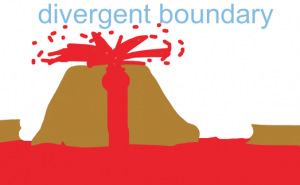
Fifth graders at Holladay Elementary have been studying the Earth’s crust and plate boundaries (SOL5.7e), so today students in Ms. Haislip’s class created animations illustrating some of the different boundaries. First, we reviewed divergent boundaries, convergent boundaries, and transform boundaries with a few sample animations as examples: Animation 1, Animation 2, and Animation 3. Next, students created their animations using ABCYa! Animate. We worked on the divergent boundary together to help them understand the process, then they illustrated the other boundaries on their own. We discussed ways to show the various plate motions and their effects, and I encouraged them to look back at the examples for ideas. The students published their finished animations on Schoology, but you can see them all here.


5th Grade Ocean Ecosystems

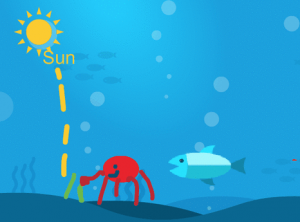
Fifth graders at Trevvett Elementary have been learning about the ocean zones and ecosystems (SOL5.6). Today students in Ms. Reed’s class created animations illustrating an ocean food chain. First, we did a bit of research. I asked the students to think of an ocean creature they wanted to include in their food chain, then they had to research what it eats and what eats it. I pointed out that all food chains start with the sun’s energy, so they had to follow their food chain back to the beginning. For example, I modeled the process with a jellyfish. I did a Google searches for “What does a jellyfish eat?” and “What eats a jellyfish?” I discovered that jellyfish eat small plants (phytoplankton) and their predators include tuna. From there, I found out that phytoplankton get their energy from the sun and tuna get eaten by sharks. Once our research was finished, we were ready to illustrate the ocean food chain. We used ABCYa! Animate to create the animations. We showed the suns’s rays causing a plant to grow, then added different animals to move in and eat the previous living thing. We posted their animations to an album in Schoology, but you can see them all here.


5th Grade Henrico Watershed Animations

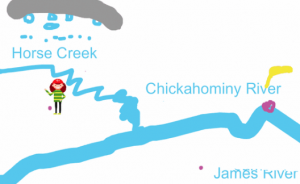
Fifth graders at Laburnum Elementary have been studying Henrico County and Virginia watersheds (SOL4.9a). Today students in Ms. Burgess’s class created animations for Laburnum’s watershed. First we reviewed watersheds and why understanding them is important. Several students didn’t realize that their drinking water comes from the James River. So we discussed where the trash that is thrown on the ground eventually ends up (Answer: rain washes it into creeks and rivers which flow into the James River). Next we went to Google Maps and found Laburnum Elementary. We searched for the nearest creek, which turned out to be Horse Creek. Then we followed Horse Creek to the Chickahominy River and finally to the James River. Now they were ready to create an animation showing the path a discarded piece of trash takes from Laburnum Elementary down through the watershed into the source of their drinking water. We used ABCYa! Animate to create the animations. You can see them all here.