Category: Language Arts

5th Grade “If I Could Change The World”

Fifth graders in Ms. Barker’s class at Chamberlayne Elementary wrote a paragraph on the topic: “If I Could Change The World.” They wrote it in Pages, but she wanted them to do something special to publish their writing. So we copied their text from Pages and pasted it into Pixie. Then I gave them a folder of pictures to use that related to their topics. It included pictures of poverty, hunger, war, pollution, etc. You can download the folder of pictures as well as the Pixie template by clicking here. After the students selected a picture and pasted it into their Pixie, they took their own photo with the webcam and added it to the picture. Then they added a body to their head by either painting it or using a Sticker. Finally they recorded their voice giving a brief synopsis of their idea to change the world. Take a look at some student samples by clicking here.


Tagxedo Letters

I’ve mentioned Tagxedo before on this blog and if you haven’t tried it out, you really should. It’s a word cloud generator like Wordle, but this one is different because it lets you upload a shape for your word cloud. So when a teacher asked me to help her create letters of the alphabet with sight words, Tagxedo was perfect for the job. You can see in the picture how each letter of the alphabet is actually made of sight words and commonly used words beginning with that letter. If you’d like to download all the letters and see the various word lists I used to create them, click here. Other uses for Taxedo: put all your unit vocabulary words in the shape of something relating to that unit… like put all your light words (SOL 5.3) in the shape of a light bulb. Let me know if you do any projects like that so I can share them on this blog with other teachers.


Teacher Spotlight – Ms. Norris

Ms. Norris, a fourth grade teacher at Laburnum Elementary, won the Henrico 21 award last year for her “Puppet Interviews Project” that I shared on my blog here. She’s continuing to do great things with technology in her class this year. One of the projects that has really impressed me is her classroom blog. She posts topics, and the students write comments about them. It’s a simple idea, but it has proven very effective. Her students are enthusiastically writing and responding on the blog. You can check it out by clicking here. Be sure to leave a comment! I’m sure her students would love hearing from you! If you’d like to have your own classroom blog, Henrico teachers can go here, type in your email name and password and get started! If you are outside the county, you can use the free site that Ms. Norris uses called KidBlog.


Tags:


5th Grade Illustrated Stories with Kerpoof

Many of you have been missing Pixie these first couple of weeks at school. I promise it’s coming! But in the meantime, there are some online alternatives. Two web-based drawing tools are ArtPad and Imagination Cubed. However, fifth graders at Chamberlayne really needed Pixie’s stickers today to illustrate the stories they had typed up earlier this week in Pages. So I took them to Kerpoof. It’s blocked in the county, but it’s worth unlocking for your students (you’ll need to type in your password for them, don’t let them do it). Once they are on the site they can go to “Make A Picture” or “Make a Story” (“Spell a Picture” is great for younger ages). The students were able to create a scene from their story and search for clip art. If they couldn’t find a picture of an object they wanted, they could even draw their own and add it to the scene! Your students can use all the tools for free and just take screenshots of their pictures (that’s what we did), but if you want to save them, you can set up student accounts with their own passwords. Here are a couple sample stories they illustrated: Chavis and Jordanne.


5th & 3rd Grade “All About Me” Pages

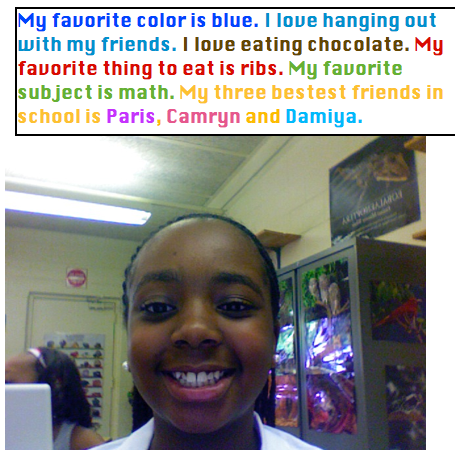
Fifth and third graders at Chamberlayne Elementary used Photo Booth and Pages to write “All About Me.” This is a great first week activity. First they opened up Photo Booth and took their picture. Then they dragged it into a Pages document and wrote about themselves. I showed them how to change the font, size, and color, and they got very creative as you can see in the example. Each teacher published the activity in a different way. Ms. Bradlee (5th grade) printed them out and hung them up on the walls for parents to see at back-to-school night. Mr. Mayo took screenshots and pasted them into a Keynote with music for a back-to-school night sideshow. It’s fantastic to see so many teachers jumping right into technology projects on the first week of school!


Kindergarten Spelling & Sight Words

A kindergarten teacher wanted her students to practice spelling and sight words with technology so I created two activities that you might find useful, or you can change them to fit your specific words. The first one (pictured) is a Numbers activity to review their spelling words. The students look at the picture by each word and click the sound button to listen to the word read aloud. Then they choose the correct vowel from a drop down menu to complete the word. The spreadsheet is self-correcting so a smile will appear if they are right and a sad face appears if they are wrong. You can download the spelling Numbers activity by clicking here. The second one is a Keynote slideshow to review sight words. Basically the students record themselves reading the words as they appear on the screen, then the teacher has a record of which words the students know. You can download the sight words Keynote activity by clicking here.


5th Grade Poetry Podcast

Today, fifth graders at Holladay Elementary created poetry podcasts. Before the lesson, each child had chosen a poem they wanted to recite (reciting poetry is a great way to improve reading fluency). So the first thing we did was to go to Pixie and draw a picture for the podcast artwork. Then we exported it as a JPG file, opened a GarageBand podcast project, and dragged the picture into the podcast track. Next I showed them how to record their voices on the vocal track. Finally we added sound effects and music to the Jingles track. The projects turned out great! Take a look at a few examples:
1. Audrey’s poem about the number zero
2. Danielle’s poem about a dog
3. Aaliayh’s poem about bird droppings (she found it in a book!)
4. Jordan’s poem about eating eyeballs (another interesting one!)


5th Grade Civil War Fact Opinion iMovies

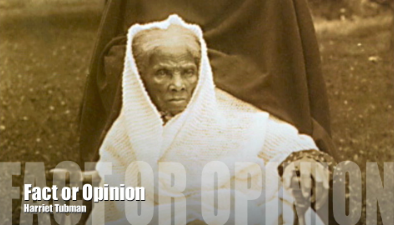
Fifth grade students at Laburnum have been studying the Civil War in Social Studies, and they’ve been studying facts and opinions in Language Arts, so we decided to combine the two topics into one iMovie project today. I gave them a huge (30MB) folder of all sorts of Civil War pictures for them to choose from. You can download the folder of pictures by clicking this link. The students chose two pictures and came up with a fact about one and an opinion about the other. Then they imported the pictures into iMovie and added the text “Fact or Opinion” to each picture. Next they used the voiceover button to record their fact and opinion statements about each picture. Finally they used the video button to film themselves saying, “That is a fact!” or “That is an opinion!” and put their movie together by dragging the different components to the correct place. It was a great review of what they have learned and it also gave them practice using iMovie. You can see some student samples by clicking here and here.


Tags:


Kindergarten Beginning Sounds

An important reading skill in kindergarten is being able to identify the beginning sounds of words. To help students with this task I created a Keynote activity where the students type in the beginning letter and then push a button to find out if they are right or wrong. There are 15 different slides (you can see them all by clicking here). When the students get the answer right a green smiley face appears on the slide like in this picture. When they get an answer wrong a red sad face will appear so they can fix their mistake. If you’d like to expand the activity you can use the record feature on Keynote and instruct your students to record their voices reading the words aloud as the slideshow plays like in this example. You can download the activity by clicking here.


Tags:


5th Grade Thanksgiving Writing

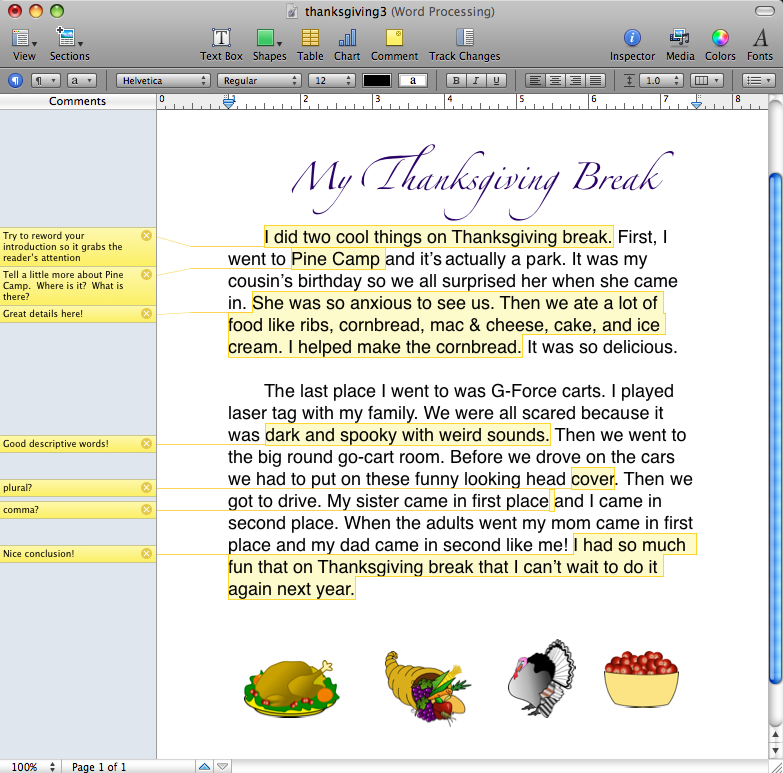
Fifth Graders at Laburnum have been focusing on their writing. They’ve been studying the writing process and have practiced using good descriptive words. The school even has a writing wall where they showcase the students’ best writing samples. So one class had been working very hard writing about their Thanksgiving vacation and they wanted to publish their paragraphs with Pages. I came in and showed them how to change the font, size, and color of the text. We reviewed how to center the title and right justify their names. Then when they finished their writing they went to Pixie to get clip art. One of the really cool features of Pages is the comments. Just highlight a portion of text, click the comment button, and a comment box appears on the left where you can type suggestions or compliments. It’s great to use for peer revising and teacher proofreading. You can take a look at a sample paper with comments by clicking here.


Tags: