2nd Grade Fossils

Today 2nd Graders in Ms. Stewart’s class at Laburnum Elementary made Keynotes about fossils (SOL 2.5). Since this was their first time using Keynote, I wanted to teach them some of the special features of making a slideshow like how to play it back and how to add photos, transitions, and animations. So I gave them a template and a folder of pictures that you can download by clicking here. First I played the sample which you can see by clicking here. Then I showed them how to add the photos and animations to each of their own slides. A good idea would have been to allow the students to record a voiceover for their slideshow, but we didn’t have time to do that. You could also instruct your students to do their own research. I have created a page of great interactive fossil links here.

30

11 2011

Create Online Flash Cards

Flash cards are a great way to help your students review. There are several sites that allow you to create online flash cards. Some allow you to add images, audio, and even video. Many also allow you to embed the flash cards on your website or view them on an iPod or iPad. Your students could even create their own flash cards. I joined several of these sites and created a sample flash card set to explore the advantages and disadvantages of each site.

Funnel Brain http://funnelbrain.com (allows you to include photos, audio, video, and embed)


FlashcardDB http://flashcarddb.com (no images, just text, but allows you to score yourself using keyboard, embed code does not allow you to resize the cards so it may not fit on your blog, like here, but you can click the link at the bottom to see it in another window)

Virginia Regions flashcards from dclough on FlashcardDB.

>

ProProfs http://proprofs.com (allows you to add images, embed, but no scoring)

Quizzlet http://quizzlet.com (just text for free version, but has special features like speaking the text and turning flash cards into quizzes and games, click the “Choose a Study Mode” button to try out some of the other features)


Finally, here are some that you can’t embed but are still pretty cool:

StudyBlue http://studyblue.com (allows you to add images and audio, use keyboard to score yourself, no embed)
See a sample here http://s.tudy.it/tw1ike

FauxFlash http://fauxflash.com (allows you to add images, nice interface, no embed)
See a sample here http://fauxflash.com/learn/virginia-regions/1

Tags:

03

11 2011

1st Grade American Symbols

Mrs. Favale, a 1st grade teacher at Holladay Elementary, had the Reflective Friends team come to her class and observe her lesson today, so I wanted to share it with you! Her students have been learning about American Symbols: the Statue of Liberty, the bald eagle, the Washington Monument, and the U.S. Flag (SOL 1.11). Since Holladay has a high ESL population, they thought it would be a great idea to publish a magazine that the ESL teachers, students, and their families could use to learn about American symbols. Students worked with partners to choose a symbol and create a page describing the symbol using art materials (markers, construction paper, glue), the laptops (Pixie), or the iPads (StoryKit). They researched their symbols using books, websites, videos, and classroom posters. When they were finished, we combined all the projects together into one book that you can view online here. A hard copy of the book will be given to the ESL teachers to use with their students. Mrs. Favale is publishing the digital copy on her blog so that families can view it at home.

13

10 2011

A Military Uniform Inspired by Animals

Did you know that many inventions were inspired by animals? It’s called biomimicry and it’s the basis for this great lesson created by Ms. Gaglio at Chamberlayne Elementary. She had her students create new military uniforms based on animal adaptations. The students created their uniforms using a website called Build Your Wild Self. Then they wrote persuasive letters explaining why their uniform was the best and should be purchased by the military. You can check out her blog here and you can download her lesson plan and rubric here. I took her idea and taught it to the 3rd graders at Laburnum Elementary today. They had a great time inventing their uniforms! We used Comic Life to add a description of the various parts and explain how each one would help a soldier survive. Finally we posted our pictures to a really cool, easy-to-use online photo sharing site called Comemories. You can see our online gallery (and even add your own) by clicking here.

Tags:

12

10 2011

4th Data Collection & Graphing with Google Docs

Today 4th graders at Laburnum collected data from their classmates and graphed it using Google Docs. First we decided what we wanted to know about our classmates. We wanted it to be useful and authentic. So for example, one student noticed that his friends were sleepy, so he wanted to find out what time they go to bed. Another student wanted to know what problem her friends struggled most with at school. Others wanted to plan the next team game for recess or find out what treats the teacher should bring in for an upcoming class reward. Once we chose our question, I showed them how to create a form in Google Docs. I also showed them how they could change the theme to make it relate to their topic. Next students traveled around the room filling out each others’ forms. So everyone had plenty of data. I showed them how to look at all their data in the Google spreadsheet and how to sort it in a variety of ways. We sorted it by the question answer so they would be grouped together for easy counting. They counted the different answers and graphed them for the last step. You can take a look at some sample forms with the accompanying data/graphs below:
Stephany – What’s Your Favorite Candy? (data & graph)
Sedbreion – What Time Do You Go To Bed? (data & graph)
Precious – What Are You Having Trouble In School? (data & graph)

28

09 2011

Henrico Trekkers

The Virginia Trekkers have been working hard all summer to create a website for 5th Grade Henrico Studies. It’s finally finished and you can check it out by clicking here. We have a total of 21 videos from different places around the county of historical or geographical significance. Each short video (1-2 minutes) is accompanied by additional written information and links for more research. There is an interactive Flash map as well as a Google Map that you can embed on your website or download to view in Google Earth with pushpins marking the important spots. We will continue to add to the site throughout the year. You could even have your own students create videos about Henrico County and submit them to the Trekkers. We’ll be posting some of them on our website!

Tags: ,

12

09 2011

Back To School Rules

At Chamberlayne Elementary we created a “Back To School Rules” video with student volunteers acting out appropriate and inappropriate behaviors for the bus, classroom, hallway, cafeteria, playground, and gym. The inappropriate behaviors are portrayed as negatively as possible (black and white, really bad music) while the appropriate behaviors are shown in color with upbeat music. There is also a place to stop the video after each inappropriate behavior so teachers can hold a discussion with their students. You can check out the video by clicking here. This would be a great idea for you to do in your own class. Students could film themselves using PhotoBooth or the iPad (in K and 1st) showing correct and incorrect behaviors. Let me know if you’d like me to help with something like this.

Tags: ,

06

09 2011

New Teacher Academy

Today we had a 4-hour technology training for new 3rd grade teachers. My partner, Julie Franklin, and I titled our session “I’m a Thewy Third Thaumaturge.” If you don’t know what those words mean, use your computer’s dictionary to look them up (highlight the word and ctrl click on it to “Look Up in Dictionary”). Four hours is a long time, so we tried to pump it up with music, glow sticks, and a disco ball, but actually, the thing that made it most memorable was the earthquake! We shared all our ideas on this website if you’d like to see what we did. One tool that I would encourage you to check out is the photo sharing site we used called Yogile. It makes it very simple for people to upload pictures to one webpage. Once the photos are uploaded you can view it as a slideshow or gallery. Take a look at ours here. Another site that does something similar but turns the pictures into a book is Keepsy. We didn’t get to use that one, but you can still take a look at our sample here.

Tags: ,

23

08 2011

Summer School 2011 “Lights, Camera, Action!”

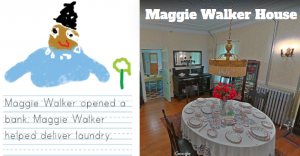
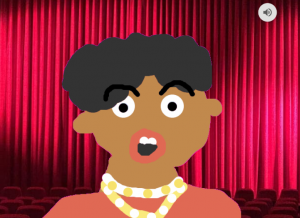
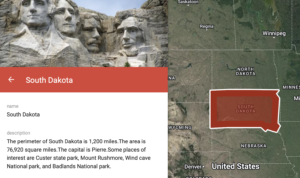
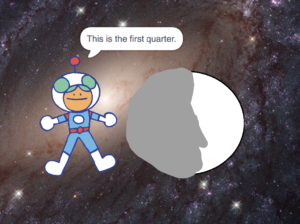
During the week of July 25-28 I taught a summer school class at Springfield Elementary called “Lights, Camera, Action!” I had rising 4th and 5th graders and our goal was to create educational videos for teachers to use in their classrooms about different famous people. Students chose to work with a partner or solo, and they selected a famous person to research. They created all the parts of the video themselves, including the animations and music, using software on the computer (Photo Booth for the interview/green screen, Keynote for animations, Google Earth for satellite imagery, and iMovie for video editing) as well as web tools (SitePal for voiceovers, Aviary Education for soundtracks, Screencast-O-Matic for recording, and Blabberize for the “talking heads”). You can see my sample below and take a look at all the student samples on this website. Be sure to leave a comment on the videos to let my summer school students know what you think of their projects!

Woodrow Wilson from Henrico Students on Vimeo.

28

07 2011

ISTE Conference 2011 in Philadelphia

On June 26-29 I attended the ISTE Conference in Philadelphia. It is an annual conference for technology educators, and I always learn a lot when I go. I had a good time touring the historic city too (I’ll be posting a video on the Virginia Trekkers soon). On the third day of the conference (Tuesday) I presented a workshop called “Web Tools that Work in a Real-Life Classroom” where I shared many of the projects that I’ve posted on this blog. The entire workshop was video taped, as well as many of the others, and you can view them all on the ISTE website. You can also check out the web tools I talked about by clicking here.

Tags:

28

06 2011