
Numbers Graphs of Ocean Facts
 Numbers can be used to create eye-catching graphs of different concepts you are teaching in your Oceans Unit. For example you can use a pie chart to show the percentage of the earth that is covered by the oceans, you can use a bar graph to show the sizes of the different oceans, and you can use a stacked area graph to show the depths of the different ocean zones (adjust the opacity to make it transparent like water). Take a look at a sample here and download the Numbers template here. Also, if you are looking for some good websites for your oceans unit, sure to check out my Oceans Unit links.
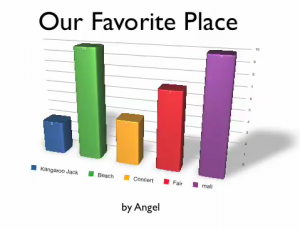 Fourth grade students at Laburnum had fun making animated 3-D graphs today using Numbers and Keynote. First they collected their data by asking each other a question, “What’s your favorite _____?” They used tally marks to keep track of the votes. Then they graphed the results using Numbers. I showed them how to use the Inspector to make the bars look like wood, metal, or marble. Next, they copied their graph over into Keynote and used the Build Inspector there to add a 3-D Grow Effect to their graph. The results were pretty impressive. Take a look at some of their favorite
 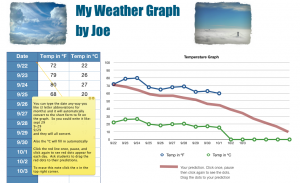 Another 2nd grade class at Laburnum made weather graphs. They are going to keep track of the weather throughout the month and graph the temperatures. I gave them a template to use and showed them how to get started on it. You can download the template
 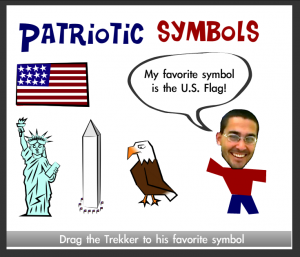 1st Graders at Trevvett are studying patriotic symbols in social studies (SOL 1.11) and graphing in math (SOL 1.18) so we decided to combine those into one integrated project using Pixie and Numbers. First the students found stickers of the symbols in Pixie and matched them with their names. Then they took their photo using the webcam tool and identified their favorite symbols by recording their voices. You can take a look at their projects
