
Numbers Graphs of Ocean Facts
 Numbers can be used to create eye-catching graphs of different concepts you are teaching in your Oceans Unit. For example you can use a pie chart to show the percentage of the earth that is covered by the oceans, you can use a bar graph to show the sizes of the different oceans, and you can use a stacked area graph to show the depths of the different ocean zones (adjust the opacity to make it transparent like water). Take a look at a sample here and download the Numbers template here. Also, if you are looking for some good websites for your oceans unit, sure to check out my Oceans Unit links.
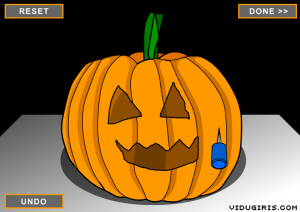 One of the most important technology skills for kindergarten students to master is using the trackpad to manipulate what is on the screen. The click and drag is especially challenging for them. So in my kindergarten classes this week I have been taking the students to a website where I have gathered together several sites for practicing the click and drag. A very cool one, especially for this month, is where they click and drag to carve a pumpkin. Check out the
  I know many of you have created classroom websites in iWeb this year, and that is fantastic! If you haven’t created one yet, or if you’d just like some inspiration, check out
  Fifth graders at Chamberlayne Elementary were rock stars today. They made rock podcasts with photos of the different types of rocks jammin’ out on electric guitars. They added their own voiceovers to describe the rocks and how they are formed, then they chose a musical soundtrack. They didn’t finish today, but you can see what they started on by clicking
 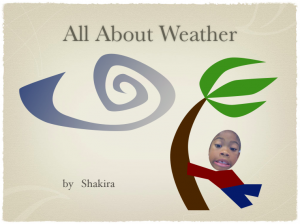 2nd Graders at Laburnum worked on different weather projects today. One class made Keynotes. I gave them a template and photos to use (which you can download
  Today was staff development day in Henrico County. My fellow ITRT, Jill Baedke and I presented a workshop on Technology Infusion. There are basically two definitions of infusion: (1) a drink prepared by soaking fruit or leaves in a liquid, and (2) slowly injecting medicine or fluids into a vein. So you can think of infusion as a slow process whereby something becomes one with something else. Anyway, the picture I drew was supposed to convey this in a grungy, graphic-design type of way, like the word “infusion” is becoming one with the person, but people have told me that it just looks like blood spurting out. Sorry about that, it was unintentional. Now getting back to main point of this whole thing, technology infusion would involve using technology throughout the learning process, not just as one distinct piece of the process (project-based learning vs a computer lesson). There are many examples and links on the website so check it out by clicking
 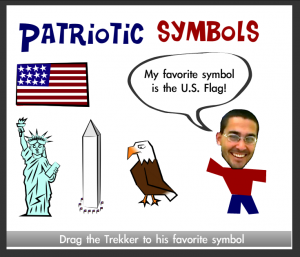 1st Graders at Trevvett are studying patriotic symbols in social studies (SOL 1.11) and graphing in math (SOL 1.18) so we decided to combine those into one integrated project using Pixie and Numbers. First the students found stickers of the symbols in Pixie and matched them with their names. Then they took their photo using the webcam tool and identified their favorite symbols by recording their voices. You can take a look at their projects
 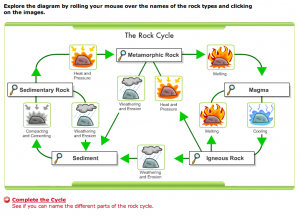 5th Graders at Chamberlayne worked on making Keynote slideshows for their Rocks unit this week. I gave them a template and a folder with pictures of the different types of rocks (metamorphic, igneous, and sedimentary). You can download the files by clicking
 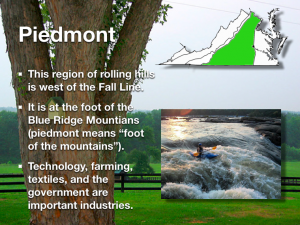 There are many projects your students could do for the Virginia regions unit. They could do a GarageBand podcast about each region, they could make travel brochures in Pages, or they could make animated movies with Pixie showing a virtual cartoon tour across the state. Let me know if you want to try one of those ideas or perhaps you have an idea of your own. Fourth graders at Chamberlayne are working on Virginia Regions Keynotes this week. You can see my sample by clicking
 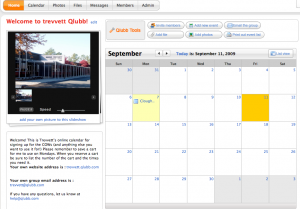 Each school has a different method for signing up to use the COWs (Computers on Wheels) or laptop carts. You may find a helpful solution in a website called