
5th Grade Rocks Keynote
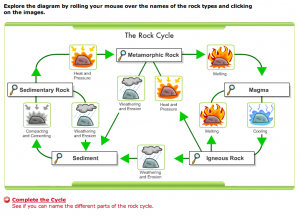 5th Graders at Chamberlayne worked on making Keynote slideshows for their Rocks unit this week. I gave them a template and a folder with pictures of the different types of rocks (metamorphic, igneous, and sedimentary). You can download the files by clicking here and you can view a sample slideshow I created by clicking here (you will need to let it load, then click to advance the slides). There are many great interactive websites about rocks and the rock cycle (SOL 5.7a) that you can find by clicking here. Come back next week to see how another 5th grade class made Rocks Podcasts using Garage Band!
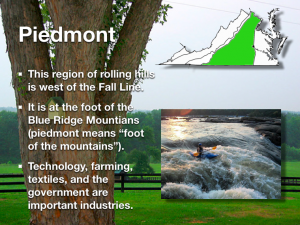 There are many projects your students could do for the Virginia regions unit. They could do a GarageBand podcast about each region, they could make travel brochures in Pages, or they could make animated movies with Pixie showing a virtual cartoon tour across the state. Let me know if you want to try one of those ideas or perhaps you have an idea of your own. Fourth graders at Chamberlayne are working on Virginia Regions Keynotes this week. You can see my sample by clicking
  In 3rd grade today we made “All About Me” Keynotes. We took our photo in Pixie and got pictures to represent our family, pets, and interests by using the stickers in Pixie. So this activity combines two programs. If you’d like to do this activity with your class you can download the folder by clicking
  Why not start the year off using technology? Your students could make a “Friend Interview” movie with Photo Booth (see sample