Category: Kindergarten

Kindergarten Gingerbread Men
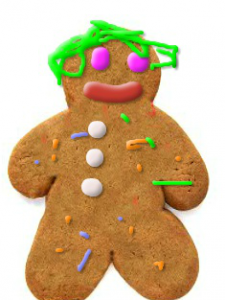
Kindergarten students in Ms. Sharpe’s class at Trevvett Elementary have been reading The Little Gingerbread Man and other gingerbread stories this week. Today I showed them how they can make their own gingerbread men using this website. Kindergarten students are used to using their fingers on the iPads, but in order to prepare them for using laptops, they need to practice clicking and dragging using the trackpad. So any website that reinforces those skills is worth incorporating into your lessons occasionally. Her students were also able to follow one and two step directions (K.3g) as I showed them how to choose from different colors of frosting and different sized nozzles to decorate their virtual cookies. When they were finished, we clicked the save button, and tried typing their names, but some of them just typed the first letter. Then we uploaded them to a Padlet that you can see here. Now it’s easy to refer back to these images for future oral language practice or even to review math concepts. Since their work is shared online, Ms. Sharpe can send the link home to parents, and they can view their child’s work, print it out, or email it to friends and relatives. The best part about decorating digital gingerbread cookies–there was no mess to clean up!
Kindergarten States of Matter

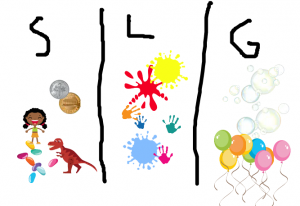
untitled_paintKindergarten students at Laburnum Elementary have been learning that water occurs in different phases (SOL K.5a): solid, liquid, and gas. Ms. Daniels has been teaching her class that other types of matter occur in different phases as well. So today her students practiced sorting matter into solids, liquids, and gases using ABCYa!Paint. This would be a great activity for Pixie, due to the abundance of stickers, however, as I mentioned before, we are having problems with Pixie showing up when kindergarten students log in with their generic login. ABCYa!Paint has enough stickers and stamps to provide a couple of examples for each phase of matter, so it worked fine for this activity. First the students drew two lines down the paper, making three groups and wrote an S, L, and G in each one for solid, liquid, and gas. Then they used stickers and stamps to put examples in each category. For gas we used the bubbles and balloons, for liquids we used the different paint splats, and most of the other images were solids. When they were finished, we saved their pictures and uploaded them to CoMemories so everyone could see them. You can see a few examples here.


Kindergarten Living & Nonliving Things

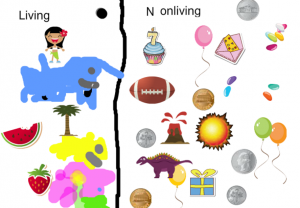
CaptureKindergarten students at Davis Elementary have been learning how to differentiate between living and nonliving things (SOLK.6). Today Ms. Dickey’s class sorted pictures of objects into two groups (SOLK.1d): living and nonliving. First we went to ABCYa!Paint and drew a straight line down the center. ABCYa! Paint has become a more reliable tool for painting in kindergarten since Pixie sometimes doesn’t show up with the kindergarten login. Next we used the text tool to type “Living” on one side of the line and “Nonliving” on the other. Then the students used the Stickers and the Stamp tool to add different images to the correct category. Some of them also painted pictures of objects they couldn’t find. We even had a good debate about whether dinosaurs should go in the living or the nonliving group. Once they were finished, we saved the image with the Save button and uploaded the pictures to CoMemories. CoMemories is a great, easy-to-use webtool for uploading pictures from a variety of computers and users. It’s as simple as dragging and dropping the picture onto the webpage. Even kindergarteners can do it! You can see all their pictures here.


Kindergarten Seasons Animations

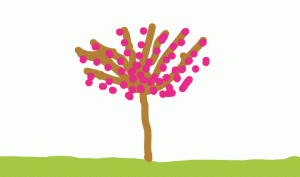
seasonsKindergarten students at Davis Elementary have been learning about Earth patterns, cycles, and seasons (SOL K.9 & K.10), so today Ms. Feldman’s class created animations to show how trees change through the seasons. We used ABCYa! Animate to create the animations. On the first frame, students painted a line across the bottom for the ground and filled it in with the paint bucket. Then we painted a tree with some bare branches. We copied our picture four times using the copy cat button. Then the students went back to each frame to add details for the specific seasons. For spring, we added blossoms to the tree; for winter, we changed the color of the ground to light grey and painted snowflakes; for summer, we painted green leaves on the tree; and for fall, we painted different colored leaves falling to the ground. Some students added additional creative details. We downloaded our finished animations as GIF files, then I took them to a page I created on Padlet so they could post their animations. They double clicked on the “bulletin board,” typed their name in the title, and uploaded their animation. A cool feature of Padlet is that animated gifs stay animated on the board, so you can see all the changing trees here.


Kindergarten Shadows Animations

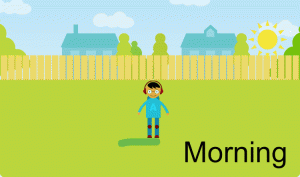
shadowsKindergarten students at Davis Elementary have been learning about shadows (SOLK.8) so today Ms. Dunkum’s class created shadows animations using ABCYa!Animate. Kindergarten students have a generic login, so instead of sharing the link with them, we had to type it in manually for each one. While we were doing that we discussed shadows: what causes them, which direction they point, and whether they are long or short. Once we were all on the animation page, I showed them how to pick a background. We made sure we picked a background where the sun would be visible (no night or underwater scenes). Next the students picked an image of a person they liked and an image of the sun. Since the sun image was orange, we clicked it, and then clicked the yellow color to change it. I instructed them to put the rising sun in the east (right side of the picture). Then we used the paint brush tool to paint a long shadow under the person, opposite the direction of the sun. Finally, we used the text tool to type “Morning,” and our first picture was done. We copied it with the copy cat button, moved the sun to the top center of the page, repainted a short shadow directly under the person, and typed the word, “Noon.” For the last frame, we used the copy cat button, moved the setting sun to the west (left side of the page), painted a long shadow under the person pointing away from the sun, and typed “Afternoon.” When we pressed the play button, the animation looked like the sun was moving across the sky and the shadows were moving along with it. Unfortunately, we didn’t have a way for the students to save their animations since kindergarten students don’t log in, but you can see a sample animation here.


Kindergarten Measurement

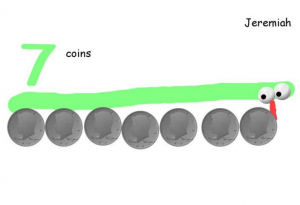
CaptureKindergarten students at Holladay Elementary have been learning about measurement with nonstandard units (SOLK.10) and they’ve been studying money (SOLK.7). Today students in Ms. Silber’s class used coins to measure a snake they drew. This was their first lesson with Pixie, and since many kindergarten students have a hard time using the computer track pad, we decided that a snake would be the easiest thing for them to paint. First they opened Pixie, and I showed them how to add a text box and type their name. Next, they used the paint brush tool, selected a color, and painted a (kind of) straight line for their snake. We used the 3D brush to make two googly eyes. Then I showed the students how to use the coin stamp tool, and they chose a coin they wanted to use for their nonstandard unit of measurement. We discussed the importance of placing the coins right next to each other. After the students stamped out how many coins long their snake was, they used the paint brush and painted the number. We exported the finished paintings as JPEG files and posted them to CoMemories. You can see them all here.


Tags:


Kindergarten Rhyming Words

CaptureKindergarten students at Davis Elementary have been learning about rhyming words (K.4b) so today in Ms. Dunkum’s class we created pictures of rhyming words using Pixie. This was their first lesson with the computers, so we logged in using a generic kindergarten login. I showed the students how to open Pixie by clicking the Start button and typing PIX. First we reviewed several rhyming words so the students weren’t all using the same ones. You could use a site like Frog’s Rhyming Machine or Freeze Dance Rhyming to review. Then we created a text box and typed a rhyming word. We didn’t change the font or size since this was their first lesson. After we typed a second rhyming word, I showed them how to click and drag to paint a picture of each word. Clicking and dragging is a difficult skill for kindergarteners, but they caught on quickly. When they finished, the teacher wanted a way to save their work and maybe print them later. The only problem with logging in the generic way instead of with the student’s username and password is that it’s difficult to save their work. So we got creative and saved their finished pictures to CoMemories. You can see their rhyming word pictures here.


Kindergarten Spring Math Pictures

Screen Shot 2015-08-11 at 3.42.11 PMNow that winter is finally over, Kindergarteners at Holladay have been learning about the plants and animals of spring (SOLK.9). They’ve also been learning how to find one more or one less in math (SOLK.4b). So today students in Ms. Green’s class created spring math pictures using ABCYa!Paint. First we helped them log into Google classroom where I had posted the link to the website. Once there, I showed them how to add spring stickers or paint spring pictures like flowers or rainbows. They were instructed to only paint a small number of things. Next they saved their pictures and uploaded them to Google classroom. They also typed “one more” or “one less” with their post for their classmates to solve. Finally the students looked at each others’ pictures, counted the number of spring things, figured out one more or one less, and typed their answers in the comments. You can see their pictures and some of the comments here. UPDATE: I taught a similar lesson with Ms. Feldman’s kindergarten class at Davis. This time they used ArtPad and painted spring addition pictures. You can see those here.


Kindergarten Counting Coins

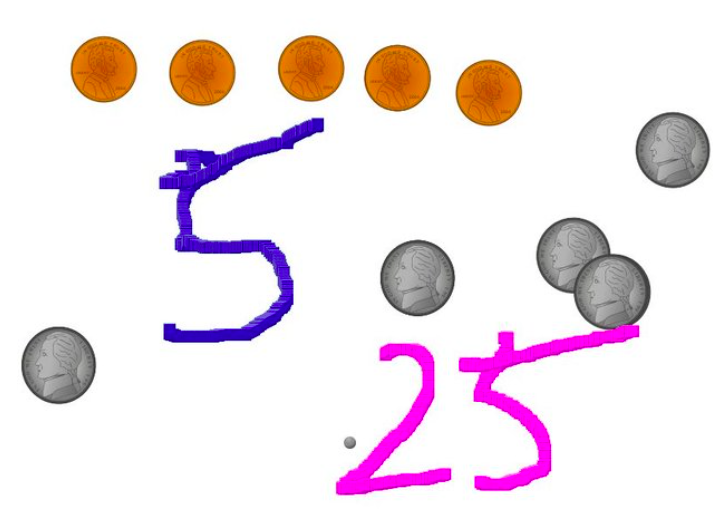
silberKindergarteners at Holladay Elementary have been learning how to count coins (K.7) and how to count by fives and tens (K.4c), so today students in Ms. Silber’s class practiced both those skills using Pixie. First we opened up Pixie, and I showed them how to use the stamp tool to stamp out different coins. I told them to use pennies, nickels, and dimes, and to only stamp out as many coins as they were willing to count. Next they counted the pennies, and I showed them how to use the paint tool to write the number. Then we chose a different color for the nickels, counted by fives, and wrote that number. Finally we picked a new color for the dimes, counted by tens, and wrote that number. We exported the finished drawings as JPG files and I helped the students upload them to a Comemories page so they could see each others’ pictures. You can take a look at it here. I did a similar lesson in Ms. Carlo’s class, but this time we were focused on just identifying the value of each coin. You can check out some of their drawings here.


Tags:


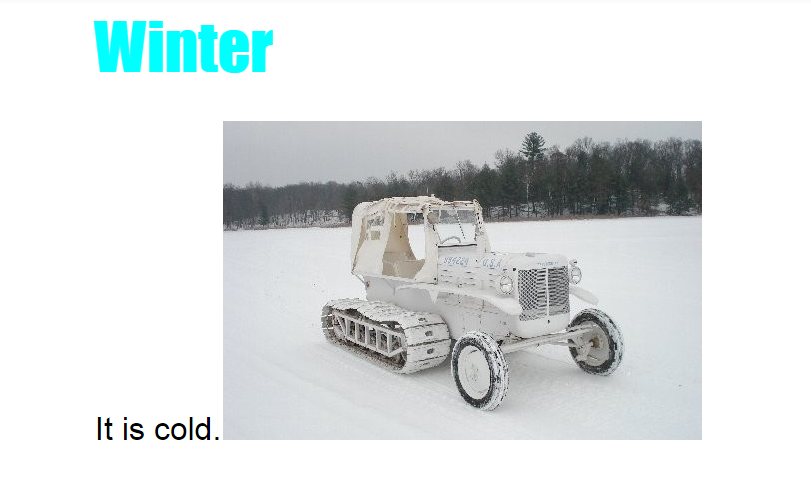
Kindergarteners Can Google!

AlanThis year, with the transition to Dell and the focus on using Google apps, it’s been a challenge for the very young students to just log into their Google accounts. But today, kindergarteners in Ms. Brown’s class at Holladay Elementary showed that they were ready to create on the computers! We helped them log into their Google accounts and got them set up with Google classroom. I gave them an assignment to write about winter using Google Docs. They opened the blank template, and I showed them how to change the font, size, and color of the title. Next we practiced writing one complete sentence with a capital (using Shift) and a period. Finally I showed them how to do a Google image search for a winter picture. We posted their documents on Google classroom so they could read each others’ stories. I was impressed with how well they did! Take a look at their writing here.