Category: 5th Grade

5th Grade Number Patterns
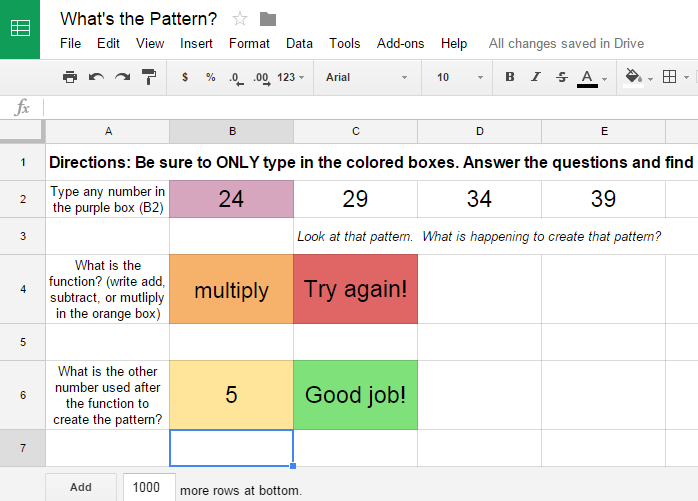
PatternFifth graders at Davis Elementary are reviewing addition, subtraction, multiplication, and division (SOL5.4) as well as studying number patterns (SOL5.17). So today students in Mr. Cangelosi’s class created number patterns for their classmates to solve using Google spreadsheets. First I gave them a template to use and shared it using Google classroom. Feel free to make a copy of the template for yourself. There’s a sheet on the template with an example for your reference. We discussed how spreadsheets work and how each cell has a name (like C5). Then we looked at the first formula to see how it was written to create a pattern. The students changed the formula to create their own pattern. Then they dragged the blue square from the cell that had the formula across the other cells in the row to continue the pattern. Next they changed the answer responses in the other formulas to reflect the correct answers and wrote their own feedback words (like, “Way to go!” or “Did you spell it correctly?”). Finally they posted their spreadsheets to Google classroom so their classmates could try to figure out their patterns. You can try to solve some here.

2nd & 5th Grade Superheroes

superhero1Many schools have a superhero theme this year, and there are lots of cool websites for turning yourself into a superhero. Some of my favorites are: Hero Machine, Marvel Commics, and Heroized. Today 2nd graders in Ms. Becker’s class and 5th graders in Mr. Cangelosi’s class at Davis Elementary turned themselves into superheroes using Pixie and Google slides. First we opened up Pixie and painted a superhero body. Then we used the webcam tool to add our photo to the body. We exported the pictures as PNG images with transparent backgrounds. Next we opened up a Google slides template that I shared on Google classroom. Each student was assigned a slide, and they added a background image. Then they uploaded their superhero picture to their slide. Finally they wrote a sentence or two about their superpower and maybe their weakness (that was optional). Take a look at the Davis superheroes here: Becker and Cangelosi.


5th Grade Science Video Storyboards

Screen Shot 2015-08-13 at 12.06.40 AMMs. Elsea at Davis Elementary told me about a great project her class was doing here at the end of the year. They were making a student-created science show where they taught a different topic for each episode. She was wondering if I knew of an online tool to help them plan out their videos. I suggested StoryboardThat, and today I went to her class to show them how to use it. First they logged in using their Google accounts and clicked “Create a Storyboard.” They set up a 3×2 panel using the “Add Cells” button at the bottom of the editor. Then they used the “Scenes” tab at the top to add backgrounds, or settings, to each panel. Next they added characters and props using the top toolbar or the search feature. I showed them how to customize the colors, poses, and facial expressions of the characters. Finally they added text bubbles, or “textables,” and typed what each character would say. Now that they had their scripts and scenes planned out, they were ready to record their videos! You can take a look at their storyboards here.


5th Grade Sound Movie

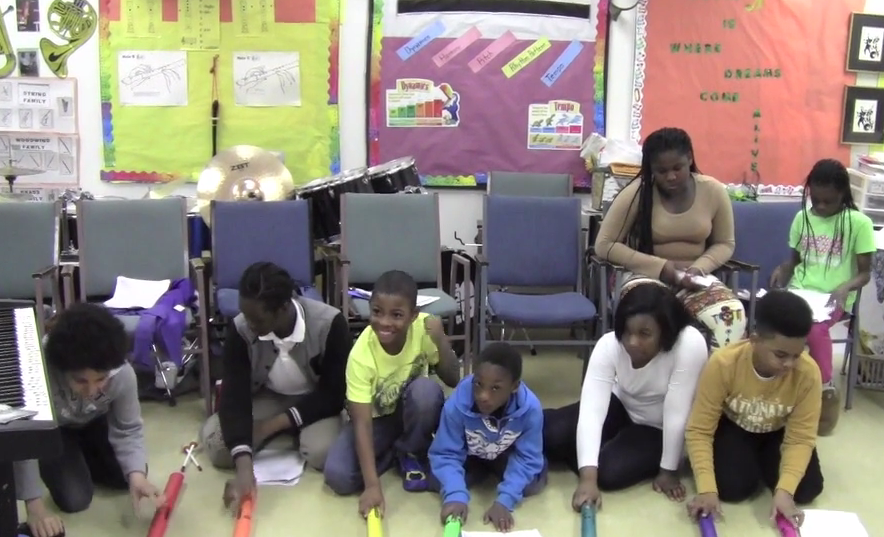
videoMs. Allison, the music teacher at Laburnum Elementary, wanted to make an educational music video with her fifth grade students. She knew they were studying sound (SOL5.2) in science, and she also knew that singing is an excellent way to improve learning and recall information (see also this article). So she wrote a song with lyrics that reviewed the various sound concepts such as wavelength, frequency, and amplitude. Then over a period of several weekly classes, the fifth grade students rehearsed the song, memorized their lines, and practiced playing different instruments. Today I filmed their performance, and they did a great job! You can see their final video here. The students enjoy seeing themselves on film and will watch the video repeatedly, which is a great way to review! If you’d like me to help with a video project in your class just let me know.


Tags:


4th Grade Battlefield Fractions

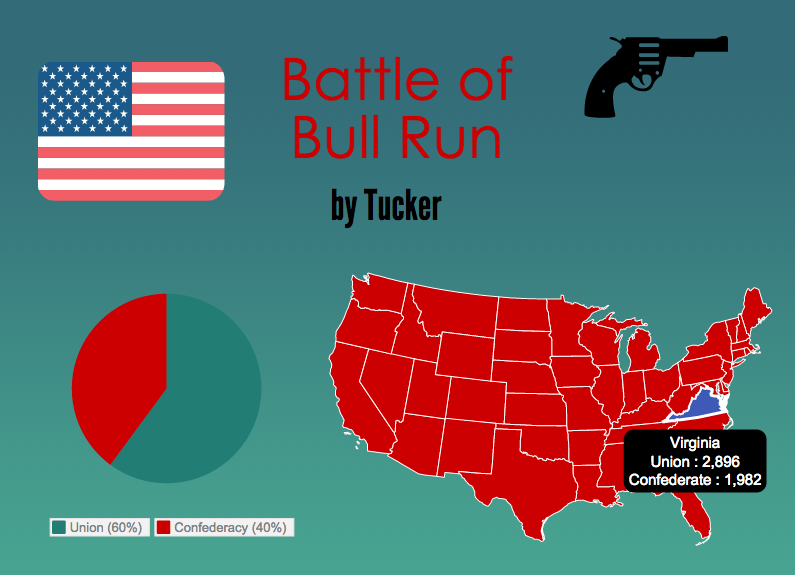
Screen Shot 2015-08-06 at 4.04.19 PMFourth graders at Davis Elementary have been learning about the Revolutionary War and Civil War battles fought in Virginia (VS.5c & VS.7b). They have also been learning how to compare fractions (Math SOL4.2a). So today students in Ms. White’s class compared the fractions of casualties in each battle to determine which battle was Virginia’s greatest victory. First students chose a battle they wanted to research. We used Wikipedia to quickly find the number of casualties on both sides. Next we went to Piktochart to create an infographic to display our findings. I showed them how to choose a template, add a title, and change the font, size, and color. Next we added a map of the United States (under Tools). They had to erase the data that was already in the map and replace it with the battle casualties data. Then they changed the colors for Virginia and the rest of the map. After that we added a pie chart showing the casualties (students had to type the data again and change the colors). I pointed out that they should try to limit the colors in their infographics to three or four colors. Last, they added some icons (under Graphics) to decorate their infographics. Finally we posted our infographics to our Google classroom page, and our classmates estimated and compared the fractions shown in the pie charts using the comments section under each infographic. After analyzing the fractions, we determined Virginia’s greatest victory. Which battle do you think it was? Take a look at some samples here. If you would like additional information about this lesson, including the lesson plan, you can find it on our county’s Henrico21 website. UPDATE: I taught a similar lesson in Ms. Burcham’s class at Varina, and you can see their infographics here.


5th Grade Decibel Day

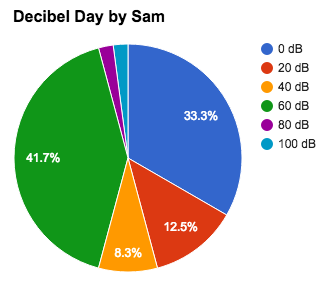
Screen Shot 2015-08-06 at 1.34.33 PMFifth graders at Holladay Elementary have been learning about sound in science (SOL5.2) and fractions in math (SOL5.2), so today students in Ms. DiMatteo’s class figured out the fractions of their day spent at different decibel levels. First we discussed what decibels measure (they are a way to measure the loudness or amplitude of the sound waves). Next we researched decibels using a variety of websites: Bouncy Balls, Dangerous Decibels, and the Interactive Sound Ruler. That last website has a valuable scale giving examples of sounds at different decibel levels. We used it to calculate the percentage of our day we spend at each level. I posted a Google spreadsheet template on Google classroom for the students to use. I made some changes to the template after teaching this lesson to simplify things. You can make a copy of the template here. It has some samples for you to look at in the tabs (sheets) at the bottom. Once we figured out how many hours we spend at each decibel level, we wrote a formula to convert it into a percentage. This is where we used fractions because the formula was a fraction with a variable in the numerator (# of hours)/24 hours. Next we highlighted all the percentages and created a pie chart. When the students posted their spreadsheets to Google classroom they estimated the fraction of their day spent at a certain level. You can take a look at some examples here.


5th Grade POV Word Problems

Screen Shot 2015-08-03 at 3.05.34 PMFifth graders at Varina Elementary have been learning about solving multistep word problems (SOL5.4) and identifying the point of view of an author (SOL5.5f). Since those were two areas of need identified on the recent benchmark tests, I wanted to focus on those skills as well as teach the students how to create Google slideshows. So today in Ms. Parker’s class we created word problems that involved identifying the point of view. First we reviewed point of view. I provided a few examples of situations where the author is feeling strong positive or negative emotions, and we discussed the clues. Then I instructed the students to think of a multistep word problem involving an emotional situation. I gave them a blank Google slideshow template in Google classroom and taught them how to choose a theme, add text, change the font, size, and color, and add a picture. We wrote a multistep word problem for our classmates to solve on one slide, then we added another slide for them to identify our point of view. The last step was to add transitions between the slides. Finally we published our slideshows and copied the links to Google classroom so we could solve each others’ problems. You can take a look at their slideshows here. I taught the same lesson with a couple of classes at Holladay the next day, and you can see those here.


5th Grade Northeast Region Thinglinks

Screen Shot 2015-08-03 at 11.16.05 AMFifth graders at Davis Elementary have been learning about the northeast region of the United States (NE1.2, NE2.2), and they have been learning how to write to inform (SOL5.7). So today, students in Ms. Bailey’s class created interactive Thinglink maps highlighting some of the interesting places in each state. First we needed to get a map of the northeast region. I gave them a link to Google maps and showed them how to choose either the standard view or a satellite image (click the box in the bottom left corner). Once they had the map centered on the northeast region, I showed them how to take a screenshot using the Snipping Tool. Then we went to Thinglink and logged in with our Google accounts. The students uploaded their map and added hotspots to different cities in the northeast region that they had been researching. For each hotspot, I taught them how to customize the icon, upload an image, and write an informative paragraph about the place of interest. We only had time to do one or two places, but Ms. Bailey continued the project with her class, and they were able to add several more on their own. You can see their final projects here.


5th Graders Rapping for Good Grades

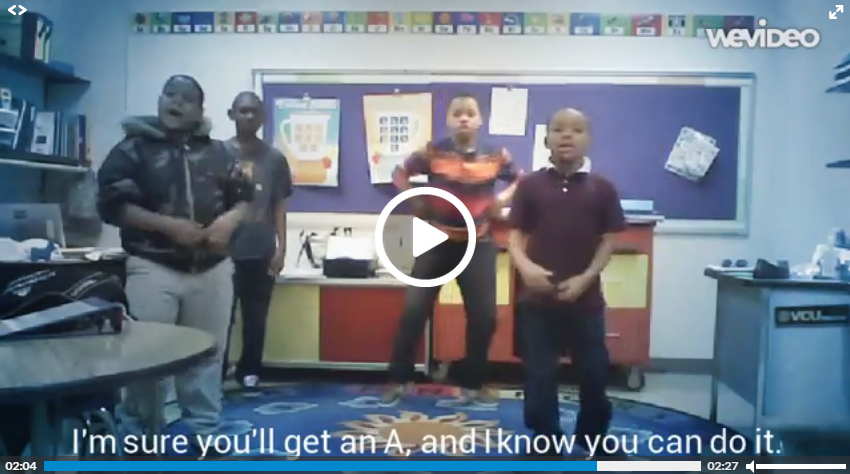
rapA group of talented 5th graders in Ms. Satterfield’s class at Laburnum Elementary have been writing their own rap songs to encourage students to make good grades and try hard in school. Using popular tunes like “No Flex Zone” and “Drop that Nae Nae,” they have rewritten the lyrics to promote a positive message. They have also choreographed dance moves to go along with each song. When they performed live for the entire school a couple of months ago, everyone loved it! I wanted them to be able to record a music video so we could keep showing their raps to the students even after they went on to middle school next year. So we used WeVideo to record and edit their videos. If you are missing the old Mac iMovie, you should try WeVideo. You can upload or record videos right in the app. Then you can add music, titles, and special effects. What sets it apart from iMovie is that you can collaborate with others on your projects since its online. Check out a couple of their songs here, and share them with your class!


Tags:


5th Grade Elements Websites

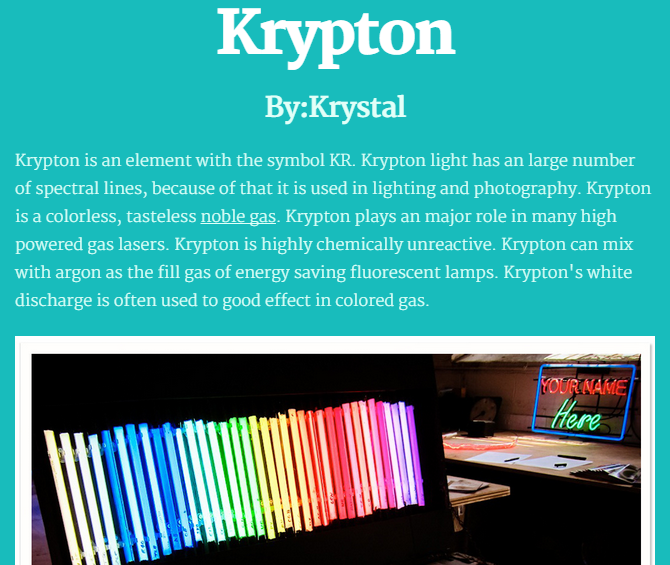
KrystalFifth graders at Varina Elementary have been learning about the elements in science (SOL5.4c) and cause-effect relationships in reading (SOL5.5j), so today we created cause-effect elements websites in Ms. Long’s class. First the students chose an element that they were interested in learning more about using the Interactive Table of Elements (other good resources are The Picture Periodic Table and the Simplified Periodic Table). I gave them some time to research their element and take a few notes. We reviewed plagiarism and copyright and discussed the importance of putting the knowledge they gained in their own words. Next we went to CheckThis, and I taught them how to use that tool to create their own website about the element. The students could change the fonts and colors and add pictures. They also needed to add an interactive poll question about a cause-effect relationship involving their element. We discussed cause-effect words they could use like “why” and “because” and “what would happen if…?” For example, we discovered that my sample element, aluminum, is used to build space ships, and we we asked ourselves why? We discovered that the cause was the lightness of aluminum. The students did a great job on their elements websites. If you’d like to see their sites and answer their cause-effect questions, click here.