
1st Grade Diversity Comics
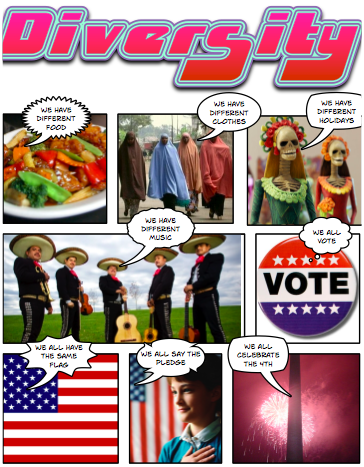 First graders at Trevvett have been learning about unity, diversity, and contributions of different cultural groups in the United States (SOL 1.12) They wanted to create comic strips about this topic, so I provided them with a folder of pictures to use in their project. To show diversity I included pictures of different foods, music, clothing, maps, and holidays from Somalia, China, Mexico, Vietnam, and India. To show unity I included pictures of the fourth of July, voting, the pledge, and the flag. To see all the pictures in the folder click here. Next, the students created a comic in ComicLife using the pictures. They added their own captions and speech bubbles to explain. You can see a finished example by clicking here and you can download the folder of pictures with a ComicLife template to get you started by clicking here.
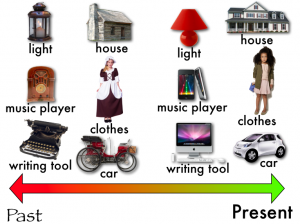 Today first graders at Trevvett worked on Keynotes about the Past and Present (SOL 1.1). I supplied them with a template to use including pictures of houses, clothing, lights, music players, cars, and writing tools from the past and the present. The students arranged them on the timeline in order, added special effects of their choice to each one, then recorded a voiceover for their final presentation. You can see a student sample by clicking
  Last week I mentioned doing Push & Pull Pixies with first graders in
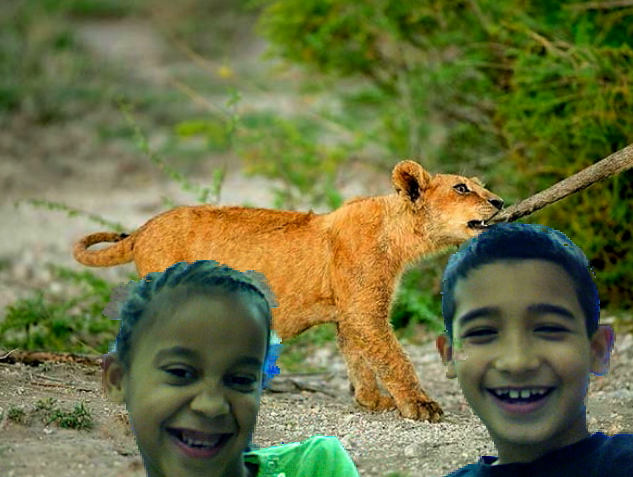
  First graders are currently studying force and motion, especially pushing and pulling (SOL1.2c). So one class made Pixie animations. You may not know this hidden trick of Pixie’s, but if you copy and paste the same picture to multiple Pixie pages, move the picture a little bit in each document, and then Share it as a QuickTime movie, you can make some pretty cool animations. I gave the class a Pixie template with a hill on it to help them get started. They had to decide whether they wanted to push or pull an object up the hill and they wrote that word in the sentence. Then they went to Stickers and chose one to be the object. Next the took a picture of their face using the built-in webcam and painted their body using the Paintbrush tool. I did the final conversions for them and added the music. Take a look at their push and pull animation by clicking
 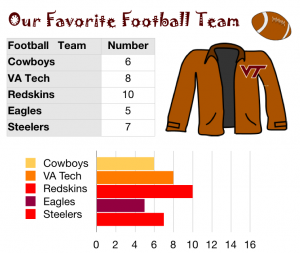 In first grade at Holladay today we made graphs of our favorite things using Numbers. I gave the students a template to get them started. You can take a look at what the template looks like by clicking
 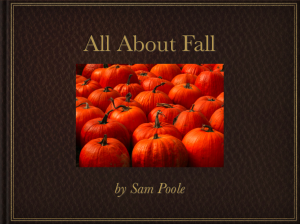 Last week I shared how first graders were working on Fall Pixies. This week, first graders at Trevvett wanted to try something different. So we made Fall Keynotes. Using SOL 1.7 as a guide, I gathered a folder of 75 fall pictures (acorns, leaves, pumpkins, frost, clothing, squirrels, ants, frogs, bees, and butterflies). Then I gave the students a Keynote template to get them started. It has a page for Weather, Plants, Animals, and People. Students had to write complete sentences on each slide and add a picture of their choice from the folder of pictures. Then I showed them how to add transitions. That’s one thing that makes Keynote special and different from Pixie, the animation element. The students love it! Take a look at a sample by clicking
 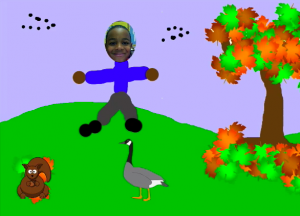 In first grade at Chamberlayne we made Fall Pixie movies today (SOL 1.7). The students designed a Fall landscape using the spray tool to spray on colorful leaves. Then they took their pictures and painted themselves wearing fall clothes. Finally they recorded their voices telling all about the fall… the weather, what animals do, what happens to plants, and how people dress. You can take a look at some sample student movies by clicking
 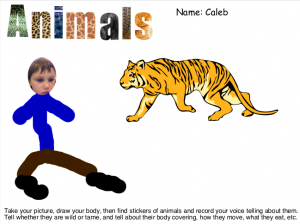 First grade students at Laburnum and Trevvett have been working on Animal Pixies. I gave them a template which you can download
 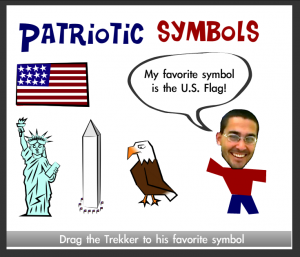 1st Graders at Trevvett are studying patriotic symbols in social studies (SOL 1.11) and graphing in math (SOL 1.18) so we decided to combine those into one integrated project using Pixie and Numbers. First the students found stickers of the symbols in Pixie and matched them with their names. Then they took their photo using the webcam tool and identified their favorite symbols by recording their voices. You can take a look at their projects


