Category: Science

4th Grade Planet Comparisons
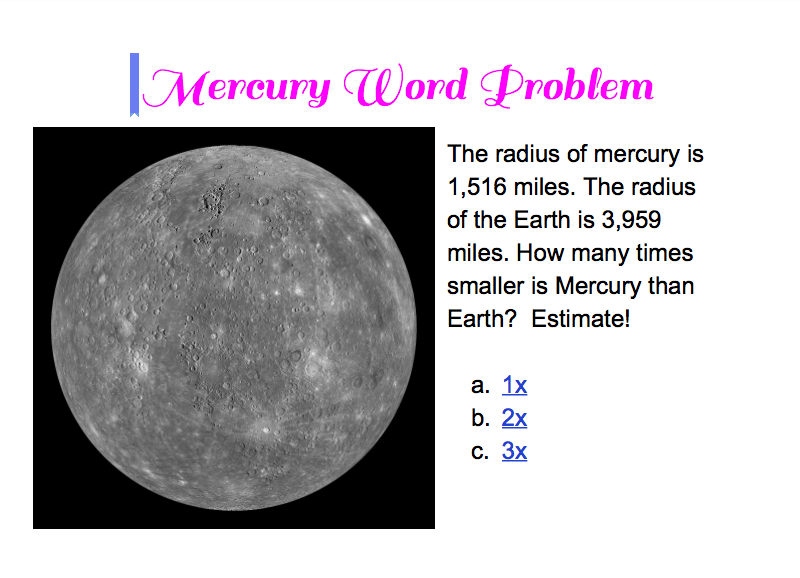
Screen Shot 2015-05-18 at 12.41.27 PMFourth graders at Laburnum have been studying the planets in science (SOL4.7) and they’ve been learning how to estimate and solve multiplication and division problems in math (SOL4.4). So today students in Ms. Butler’s class created their first Google docs comparing the sizes of the planets. First we logged into Google classroom, and I posted an assignment with a blank Google doc. I explained that we would be comparing the radius of Earth with the radius of another planet. The students chose the planet they wanted to compare, and I taught them how to do a quick Google search for “(name of planet) radius” to find out the length of the radius. We left that information open in a tab for our reference and went back to our Google doc to add the title. I demonstrated how to change the font, size, and color of the title text. Then we added a photo of the planet, and I encouraged them to try to match the color of their title with the color of the planet. I also explained that it would be great if they could find a photo of their planet and the Earth. Next they wrote a word problem for their classmates to solve. The general format would be to give the radius of the Earth and the radius of their planet and ask about how many times bigger or smaller the planet was in comparison with Earth. The students would have to round the numbers and divide in order to figure it out. I showed them how to share their documents on the Google classroom page, and they tried to solve each others’ problems, writing the answers in the comments section. I wanted you to be able to see them as well, so I added an interactive part to each one (we didn’t have time to do that in class), and posted them here. UPDATE 1/8/2015: I taught a similar lesson in Ms. White’s class at Davis, but we made websites instead of Google Docs.


4th Grade Planet Elapsed Time

Screen Shot 2015-05-13 at 11.25.38 AMFourth graders at Varina Elementary have been studying the planets in science (SOL4.7) and in math, elapsed time was a topic they need to review based on their benchmark scores (SOL4.9), so today students in Ms.Burcham’s and Ms.Dixon’s classes created planet elapsed time story problems. I presented them with a situation: “You are an astronaut. You have been given the incredible opportunity to explore a planet of your choice. But you only have enough oxygen to last one complete day on the planet. How will you calculate what time you must leave the planet?” The first step was to select a planet. We used an animated 3-D view of the solar system to help us make our decision. Once we selected our planet, we discussed what factors determine the length of a day, and we conducted research to find out long a day actually lasts on our planet. We discovered that if you type “length of day on (planet)” into Google, you will get the answer quickly. Next we created word problems using Google slides and images. This was their first time making Google slideshows so I posted the assignment into Google classroom with a blank template for each student. I showed them how to add slides, text, images, and transitions. For their story problem, the students provided the length of day and the time they arrived, and their classmates had to figure out what time they must leave the planet. We posted our slideshows to Google classroom for everyone to view, and the students posted their answers in the comments section. Can you save the astronauts? Try some here. This lesson was submitted to our county’s Henrico 21 website, so if you’d like to see the complete lesson plan, click here.


4th Grade Earth Motion Animations

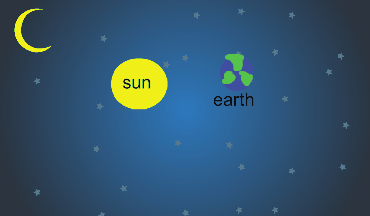
Screen Shot 2015-05-08 at 10.11.53 AMFourth graders at Davis Elementary have been learning about the motions of the Earth in science (SOL4.8) so today students in Ms. Bennett’s class created animations showing how the Earth revolves around the sun. I posted a link to ABCYa! Animate on their Google classroom page and showed them how to draw the first image using a space background and two circle shapes for the sun and Earth. We discussed the relative size of the circles (SOL4.8d) and which direction the Earth moves around the Sun–it’s counterclockwise (SOL4.8a). Then I showed them how to label the objects with text boxes and group them so they move together. Next we used the copy cat button to make a copy of our image, and we moved the Earth a little bit. We continued making copies and moving the Earth gradually until we had one revolution. We set the animation to loop and then published it as a .gif file. The students posted their finished animations to the classroom page and I gathered them together here. You can also see examples from Ms. Lara’s class at Holladay Elementary here.


5th Grade Nonfiction Text Elements

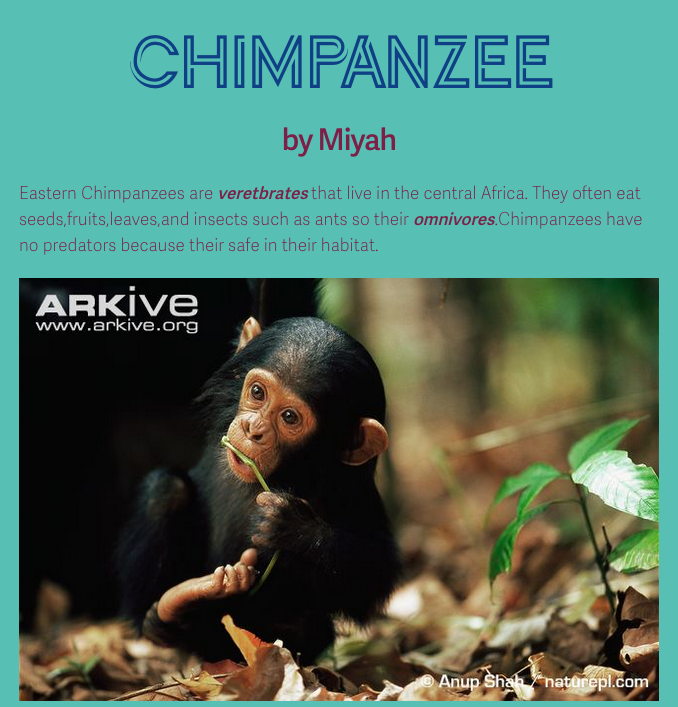
Screen Shot 2015-05-01 at 12.38.10 PMFifth graders at Holladay Elementary have been learning about elements of nonfiction text like captions, headings, bold print, graphics, etc (SOL5.6) so today students in Ms. Sharpe’s class practiced including these elements in their own nonfiction text. First we researched an invertebrate or vertebrate of their choice, since they are learning how to classify animals in science (SOL5.5). After finding a few facts about their animals online, I showed them how to create a simple webpage using CheckThis. They typed the information in their own words and chose important vocabulary terms to make bold. They also added a photo and a map of their animal’s range and put captions under each image. Finally they published their websites and posted the links to the Google classroom page so they could read each others’ nonfiction texts. You can see some of their websites by clicking here.


3rd Grade Descriptive Habitat Maps

Screen Shot 2015-04-29 at 2.55.26 PMThird graders at Varina Elementary have been learning about habitats and ecosystems in science (SOL3.6) and writing good descriptive details in Language Arts (SOL3.9), so today we created descriptive habitat maps in Ms. Wells’ and Ms. Leo’s classes. First we practiced writing descriptive sentences about our weekend, posting our ideas to the Google classroom page. Then I posted a link to My Google Maps and the students clicked the “Create a New Map” button (they were already logged into their Google accounts). We switched the Base Map to Satellite view so we could see the landscape. We discussed how the different colors on the map indicated the habitat–brown for deserts, green for forests, blue for water, and white for ice and snow. Next I showed them how to create markers for the different habitats and instructed them to write a good descriptive sentence about each habitat on the marker. I also showed them how to add a photo by clicking the camera icon. We tried to find pictures with animals that lived in the ecosystems. Finally I taught them how to change the look of their markers to reflect the habitat, like using a sun icon for the desert and a tree icon for the forest. We posted our maps to Google classroom, and I collected both classes’ maps together for you to view here.


3rd Grade Food Chains

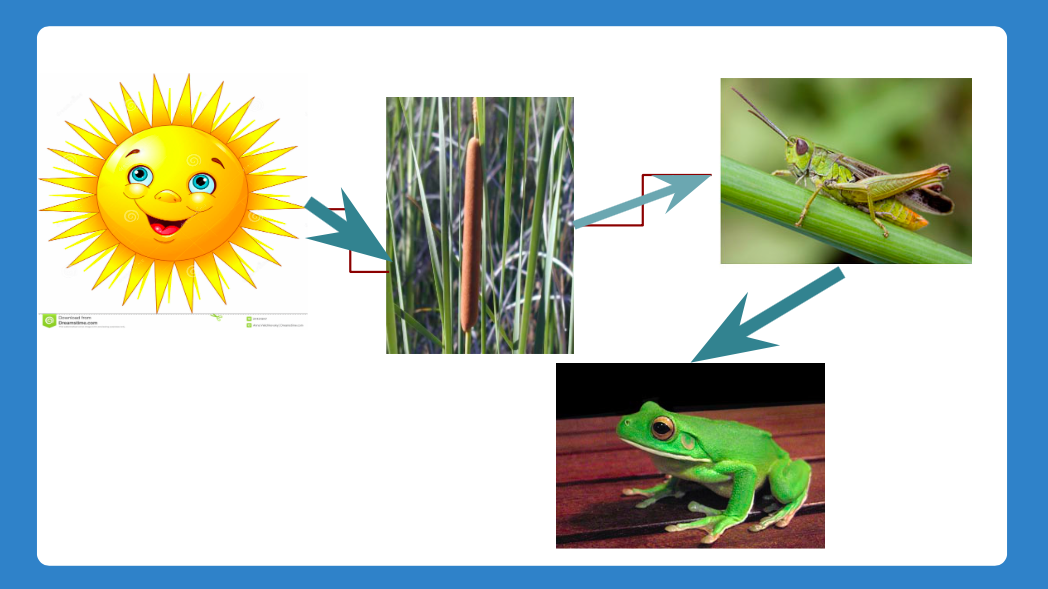
Screen Shot 2015-04-15 at 12.32.41 PMThird graders at Davis Elementary are learning about food chains (SOL3.5) and ecosystems (SOL3.6) so today students in Ms. Eller’s class created animated aquatic and terrestrial food chains using Google slides. First we discussed food chains and how they were the same and different in various ecosystems. All of them start with the sun which gives energy to plants. The plants are different, as well as the animals that eat the plants and each other. The students chose an ecosystem they wanted to research and present. I created an assignment in Google classroom with a blank Google slideshow template. They wrote the type of food chain for the title and their name for the subtitle. I showed them how to create a new slide and use the research tool to find a picture of the sun. Next we found a picture of a plant that lives in the ecosystem (pond, ocean, desert, etc). I taught them how to add an arrow showing the flow of energy from the sun to the plant. We discussed where the next arrow would point (to an animal that eats the plant). The students added additional animal photos and arrows to connect them into a food chain. Finally I showed them how to add animations to make the food chain grow in sequence. We posted the finished slideshows to the classroom page. You can see them all here.


2nd Grade Rock Observations

Yashesh rockSecond graders in Ms. Jefferson’s class at Davis Elementary have been making scientific observations about rocks (SOL2.1k) including their texture, color, and weight. Each student picked a rock, wrote down their observations about it, and today we turned their descriptive words into word clouds. I posted the link to Tagxedo on Google classroom so they could find it easily if they wanted to make another word cloud in the future. With Tagxedo you can pick a shape for your word cloud, so I instructed them to choose a shape that looked like their rock. Then they typed their words into the box and selected a color theme and font (some of them even selected colors that were similar to their rock). We downloaded our finished word clouds, and I taught them how to post their pictures to Google classroom. Since readers of my blog can’t access the classroom pages, I’ve also posted them to a Google doc so you can see them.


5th Grade Ocean Floor Diagram

KasmiraFifth graders at Holladay Elementary have been studying the ocean (SOL5.6) in science, and they have been learning about line graphs in math (SOL5.15). So today Ms. Haislip’s students made line graphs of the Ocean Floor. First we had to collect our data. I showed them how they could use Google Earth to find the ocean depth at various spots. The goal was to take measurements at different places (the continental shelf, the continental slope, the continental rise, the abyssal plain, a sea mount, and a trench), and then enter that data into our spreadsheet. To save time, different groups of students could find a specific feature and share that measurement with the class. Next we opened a Google spreadsheet and wrote down the different features in the first column. We entered the depths in the second column. I explained that they would need to duplicate some of the measurements so that we would have a couple of points to plot (for example, the abyssal plain would need at least 2 equal points in order to make a straight line). Then I showed them how to make a line graph out of the data (it was actually an area graph so that it could be filled in with a color). I let them figure out how to adjust the data so that the resulting graph looked like the ocean floor. They learned the difference between negative and positive numbers very quickly! The final step was to customize the color and size and publish their graphs. I took screenshots using the snipping tool and posted them to CoMemories (which is a quick and easy way to share pictures). You can see their graphs here.


5th Grade Rocks Slideshow

5thRocksFifth graders at Davis Elementary are currently studying rocks and the rock cycle in science (SOL5.7a,b). Today Ms. Elsea’s students created Google slideshows with animations to share what they have learned. First they logged into their Google accounts and created a Google slideshow document. I showed them how to customize their slides in a variety of ways: they could change the template or background color, change the font, size, and color, or even use a photo as the background image (some students really liked that). Next they created several slides showing the different types of rocks (igneous, metamorphic, sedimentary), examples of each, and a diagram of the rock cycle. They added photos using Insert > Image > Search. Some students also created their own rock cycle diagram using shapes like Breana. The last step was to add transitions and animations to the slides. I pointed out that those special effects add a unique feature that regular documents don’t have, which is the ability to engage their viewers. For example, a picture of the rock can appear first, and the viewer can guess what type of rock it is before the answer appears. Or the viewer can try to guess the next step in the rock cycle before it appears. You can take a look at all their slideshows here (and here are some from a similar lesson I taught at Holladay).


1st Grade Motion Animations

motionFirst graders in Ms. Gerrard’s class at Davis Elementary have been studying different types of motion: straight, circular, pushing, pulling, vibrating, and back and forth motions. Animations are a great way to show motion! Today we used ABCYa! Animate to illustrate different motions. I instructed the students to pick a motion and to try to make it unique, something the other students in the class wouldn’t think of doing. Then they started drawing the first scene. I showed them how to duplicate it several times with the Copy Cat button to slow down the animation. Then they changed the image slightly to show the type of motion they were trying to display and duplicated that several times as well. Since it’s a loop, the motion just continues through the two different images and it looks like constant motion. They saved it as a GIF file, and I published them all to a Google Doc that you can see here. As you can see, Ms. Gerrard’s first graders did a great job being creative and sharing unique types of motion!