Tag: websites

2nd Grade Matter Database
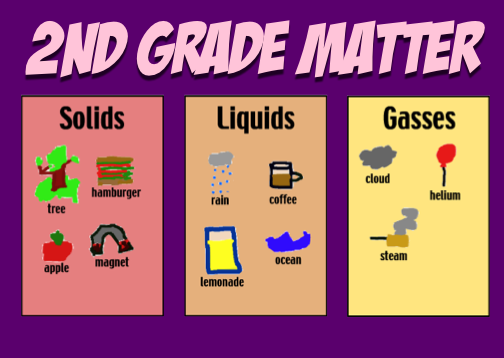
Second graders have been learning about the different states of matter (SOL 2.3) so we created a matter database. First I divided the students up into 3 groups (so not everyone would pick the same type of matter). We had the solids group, the liquids group, and the gases group. Next they drew a picture of their type of matter using Pixie and exported it as a JPG so we could upload it to the database. Then we entered our data into the online form. After everyone finished we took a look at the completed database. I showed the students how to sort the data by different categories. You can sort it by type of matter, teacher name, student name, date, etc. You can also search a database for a specific name or type of matter. We have over 50 records so far… go ahead and add your own to it! Another cool thing you could have your students do is go to this website and sort student-drawn pictures into solids, liquids, and gasses. The pictures were drawn by 2nd grade students in Ms. Roeder’s class. If you’d like to download the folder with all the links click here. And if you’re wondering why we even do databases in elementary school, take a look at this brief (3-minute) video I made explaining the purpose of databases and how to use them in your classroom.

2nd Grade Famous Americans Database

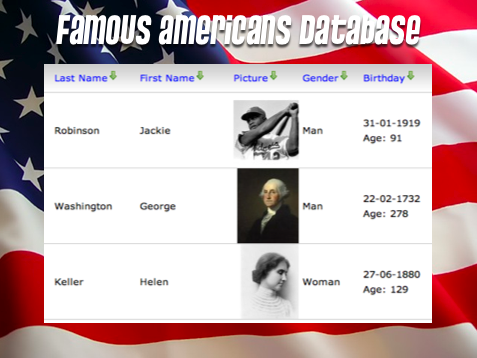
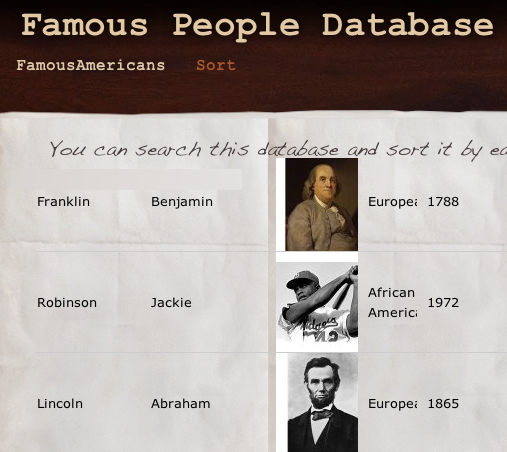
Second graders have been learning about famous Americans (SOL 2.11) so I created a database for them, just like I’ve been doing for the other grades. It’s really simple to create a database on mytaskhelper. Each student chose a famous American (Helen Keller, Jackie Robinson, George Washington, Susan B. Anthony, Abraham Lincoln, or Martin Luther King, Jr.) then they did some online research. I sent them to Wikipedia and to a website I created about all the famous Americans. Once they gathered their information and found a picture, they entered their data into an online form. After everyone was finished we visited the online database to take a look at all the records. I showed them how they could sort the data different ways (one of the important features of a database). We tried sorting them by last name, first name, gender, ethnic group, teacher’s name, and birthday. One cool thing about this database is that it automatically calculates how old the famous person would be if they were still alive today. The students enjoyed finding out that Washington would be 278 and Helen Keller would be 129! It gave them a new perspective about how long ago these people lived. If you’d like to download the folder of links to try this project with your class click here.


4th Grade Moon Phases

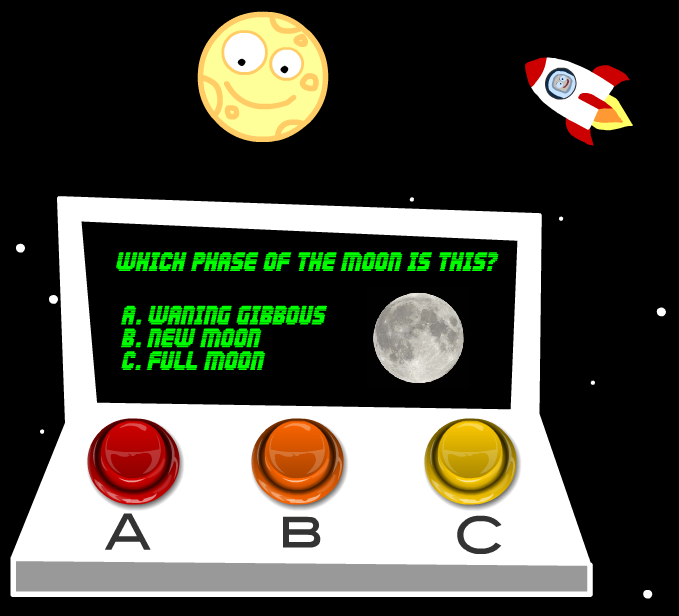
More snow this week! We were off Monday, Wednesday, and had a 2 hour delay today! So I missed teaching this lesson, but I figured I would post it anyway since some of you might like to try it. I was supposed to teach a fourth grade class about the phases of the moon. I created a website with animations and games that you can check out by clicking here. The site also shows the current phase of the moon and includes links to other fun websites. After reviewing the phases with the websites, the students were going to complete a Keynote about the phases of the moon. You can take a look at a sample here and download the template by clicking here. If you’ve had enough of Keynotes, I also have a Kidspiration activity that you can download by clicking here (take a look at it here). Finally if your students need a quick review of SOL 4.7 (earth, sun, moon, astronomers) they can watch this movie I put together in iMovie… maybe they will be inspired to make their own!


Kindergarten Sink & Float

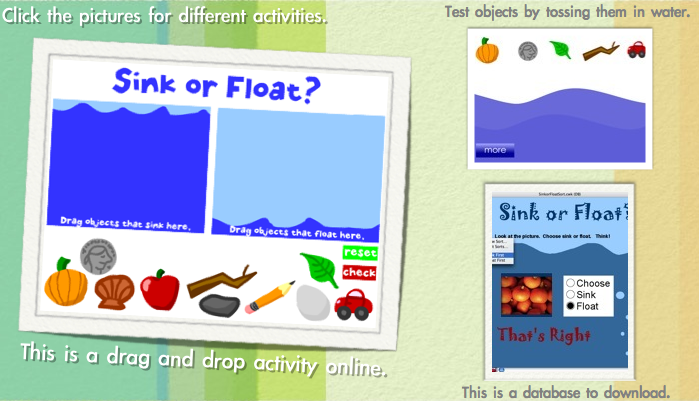
Today at Holladay Elementary, kindergarten students reviewed sinking and floating (SOL K.5c). I created a website where they can test different objects by tossing them in the water. Then they practice sorting the objects into Sink & Float Groups. These activities were followed by completing an AppleWorks database which is self-correcting. AppleWorks is an old program however, and sometimes causes problems. That’s why we’ve switched to online databases, until a new program comes out. You can download the database and do the activities with your students by clicking this link.


Martin Luther King, Jr. Day

Martin Luther King, Jr. Day is coming up this Monday (1/18) and schools will be closed. You may want to use this opportunity to teach your students about Martin Luther King, Jr. (SOL K.1b, 2.11, 3.11b). To help you with this, I have created a website with lots of information and pictures about Martin Luther King, Jr. and links to more activities. Your students could use the pictures and facts to create a slideshow in Keynote or they could use Pixie to draw their own pictures and record their voices. Remember there are also many videos about Martin Luther King, Jr. on DiscoveryEducation. Let me know how I can help!


4th Grade Famous People Database

One of the technology requirements for Henrico County is to provide students with exposure to databases. To help meet this goal I’ve been searching for various free online databases and I finally found a great one called MyTaskHelper. It was the only free site I found where you could create your own forms for data entry, upload pictures, and then view all the records, including pictures, for searching and sorting. You can also embed the forms and the entire database into a website! So I created a form for 4th grade students to enter data about famous Americans. You can view the embedded form here. The form gives students experience with entering text, using drop down menus and radio buttons, and uploading pictures. After they complete the form and submit it they can click the “Sort” link at the top of the webpage to view all the records. You can take a look at this view by clicking here. In this view students can sort the data by clicking the column headings. They can also enter a search term to narrow the results (by teacher’s name, for example, since I did this in several classes). I’d be happy to set up a database for you or I can show you how to set up your own database using MyTaskHelper.


4th Grade Jamestown Comics

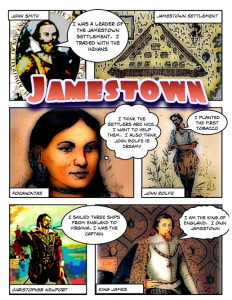
JamestownComicFourth graders at Laburnum have been creating their very own comic books about Jamestown using Comic Life. It’s a cool way to make a fun study guide. I gave them a template and a folder of pictures to use which you can download by clicking here. The students dragged the pictures they wanted from the folder into the Comic Life document. I showed them how to use the Styles button to change the look of the text and pictures. Finally they used the speech bubbles to tell important facts about each person or event. The comics look fantastic, and it’s a study guide they will definitely want to look at over and over again. You can see a finished one by clicking here. If you’re studying Jamestown, be sure to check out the Virginia Trekkers trip to Jamestown. We have a video, Flash activities, and lots of links to other interactive websites. Check out the podcast by clicking here.


2nd Grade Weathering Podcast

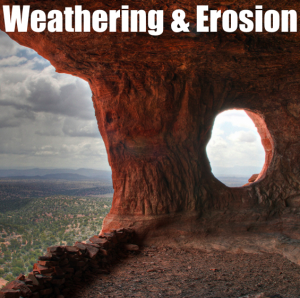
Weathering&ErosionSecond graders at Trevvett are learning about weathering and erosion (SOL2.7) and today we made podcasts about it using GarageBand. I gave them a folder of 25 pictures showing all types of weathering and erosion. I also gave them a GarageBand template to get them started. They dragged the pictures they wanted into the artwork track, recorded their voices on the vocals track, and added sound effects of water and wind in the jingles track. They are still working on them, but you can see a student sample by clicking here. You can download all the files including the template, the sample, and the photos by clicking here. Also be sure to checkout our Virginia Trekkers podcast on weathering and erosion. We went to St. Mary’s Falls in the Blue Ridge Mountains and showed several of examples of weathering. There’s a video, map activity, and lots of links to other cool weathering resources like BrainPop. Watch the podcast by clicking here.


Kindergarten Community Helpers

communityhelpersToday in Kindergarten at Holladay we made Keynotes about the Community Helpers. If you click here you can download the file which includes many pictures of each occupation listed in SOL K.6 (teacher, builder, doctor, fireman, farmer, and cook). The Keynote includes sound files for students who cannot read the words, and the task involves deleting the words and pictures that do not belong with each occupation. At the end of the activity the students get a talking review of the community helpers which you can see by clicking here. While I was preparing for this lesson I realized there really aren’t many resources out there for community helpers so I created an interactive website where students can listen to animated Lego workers (made in Blabberize), color pictures of each, and even dress up like a community helper! Check it out by clicking here.


Garage Band Qlubb

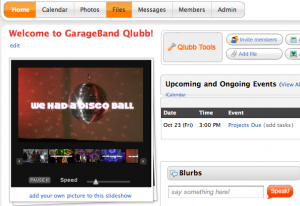
QlubbI’ve mentioned Qlubb before in this blog as a great way to organize a group online. I recently created a Qlubb for a Garage Band class that I taught, and all the teachers uploaded their projects to it. You are welcome to download any of their projects that you want. Many of them are ready to be used in the classroom or they might give you ideas for Garage Band projects you can do with your own class. Some examples you’ll find on there are an Oceans Rap, a Continents Rap, a “Goodnight Moon” Rap, a song about Metamorphic Rocks, a song about Shapes, and lots more! To login to the Qlubb just click here and the password is gb. Be sure to checkout the cool pictures and video from our class too… there are shadow dancers and a disco ball!