Kindergarten Maps & GoogleEarth
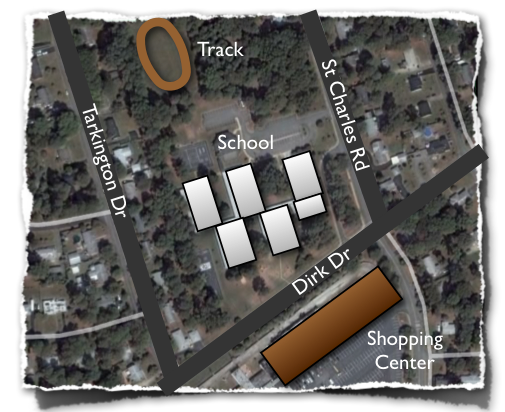 Today in kindergarten at Chamberlayne Elementary, students worked on creating Keynote slideshows about maps (K.4, K.5). First I showed them Google Earth so they could get an idea of how maps are made. We zoomed down and found their school. This is a fantastic tool to use with all grade levels but especially with lower grades because they can actually see familiar buildings and roads from above. I used screenshots from Google Earth to make the Keynote template which the students opened next. You can download it by clicking here. The template already has directions and some built-in animations, so students just need to follow the directions on each slide and press play. You can see a sample by clicking here. If you have time, a good idea would be for the students to use the audio record feature of Keynote to record themselves explaining each slide.