Tag: webtools

1st Grade Services with -ing words
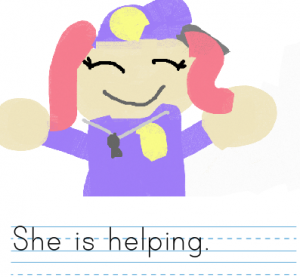
First graders at Holladay Elementary have been learning about goods and services (SOL1.7) and -ing words (SOL1.6e). So today students in Ms. Wimmer’s class wrote sentences about people who provide services, and we used -ing words to describe their work. First we reviewed some of the services they’ve been learning about: firefighters, policemen, barbers, teachers, doctors, etc. Then we talked about action words that end with -ing to describe what these community helpers do: helping, teaching, cutting, etc. (A great site to review services is Scholastic’s Listen & Read. It has several short articles about various services which can be read aloud). Next we used ABCYa! Storymaker to write and illustrate our sentences. The students used the paint tools to draw a picture of the service, then they wrote a complete sentence starting with “He/She is” and ending with an “-ing” word describing what they do. We took a screenshot of each student’s work (using the Snipping Tool) and uploaded them to CoMemories. You can see them all here.
5th Grade Cereal Box Book Report Videos

Fifth graders in Ms. Catlett’s class at Trevvett Elementary have been working on cereal box book reports (SOL5.2 & 5.3). If you want to learn more about the project and the rubric used to evaluate it click here. My job was to show them how to create a video for their project. We used WeVideo, and signed in with their Google accounts. The students clicked “Create a new video,” and we switched to Storyboard Mode (click the three lines in the top left corner). Then we clicked the “Title” slide in the bottom and edited it by clicking the pencil icon. I showed them how to do a Google image search for their book cover. We downloaded it from the Internet (right click on the image and click “Save image as…”), then we uploaded it to WeVideo (click the green cloud icon). Next the students clicked the red record button, installed the WeVideo extension, and recorded themselves describing their book and their cereal box. When they were finished, they added a text slide with “The End.” Finally, we clicked the Themes button and changed the theme of the movie. Each theme has its own accompanying music, so we had to turn that down using the volume slider in Timeline Mode (click the three lines in the top left corner again). To publish the videos, we clicked “Finish” and copied the link into Google classroom. You can see them all here.


Kindergarten Measuring with Nonstandard Units

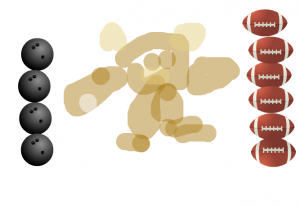
Kindergarten students at Trevvett Elementary have been learning about bears and hibernation in science (SOLK.6,K.7) and about measurement in math (SOLK.10). Today students in Ms. Sharpe’s class used ABCYa!Paint to draw a bear and measure it with nonstandard units. First we reviewed how to click and drag to paint, then the students clicked the paintbrush, chose a color, and drew a big bear. As they drew their bears, we discussed the special features bears have (ears, tail, claws, teeth, fur, etc.), and I displayed some photos of real bears for their reference. Next I showed them how to use the stickers to find a nonstandard unit of measurement. They had to click the “Categories” button to choose a type of sticker, like “Sports,” “Birthday,” or “Yum.” We reviewed how they had to use the same sticker for their measurements, and they had to stack them one on top of the other to be accurate. Some students were able to make two measurements with different units and compare them (like the image on this blog post). We didn’t put the answers on the pictures because we wanted Ms. Sharpe to use them as a review. So I exported their drawings and uploaded them to CoMemories (a great site for easily sharing photos). Now Ms. Sharpe, or even parents, can go to that site and look through the images to review measurement and/or bear facts. You can see them all here.


5th Grade Figurative Language Animations

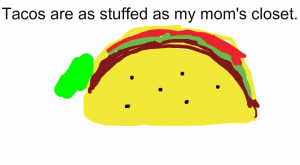
Fifth graders at Trevvett Elementary have been learning about different types of figurative language such as simile, metaphor, hyperbole, and personification (SOL5.4d). Today students in Ms. Capano’s class created animations to make figurative language sentences come to life! First we shared examples of figurative language that they had heard before. We brainstormed different ways you could illustrate the literal meaning of well-known phrases, like “faster than a speeding bullet” or “slow as a turtle.” I explained that today they needed to create their own sentence with figurative language. Then we would make an animated GIF that flashed back and forth between the literal and figurative meaning of their sentence. We went to ABCYa! Animate to create the animation. We used the text tool to type our sentence, and I showed them how to use the drawing tools to illustrate it. Next we clicked the copy cat button and changed the picture to show the literal meaning. When we were finished, we saved our animations using the export button and uploaded them to a Media Album in Schoology. You can take a look at their finished animations here.


5th Grade Animal Habitat Comics

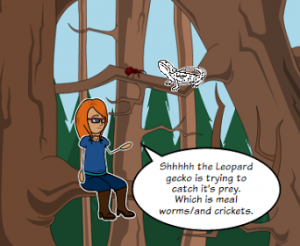
Fifth graders at Varina Elementary have been reviewing animal habitats and ecosystems (SOL4.5), so today students in Ms. Rumans’ class created animal habitat comics. We used StoryboardThat to create the comics. First students selected a wild animal of their choice. I told them to pick an animal they were interested in and curious about. To broaden their horizons a bit, we discussed a variety of wild animals so they all didn’t pick cheetahs (which are insanely popular with elementary students for some reason). Once they picked their animals, they had to research their animals’ habitats and food webs. I showed them some quick guidelines for getting the information they needed by typing “name of animal” + “habitat” or “predators” or “prey” into a Google search. We used the basic layout on StoryboardThat with three panels, and each panel had to explain one of these facts. First we used the Scenes tab to get images of the animals’ habitats. Most of the habitats are included in the clip art. However, when it came to adding the animals, the clip art is somewhat limited. So students had to be creative and use animals that looked similar. I think the best example of creative problem-solving was using the hedgehog image for a beaver! I also showed them how to use the search box to look for additional items they needed, like nuts for a squirrel. They quickly found the blood splatter clip art which truly enhanced their predator/prey images. Finally we added the speech bubbles, and students wrote their facts in complete sentences. Some of them got creative with that too, writing it like it was a television documentary. I think you’ll enjoy looking at their final projects here.


1st Grade Equality Animations

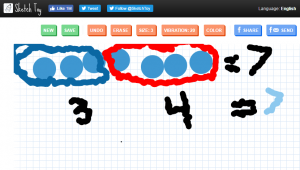
First graders at Trevvett have been learning about equality (SOL1.18), so today students in Ms. Lang’s class created equality animations using Sketchtoy. Sketchtoy is a cool web tool that replays whatever you draw, letting you watch the whole process in fast speed. It’s great for showing the steps in solving a problem or illustrating a scientific cycle (like the water cycle or a life cycle). First I showed them how to select a large size pen and a color of their choice. They drew a row of dots, making as many as they wanted, as long as the total number of dots was under 18. Next we selected a smaller pen size and and wrote “=” and the total number of dots. Then the students chose a new color and circled a portion of the dots, writing the number of dots they circled underneath. Finally, they chose one more color, circled the remaining dots, and wrote that number beneath. They also wrote “=” and the total of the two groups. They added some animation (probably their favorite part), and we saved it by clicking the save button. When you save in Sketchtoy, it gives you a link to share. We copied the students’ links and pasted them into a Padlet so they could watch each others’ animations. You can see them all here.


1st Grade Winter Changes

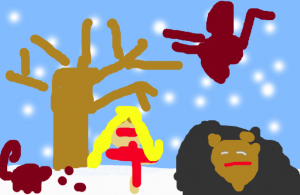
First graders at Holladay Elementary have been learning about changes in the weather during winter, and the effect those changes have on animals, plants, and humans (SOL1.7). They have also been learning how to write complete sentences (SOL1.13). Today students in Ms. Sokolowski’s class and Ms. Harris’s class practiced writing sentences about winter to accompnay digital drawings they created with ABCYa! Storymaker. First we drew our winter pictures. We used the paint bucket to make the sky blue, then we used the big roller brush to paint the ground white with snow. The spray can tool was perfect for drawing snowflakes in the sky. The students added people, animals, and plants, showing how they are affected by the winter (for example, they drew people wearing coats, trees without leaves, and animals hibernating or migrating). Next we clicked the yellow button on the side to type a complete sentence beginning with “In winter….” Finally we clicked the green button to print our assignments and saved them as PDF files. We shared them on a Padlet that you can see here: Ms. Sokolowski and Ms. Harris.


1st Grade Past, Present, & Future Comics

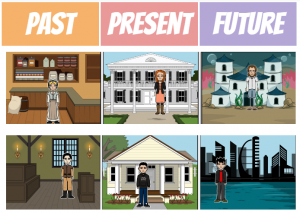
First graders at Holladay Elementary have been learning to distinguish among past, present, and future (SOL1.1). Today students in Ms. Valvoda’s class used StoryboardThat to create imaginary scenes from the past, present, and future. We started with the present, since that is the time we are most familiar with. I showed them how to find modern backgrounds using the Scenes tab. Next we clicked on the Characters tab and chose a person that was dressed in clothes from the present. I demonstrated how to change the color of the person’s hair, skin, and eyes using the pop-up menu items. Then we went to the U.S. History Scenes tab at the top and chose a background to represent the past. We discussed ways that the past scenes were different from today (they used fire for lighting and cooking, buildings were made of wood and stone, animals were used for transportation and work). For our Characters, we clicked on the 1600s-1800s tab and chose a person from the past. We noticed that the fashion styles for men and women were very different. Finally, the students had to be creative to think what life might be like in the future. They could pick any background scene and any character they wanted, as long as they could explain how it showed the future. Some of their visions of the future were very interesting–from military dystopias to underwater cities! You can see them all here.


Kindergarten Gingerbread Men

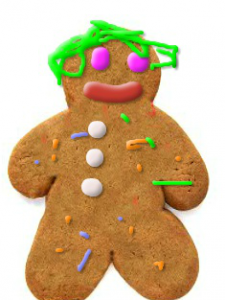
Kindergarten students in Ms. Sharpe’s class at Trevvett Elementary have been reading The Little Gingerbread Man and other gingerbread stories this week. Today I showed them how they can make their own gingerbread men using this website. Kindergarten students are used to using their fingers on the iPads, but in order to prepare them for using laptops, they need to practice clicking and dragging using the trackpad. So any website that reinforces those skills is worth incorporating into your lessons occasionally. Her students were also able to follow one and two step directions (K.3g) as I showed them how to choose from different colors of frosting and different sized nozzles to decorate their virtual cookies. When they were finished, we clicked the save button, and tried typing their names, but some of them just typed the first letter. Then we uploaded them to a Padlet that you can see here. Now it’s easy to refer back to these images for future oral language practice or even to review math concepts. Since their work is shared online, Ms. Sharpe can send the link home to parents, and they can view their child’s work, print it out, or email it to friends and relatives. The best part about decorating digital gingerbread cookies–there was no mess to clean up!


2nd Grade Lakota Indians

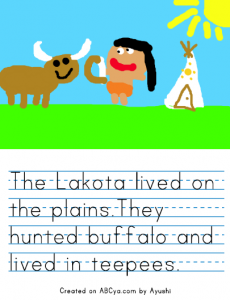
Second graders at Trevvett Elementary have been learning about three different Indian groups: the Powhatan, Lakota, and Pueublo (SOL2.2). Today students in Mr. Weldon’s class used ABCYa! StoryMaker to draw and write about the Lakota Indians (the tribe they are currently studying). As we were navigating to the website, we discussed their background knowledge of the Lakota–where they lived, what they hunted, their transportation and occupations, as well as how they dressed and built their houses. With StoryMaker, there is a drawing part (blue button) and a writing part (yellow button). First we painted a picture of the Lakota Indians, including their environment, homes, and animals. Next we typed complete sentences (SOL2.13a) about the Indians, using the vocabulary words we have learned. When we were finished, we clicked the Print button and saved it as a PDF. Then we uploaded it to a Padlet that you can see here. Sharing the students’ written work online via Padlet (or any other webtool) is one of the advantages digital assignments have over traditional written assignments. Students and parents have access to their work from anywhere, and they can review it anytime they want. Plus, students are getting valuable practice with word processing and other computer skills.