
1st Grade Push & Pull Podcasts
 Last week I mentioned doing Push & Pull Pixies with first graders in this post, but some first grade teachers wanted to try something different, so we made Push & Pull podcasts using GarageBand. See? Even first graders can make podcasts! I gave them a template to help them get started along with a folder of pictures to use. You can download those files by clicking here. The pictures show people and animals pushing and pulling on objects. I went ahead and added pictures to the artwork track for them, but they could delete the ones they didn’t want and move them around. Then they recorded their voices identifying the push or pull in the vocals track. Finally they added some music in the jingles track. The final projects turned out great! Click here to see a student sample with special vocal effects, and click here to see how some students really get carried away by the music!
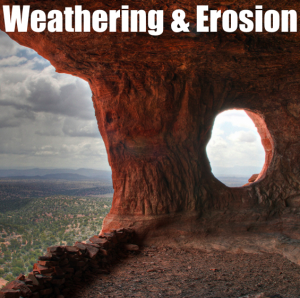 Second graders at Trevvett are learning about weathering and erosion (SOL2.7) and today we made podcasts about it using GarageBand. I gave them a folder of 25 pictures showing all types of weathering and erosion. I also gave them a GarageBand template to get them started. They dragged the pictures they wanted into the artwork track, recorded their voices on the vocals track, and added sound effects of water and wind in the jingles track. They are still working on them, but you can see a student sample by clicking
 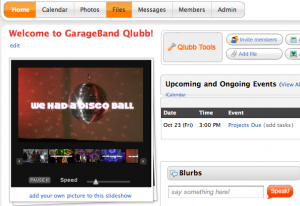 I’ve mentioned Qlubb before in
  Fourth grade students at Trevvett Elementary worked on Weather podcasts today. I gave them a GarageBand Template and a folder of pictures to use which you can download
  Fifth graders at Chamberlayne Elementary were rock stars today. They made rock podcasts with photos of the different types of rocks jammin’ out on electric guitars. They added their own voiceovers to describe the rocks and how they are formed, then they chose a musical soundtrack. They didn’t finish today, but you can see what they started on by clicking
  Ms. Stewart, 3rd Grade teacher at Holladay, found a creative way to share a fund raising project with the staff at her school – she created a podcast in GarageBand. In the video she uses photos, voiceovers, and animal sound effects to show teachers how to collect money for Maymont’s Animal Appreciation Program. You can see how much more effective this is than simply sending an email or making an announcement. Emily, thanks for going above and beyond the call of duty for the sake of Maymont’s animals! You can take a look at her podcast by clicking
  In third grade today at Holladay Elementary we made “Amazing Animals” podcasts (SOL 3.4). I gave them a folder of pictures to use to show hibernation, migration, camouflage, and mimicry. Then I showed them how to add the photos to the podcast track, record their voices on the vocals track, and find a song for the jingles track. We only had time to do the first topic, hibernation, but they will continue the project on their own and at a later date I will post some of the finished podcasts. You can see my sample
  Are you ready to get your phunk on? ARE YOU READY??!!! Here’s the place to leave your comments and questions about our GarageBand class. Let us know how we can help you, or share your project ideas with your classmates. Remember, the reflection date is October 12th at Greenwood Elementary. Please bring your completed projects with you so we can burn them on a CD for everyone. We’re looking forward to learning some funky fresh moves from each other. Links to online tutorials and handouts are