
Kindergarten Coins Pixie
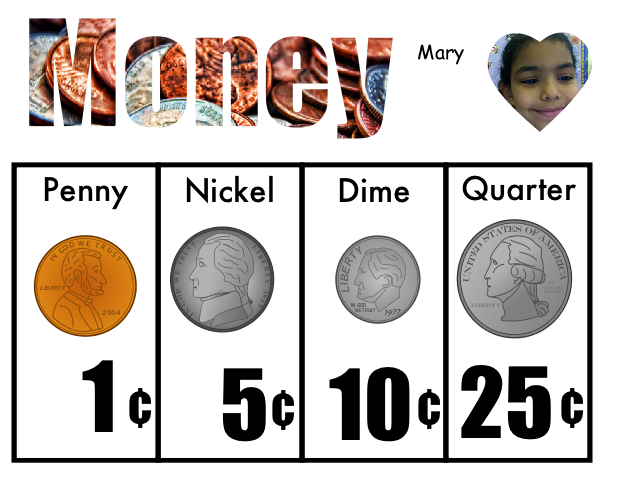 Today kindergarten students reviewed their coins using Pixie. You can download the template by clicking here. First students had to drag the coins to the correct column to identify them. Next they typed the value in the text boxes. Finally they took their photo and recorded themselves naming each coin telling its value. You can look at a sample here. Making audio recordings in Pixie to go along with a project is a great way to have your students clarify their understanding as well as practice oral language skills. If you notice, the template has a picture of coins inside the word “Money.” This is called Word Art, and it’s easy to do in Pixie. You drag a picture to your document, paste it down with the glue tool, then add a text box on top of the picture and type your words. Finally, click the word and click the “Word Art” button over the color selection box.