Category: Staff Development

Elementary Technology Conference
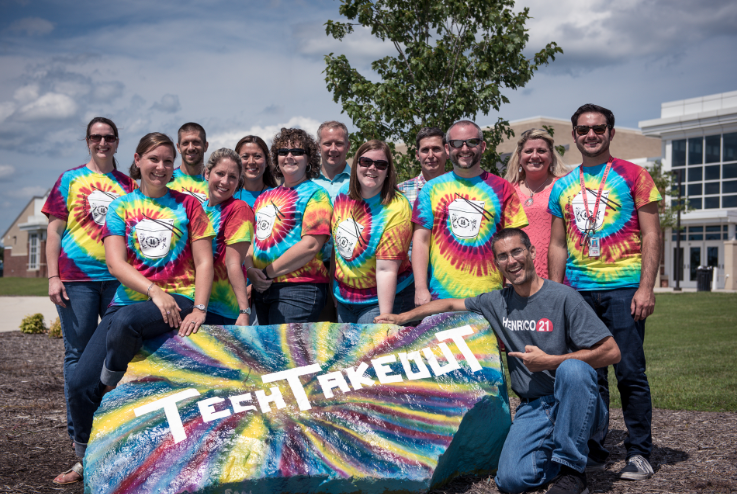
CaptureToday we had our annual Elementary Technology Conference at Glen Allen High School. Our theme was “Dining in with Tech Takeout.” We had over 25 sessions, free Krispy Kreme donuts and coffee for breakfast, four delicious food trucks for lunch, and amazing door prizes (like gift cards and an iPad). You can learn more about it on our blog. My friend Alfonso and I gave a presentation on using webtools to create and edit videos called “Wonton Web Video.” We showed them WeVideo, PowToon, StoryboardThat, and Screencastify. You can see the website with our training materials here. We also gave a presentation on Google Classroom called “Moo Goo Gai Google Classroom”. If you haven’t tried it yet, you may want to take a look at it for the upcoming school year. They’ve made lots of improvements like being able to reply to comments, adding more than one teacher to a class, and grading assignments right within Google classroom. It’s quick to set up for both you and your students. I’m happy to help! We offer this technology conference every summer, so be sure to attend next summer if you missed this one. You can check out our commercials here, here, and here.


End the Mapathy at EdTech 2015

Screen Shot 2015-08-06 at 10.31.01 AMToday I presented at the EdTech 2015 conference at Virginia Commonwealth University (VCU) in Richmond. My presentation was called “End the Mapathy,” and it was all about the amazing things you can do with maps. First I focused on Google Maps. I showed how you can create your own maps which are automatically saved to your Google Drive with My Maps. Street view is now more powerful than ever with the ability to explore not only streets, but inside museums and other buildings, around famous landmarks, and even under the ocean. In Google Maps try dragging the yellow pegman to a site you are curious about and look for small colored dots to appear. If you drop pegman on any of those colored dots you can get a 360º view around that place. Explore some of the best street view spots with Google Treks. There are also several webtools that work with Google Maps like Animaps (create animated maps like this) and overlays (put historical maps on top of Google maps and adjust the transparency like this or this or this). Next, I shared some of the cool things you can do with Google Earth like creating tours of cities, the ocean, the moon, and even Mars. A new webtool to simplify the process is Google Tour Builder. Here’s a sample tour of Greece & Rome. I shared over 60 other map resources which you can find on my End the Mapathy website.


What’s New This Year?

Screen shot 2013-11-22 at 1.20.21 PMToday we had New Teacher Academy at Hermitage High School. We shared a quick summary of the technology resources available in Henrico and gave the new teachers some ideas for using technology in their classrooms. You can see our slideshow presentation here. Besides hiring many new teachers, there are several other changes in Henrico this year. Our ITRT team got three new trainers, Jim, Ryan, and Julie. They have fresh, exciting ideas, and I’ve linked to their blogs on the right. One of the newbies, Ryan, taught 4th grade last year, so we presented together today at New Teacher Academy since I also taught 4th grade (you can watch our intro video here). A cool thing we used for our presentation was a new app I discovered at last week’s technology conference called Nearpod (thanks Ms. Waggoner & Ms. Lizotte). It provides a way to make your presentation interactive. You can try it out here. Since our team has changed, we all have some new schools this year. My schools are Varina (Mondays), Holladay (Tuesdays), Laburnum (Wednesdays), and Davis (Thursdays). Fridays are a flexible day where we go wherever we are needed. I also have a new way to sign up for lessons. I am using Setmore. You are welcome to click the link and start signing up for lessons now, but I am also going to sign each teacher up for 4 lessons in advance. I found out too late about Calendly, but I’ll use that scheduling program next year since it is free and integrates with Google Calendar. I hope everyone has a great 2013-2014 school year!


Animation Funkification

Screen shot 2013-11-22 at 1.39.41 PMToday the Elementary ITRTs (technology trainers) hosted a technology conference at Twin Hickory Elementary. Alfonso and I presented a session called “Animation Funkification” where we talked about ways to funkify your classroom with animations. And by “funky” we mean that fun is key to learning. We wore our waders because so often as teachers we get bogged down by all the tedious tasks we are required to do that we lose sight of what we really want to do, which is make learning fun for kids! Animation is not only fun, but it’s a powerful way to help children visualize and understand concepts. After animated Alfonso and David introduced the REAL Alfonso and David in this meta-animation, we shared some cool sites for making animations like ABCYa! Animate and Flipbook Maker as well as several examples of student-created projects. You can see them all on our website. We finished our session by letting the teachers make their own animations.


VSTE Conference 2012

Picture 8This weekend I attended the VSTE Conference in Virginia Beach. It was a great conference, and I learned lots of new ways to use technology in the classroom. I also presented a session with Alfonso Favale. The title of our presentation was “Make Meaningful Media with the Virginia Trekkers.” You can see our entire presentation here. The tool we used to create that website is actually one that you and your students could use too. It’s called Tackk and doesn’t require a login to use. It has lots of cool features like embedding videos and maps which I tried to include in our sample site. We started our presentation by sharing some of the latest updates to the Virginia Trekkers. This summer we traveled across the country thanks to a HEF grant. We went from Virginia to California, passing through seven other states along the way: Tennessee, Arkansas, Oklahoma, Texas, New Mexico, Arizona, and Nevada. We added those videos to our USA Trekkers page to help 5th graders with their study of the United States regions. After telling about the updates, we wanted to show teachers how they could create videos with their students like the Trekkers do. So we gave them a variety of resources and web tools that you can find linked on our Tackk page. Try some of them out and let me know how I can help you. You might even consider entering one of your videos to our Video Contest. After our presentation, the Trekkers took a Polar Plunge into the ocean and we made a “pop-up video” using a cool web tool we learned about at VSTE called Popcorn Maker. Students can use it to add pop-ups to their videos including maps, twitter feeds, text, pictures and more. Check it out!


New Sign Ups This Year

It’s the start of a new school year, and each year I need to find a new way for teachers to sign up for lessons with me. Usually what happens is the site I was using for free goes over to a pay format. This happened with Acuity and Genbook. Last year I used Check Appointments but that got blocked by our firewall this year for some reason. So I searched again for a new one, and I’m sharing what I found with you because you might like to set up an online sign up sheet for parent conferences. I use YouCanBookMe for teachers to sign up to use the COWs (Computers On Wheels). It works great and integrates perfectly with Google calendar (you can see an example here). You might like to try it for parent conferences, but I can’t use it for my lessons since it uses set time slots. I need flexible time slots so teachers can sign up for 30-, 45-, or 60-minute lessons. I thought I found a solution with TungleMe, which also works well with Google Calendar, but that was a bit too complicated. I finally settled on SetMore. It’s simple, it allows for flexible scheduling, and it’s free. The only downside is it doesn’t integrate with Google Calendar. But I like it. So to sign up for lessons with me, please use this link or you can just go to my homepage and click the “book now” button. Thanks, and I am looking forward to another great year of working with you and your students!


Create Online Flash Cards

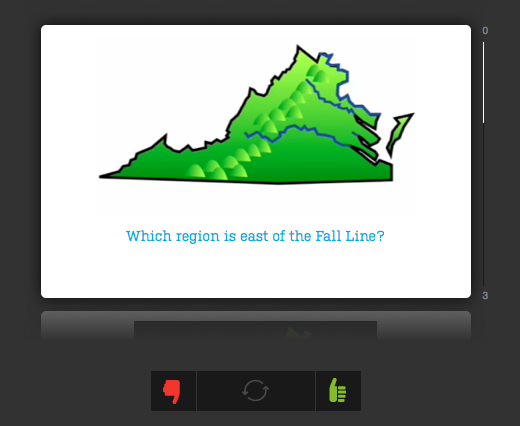
Flash cards are a great way to help your students review. There are several sites that allow you to create online flash cards. Some allow you to add images, audio, and even video. Many also allow you to embed the flash cards on your website or view them on an iPod or iPad. Your students could even create their own flash cards. I joined several of these sites and created a sample flash card set to explore the advantages and disadvantages of each site.

Funnel Brain http://funnelbrain.com (allows you to include photos, audio, video, and embed)


FlashcardDB http://flashcarddb.com (no images, just text, but allows you to score yourself using keyboard, embed code does not allow you to resize the cards so it may not fit on your blog, like here, but you can click the link at the bottom to see it in another window)

Virginia Regions flashcards from dclough on FlashcardDB.

>

ProProfs http://proprofs.com (allows you to add images, embed, but no scoring)

Quizzlet http://quizzlet.com (just text for free version, but has special features like speaking the text and turning flash cards into quizzes and games, click the “Choose a Study Mode” button to try out some of the other features)

Finally, here are some that you can’t embed but are still pretty cool:

StudyBlue http://studyblue.com (allows you to add images and audio, use keyboard to score yourself, no embed)
See a sample here http://s.tudy.it/tw1ike

FauxFlash http://fauxflash.com (allows you to add images, nice interface, no embed)
See a sample here http://fauxflash.com/learn/virginia-regions/1


New Teacher Academy

Today we had a 4-hour technology training for new 3rd grade teachers. My partner, Julie Franklin, and I titled our session “I’m a Thewy Third Thaumaturge.” If you don’t know what those words mean, use your computer’s dictionary to look them up (highlight the word and ctrl click on it to “Look Up in Dictionary”). Four hours is a long time, so we tried to pump it up with music, glow sticks, and a disco ball, but actually, the thing that made it most memorable was the earthquake! We shared all our ideas on this website if you’d like to see what we did. One tool that I would encourage you to check out is the photo sharing site we used called Yogile. It makes it very simple for people to upload pictures to one webpage. Once the photos are uploaded you can view it as a slideshow or gallery. Take a look at ours here. Another site that does something similar but turns the pictures into a book is Keepsy. We didn’t get to use that one, but you can still take a look at our sample here.


ISTE Conference 2011 in Philadelphia

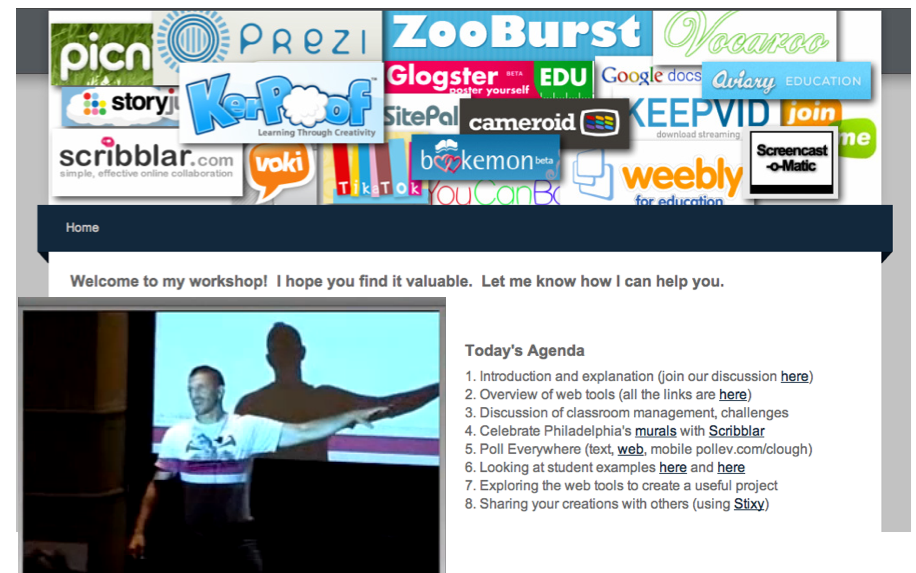
On June 26-29 I attended the ISTE Conference in Philadelphia. It is an annual conference for technology educators, and I always learn a lot when I go. I had a good time touring the historic city too (I’ll be posting a video on the Virginia Trekkers soon). On the third day of the conference (Tuesday) I presented a workshop called “Web Tools that Work in a Real-Life Classroom” where I shared many of the projects that I’ve posted on this blog. The entire workshop was video taped, as well as many of the others, and you can view them all on the ISTE website. You can also check out the web tools I talked about by clicking here.


4th Graders Blogging!

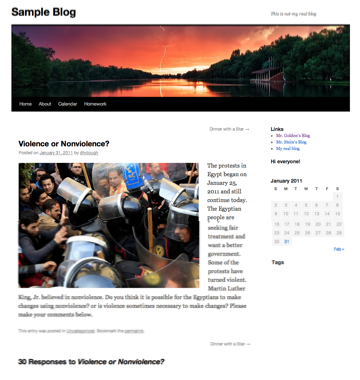
Today 4th graders at Chamberlayne Elementary started blogging. Your class can start too! Each Henrico teacher has a blog space on http://blogs.henrico.k12.va.us Just log in with your email name and password and start posting! I can show you how if you have questions, or I can teach a lesson in your class like I did today. If you would like some ideas about what to post, BrainPop has a nice guide here. The protests in Egypt are a current topic in the news, so I posted a question about it for students to comment on to give them practice. You can see the post and comments by clicking here. Before your students start making comments though, it’s very important to go over the rules and guidelines. You can make up your own, but here are a few to get you started (borrowed from here and here):

1. Use first names only – do not reveal personal information (that includes parents posting).
2. Stay on the topic of the original post – don’t say hi, or comment on something unrelated in someone else’s comment.
3. Proofread before submitting – check punctuation and spelling. Remember this is published online for anyone in the world to see.
4. Write in full sentences and words – no “text” talk.
5. Make a point – Don’t just say, “Great job,” “I agree,” or “You’re wrong,” explain why. Be sure your contribution to the discussion is meaningful.
6. Be respectful – Do not make comments that are unkind, impolite, or rude. Those comments will not be approved anyway, and you may lose the privilege to post comments in the future.

For more information about starting your own Henrico blog click here.


Tags: