Category: 4th Grade

4th Grade Famous People Predictions

Screen Shot 2015-08-12 at 10.29.39 AMFourth graders have been studying famous Virginians of the 20th century in social studies (VS.9). Making predictions (SOL4.5i) was also an area of weakness on the benchmark tests, so today students in Ms. Anthony’s class created websites where they asked their classmates to predict how a famous Virginian would react in a certain situation based on their character. First each student picked a famous Virginian and did some quick research about him or her using the Internet or their notes. Next we went to CheckThis, and I showed them how to customize the theme, fonts, and colors of their website. They uploaded a photo of their person and typed a few facts, focusing on ones that revealed the person’s character. Then they thought of a new situation for the person and wrote it as a poll question. They also wrote some ways the person might react to the situation for their classmates to choose from and practice making predictions. Finally they posted their websites to Google classroom so their classmates could visit them and vote. You can take a look at a few samples here, and you are welcome to vote as well.


4th Grade Facts & Opinions About Famous People

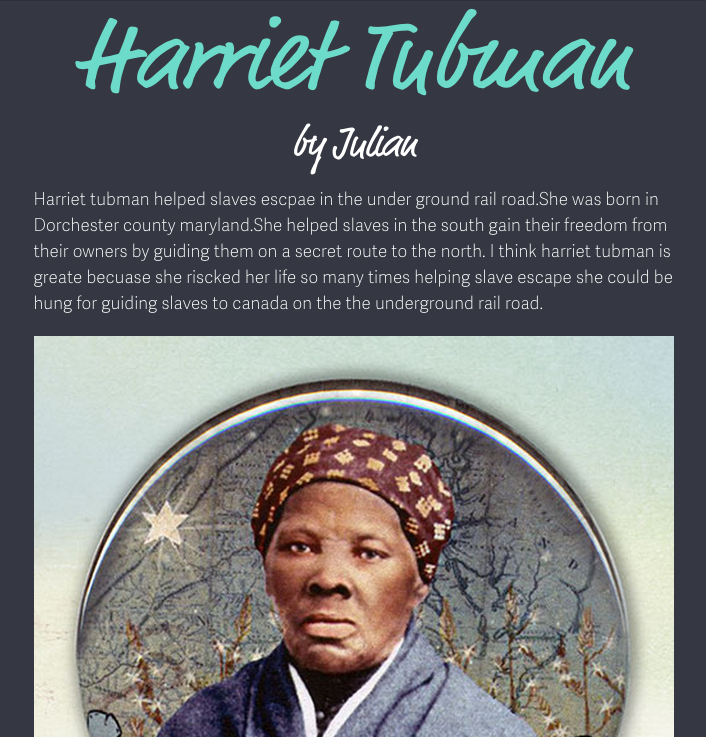
Screen Shot 2015-08-05 at 10.24.53 AMFourth graders at Holladay Elementary have been studying famous Americans from the pre-Civil War time period (VS.7), and their benchmark tests revealed that many of them needed help distinguishing between facts and opinions (SOL4.6h). This is a very important skill, since most propaganda and persuasive articles are a mixture of both facts and opinions. So today we created websites about the famous Americans that included facts and opinions, and our classmates had to decide how we were trying to persuade people to feel about the person. First I asked them to choose a famous American from the pre-Civil War era (John Brown, Harriet Tubman, Abraham Lincoln, or Nat Turner). Next we signed into CheckThis with our Google accounts. I showed them how to change the theme, colors, and fonts of the webpage. They researched their famous person online to gather some facts. Then they wrote a paragraph about him or her and added some opinions of their own. Next they added a photo of the person. Finally, each student wrote a poll question at the bottom of their site, asking their classmates to identify how they were trying to persuade their readers to feel about the famous American. You can take a look at some of their websites here.


4th Grade Measurement with Tech Takeout

Screen Shot 2015-08-05 at 9.03.31 AMThis year all the elementary ITRTs have been working on a special project called Tech Takeout. We look at the needs of different schools and choose a school to focus all our resources on for one fun, intensive day of learning. Today we went to Adams Elementary to help the 4th graders with measurement. I worked with Ms. Wright, another ITRT, to help students create measurement websites using CheckThis. We brought a collection of interesting items including a Samurai Jack action figure, a boxing glove, a geode, a blowfish, a piranha, a bottle of Wonder Woman nail polish, a back scratcher, and a treasure chest from Paraguay. Each student in our group chose an item to weigh, and they used a balance to measure the mass of the item. Then they headed over to CheckThis to make their website. Within CheckThis the students were able to take a picture of themselves holding their item. Below that they created a poll asking the weight of their item. At the bottom of each website the students took a second picture of themselves holding a piece of paper with the correct answer. Ms. Wright and I added all their websites to one page so the students could view each others’ websites and answer the questions. You can see all the other projects from the Tech Takeout day at Adams Elementary here. UPDATE: Later, in March, we did a similar project at Baker Elementary. Check out the measurement websites they made here. We did the answer part differently by making a link to a Google doc instead of having the answer right on the website.


4th Grade Force Storyboards

forceFourth graders at Davis Elementary have been learning about force, motion, and energy in science (SOL4.2) and narrative elements in language arts (SOL4.5). So today students in Ms. Bennett’s class created comics about potential and kinetic energy using StoryboardThat. First they logged into their Google accounts, which allowed them to log into StoryboardThat with just a few clicks. We discussed narrative elements like characters, setting, problem, and solution. I showed them how to add different characters and settings to their comics and customize them. Next we brainstormed different problem-solution situations that would illustrate potential and kinetic energy. We talked about ways to increase potential energy (pulling back, squatting down, rotating, etc). Now the students were ready to create their 3-panel comics showing how a character solved a problem using potential and kinetic energy. When they were finished, they posted the links to their comics on Google classroom so they could see each others’ and add comments. Check out some students examples here.


4th Grade Pixiclip Videos

Screen Shot 2015-06-01 at 10.21.20 AMFourth graders at Varina Elementary have been learning how to multiply 2-digit numbers (SOL4.4b), so today students in Ms. Burcham’s class created their own “how-to” videos explaining how they do it. As students create their videos, they have to break the process down into steps and explain each step. Not only is this valuable for the students, but it also helps the teacher see how the students are thinking each step of the way. They can identify exactly where in the problem solving process misunderstandings occur. Another benefit of creating “how-to” videos is that students can go back to the videos later if they need a quick review. We used a webtool called Pixiclip to record our videos. It’s a great tool that doesn’t require a login. You can record audio or video and you can draw, type, or upload files on a virtual whiteboard. First the students created their own multiplication problem to solve. I encouraged them to challenge themselves though, and not make it a simple problem. Next they chose the strategy they would use to solve it and recorded their steps. Those who finished early went on to make videos showing where the different people groups settled in Virginia (VS.4b), since they are studying colonial times in Social Studies. I gave them a map to use to save some time. We posted all our links to Google classroom, but you can see some of their videos by clicking here.


4th Grade Planet Comparisons

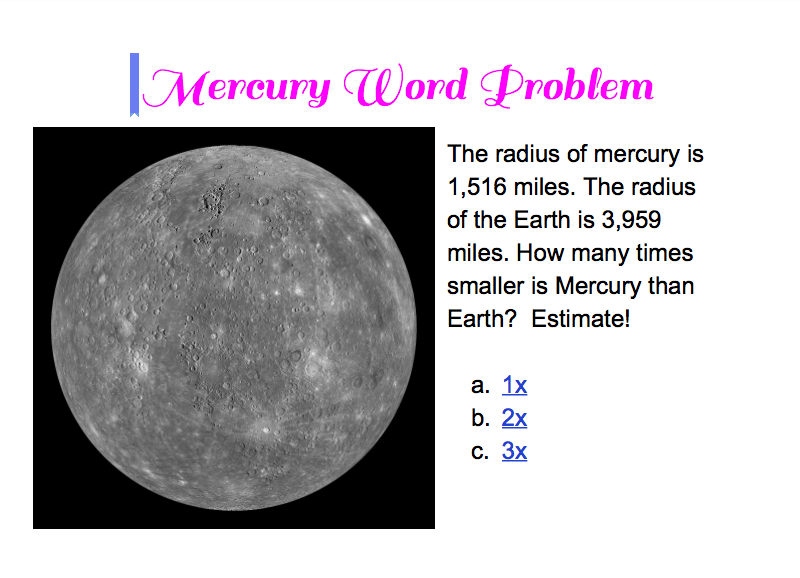
Screen Shot 2015-05-18 at 12.41.27 PMFourth graders at Laburnum have been studying the planets in science (SOL4.7) and they’ve been learning how to estimate and solve multiplication and division problems in math (SOL4.4). So today students in Ms. Butler’s class created their first Google docs comparing the sizes of the planets. First we logged into Google classroom, and I posted an assignment with a blank Google doc. I explained that we would be comparing the radius of Earth with the radius of another planet. The students chose the planet they wanted to compare, and I taught them how to do a quick Google search for “(name of planet) radius” to find out the length of the radius. We left that information open in a tab for our reference and went back to our Google doc to add the title. I demonstrated how to change the font, size, and color of the title text. Then we added a photo of the planet, and I encouraged them to try to match the color of their title with the color of the planet. I also explained that it would be great if they could find a photo of their planet and the Earth. Next they wrote a word problem for their classmates to solve. The general format would be to give the radius of the Earth and the radius of their planet and ask about how many times bigger or smaller the planet was in comparison with Earth. The students would have to round the numbers and divide in order to figure it out. I showed them how to share their documents on the Google classroom page, and they tried to solve each others’ problems, writing the answers in the comments section. I wanted you to be able to see them as well, so I added an interactive part to each one (we didn’t have time to do that in class), and posted them here. UPDATE 1/8/2015: I taught a similar lesson in Ms. White’s class at Davis, but we made websites instead of Google Docs.


4th Grade Multiplication Maps

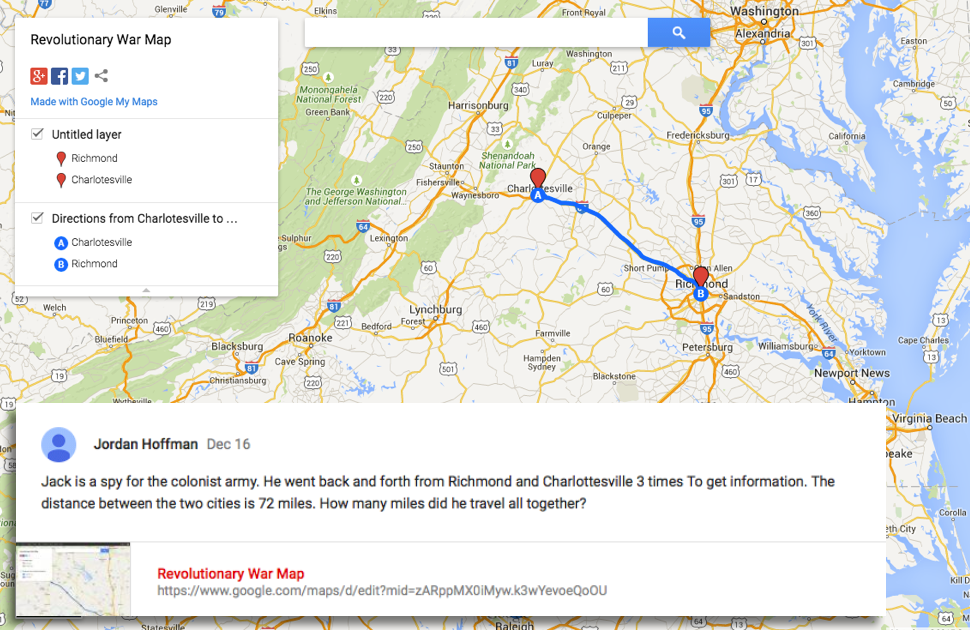
Screen Shot 2015-05-14 at 11.51.39 AMFourth graders at Holladay Elementary have been learning about life in colonial Virginia and the Revolutionary War (VS.4,VS.5), and they’ve been learning how to multiply two digit numbers in math (SOL4.4), so today we made multiplication maps about colonial Virginia in Ms. Ficor’s class. First we discussed which major cities existed during this time (Norfolk, Richmond, Williamsburg, Yorktown). We also talked about what activities would require colonial people to travel from town to town (trading, spying, fighting, visiting). I explained that they would be creating maps with a story problem to solve. They would have to figure out the distance between two towns, tell why a colonist was traveling back and forth between those towns, and tell how many times that person made the trip. Then their classmates would solve each others’ problems. I posted a link to My Google Maps on their Google classroom page. The students placed markers on the two towns their colonists were traveling between and then clicked for directions. A blue line is automatically created with the distance. I showed how they could change the mode of transportation to walking. Next they shared their maps and copied the link to post to the classroom page. They wrote their story problem in their post, and their classmates solved them in the comments. I pointed out that they needed to solve their own problems, so they could check the answers. You can try out some of their problems here.


4th Grade Planet Elapsed Time

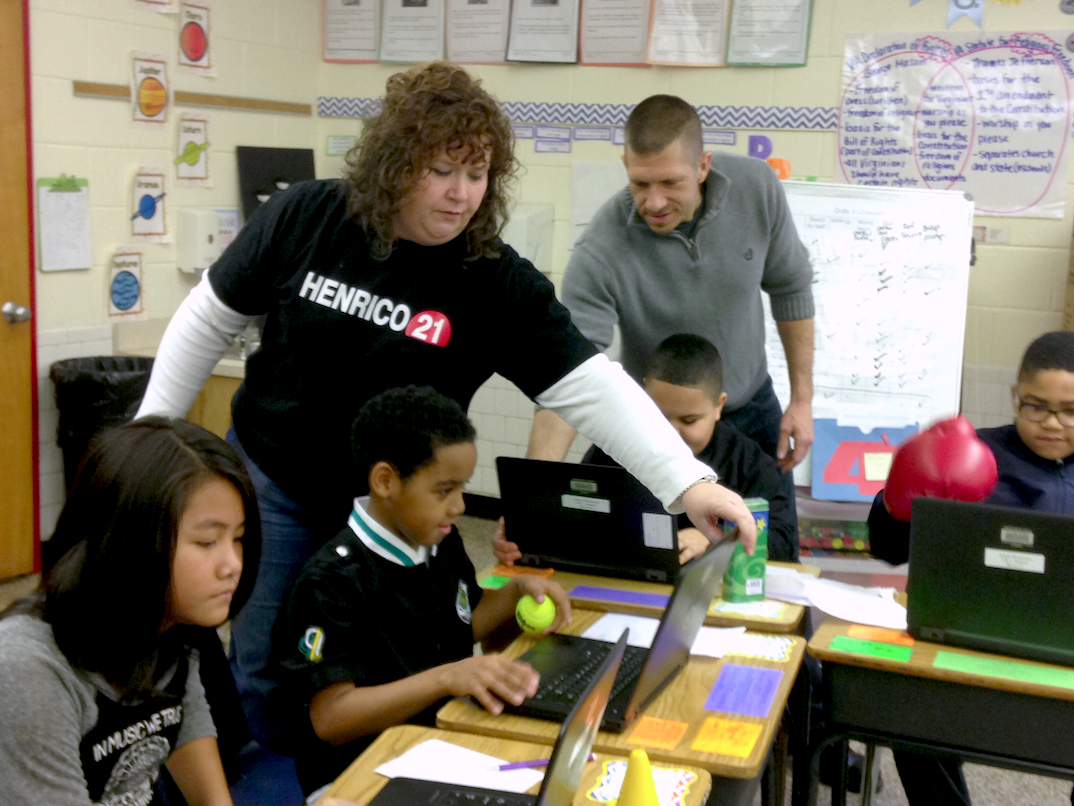
Screen Shot 2015-05-13 at 11.25.38 AMFourth graders at Varina Elementary have been studying the planets in science (SOL4.7) and in math, elapsed time was a topic they need to review based on their benchmark scores (SOL4.9), so today students in Ms.Burcham’s and Ms.Dixon’s classes created planet elapsed time story problems. I presented them with a situation: “You are an astronaut. You have been given the incredible opportunity to explore a planet of your choice. But you only have enough oxygen to last one complete day on the planet. How will you calculate what time you must leave the planet?” The first step was to select a planet. We used an animated 3-D view of the solar system to help us make our decision. Once we selected our planet, we discussed what factors determine the length of a day, and we conducted research to find out long a day actually lasts on our planet. We discovered that if you type “length of day on (planet)” into Google, you will get the answer quickly. Next we created word problems using Google slides and images. This was their first time making Google slideshows so I posted the assignment into Google classroom with a blank template for each student. I showed them how to add slides, text, images, and transitions. For their story problem, the students provided the length of day and the time they arrived, and their classmates had to figure out what time they must leave the planet. We posted our slideshows to Google classroom for everyone to view, and the students posted their answers in the comments section. Can you save the astronauts? Try some here. This lesson was submitted to our county’s Henrico 21 website, so if you’d like to see the complete lesson plan, click here.


4th Grade Earth Motion Animations

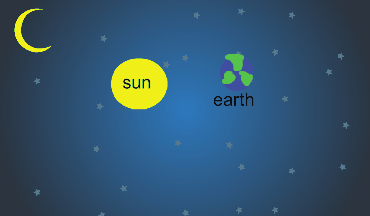
Screen Shot 2015-05-08 at 10.11.53 AMFourth graders at Davis Elementary have been learning about the motions of the Earth in science (SOL4.8) so today students in Ms. Bennett’s class created animations showing how the Earth revolves around the sun. I posted a link to ABCYa! Animate on their Google classroom page and showed them how to draw the first image using a space background and two circle shapes for the sun and Earth. We discussed the relative size of the circles (SOL4.8d) and which direction the Earth moves around the Sun–it’s counterclockwise (SOL4.8a). Then I showed them how to label the objects with text boxes and group them so they move together. Next we used the copy cat button to make a copy of our image, and we moved the Earth a little bit. We continued making copies and moving the Earth gradually until we had one revolution. We set the animation to loop and then published it as a .gif file. The students posted their finished animations to the classroom page and I gathered them together here. You can also see examples from Ms. Lara’s class at Holladay Elementary here.


4th Grade Inferring & Predicting

4thInferPredictFourth graders at Varina Elementary have been learning how to make inferences and predictions (SOL4.5h,i) so today students in Ms. Dixon’s class practiced creating their own using Google Docs. Since this was their first time using Google docs, I also wanted to teach them some basic word processing skills such as changing the font, size, and color of the text. I instructed them to write about a person saying or doing things in such a way that the reader could infer how a person was feeling, without actually telling the reader how the person was feeling. Then a partner read their situation and inferred how the person was feeling. They wrote their reply in a different color. Next, the partner wrote a new scenario where the reader would have to make a prediction about what would happen next. They switched back, and the original writer wrote their prediction in a different color. If you had additional time, you could show your students how to insert a picture, but this was just a quick lesson. It gave the students some practice inferring and predicting while also learning some basic word processing skills.