
Attendance Graph with Numbers
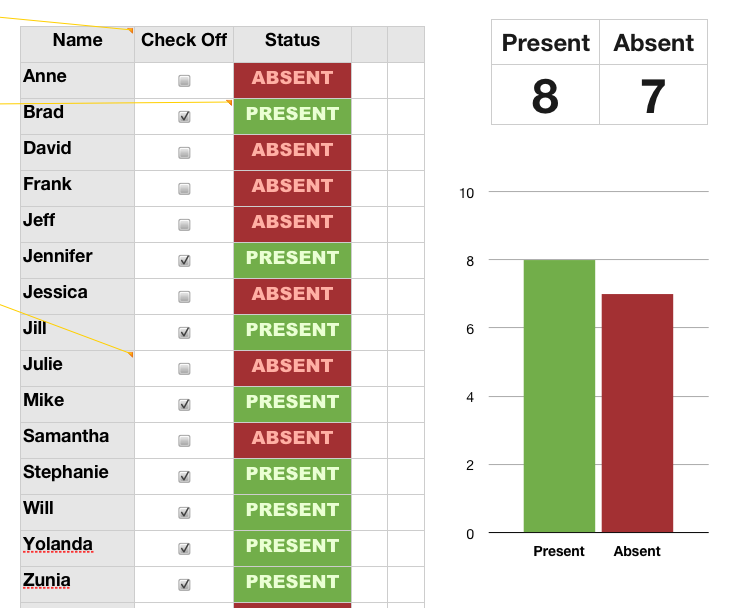 Numbers is a cool piece of software and to showcase some of it’s special features I’ve created an attendance activity you can use with your students. It will give them a some graphing experience each morning, and it provides an easy, visual way to take attendance. Just enter your students’ names in the spreadsheet, set them all to ABSENT with one quick drag, and as they enter your room they check off their own names. The graph will automatically update and everyone can see at a glance who’s absent! No more pesky reminders from the office to do your attendance (believe me, I know from experience)! Two special features of Numbers that this showcases are the checkboxes and conditional formatting (that’s how it changed from ABSENT to PRESENT when they checked the box). You can explore the formulas I used by clicking in some of the boxes. Download the activity by clicking here and if you would like to see a demo video click here.