
Technology Infusion for Principals
 Today I presented a workshop on “Technology Infusion” for principals at Twin Hickory Elementary similar to the one I talked about on this post. I showed a couple of new YouTube videos produced by the Pearson Foundation that explained the importance of technology infusion in today’s classroom from both the administrators’ viewpoint and the students’ viewpoint. I also showed some websites of teachers who are infusing technology in their classrooms in amazing ways. Mr. Coley, a fifth grade teacher, has his students creating blogs and podcasts, and he creates flashcards for them to download and play on their ipods. You can see it all on his website. Mrs. Yollis, a third grade teacher, is the elementary winner for the EduBlog Awards 2009. Her site has incredible ideas for student-created technology projects such as tutorial videos and more. Check it out by clicking here. If you’d like to try some of their ideas, let me know and I’d be happy to help.
 Today I taught a class for principals about how to add pizzaz to their communication with teachers and the community. I’d like to share that information with you as well since you may be interested in pumping up your communication with your students and their parents. Click
 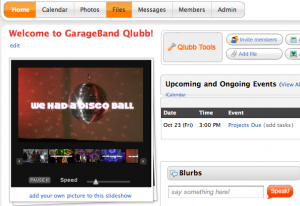 I’ve mentioned Qlubb before in
  Today was staff development day in Henrico County. My fellow ITRT, Jill Baedke and I presented a workshop on Technology Infusion. There are basically two definitions of infusion: (1) a drink prepared by soaking fruit or leaves in a liquid, and (2) slowly injecting medicine or fluids into a vein. So you can think of infusion as a slow process whereby something becomes one with something else. Anyway, the picture I drew was supposed to convey this in a grungy, graphic-design type of way, like the word “infusion” is becoming one with the person, but people have told me that it just looks like blood spurting out. Sorry about that, it was unintentional. Now getting back to main point of this whole thing, technology infusion would involve using technology throughout the learning process, not just as one distinct piece of the process (project-based learning vs a computer lesson). There are many examples and links on the website so check it out by clicking